Add Bruise To Photo
Transform your photos with realistic bruise effects and black eye filters. Customize intensity and location for natural-looking results.
Upload and transform
Your generated content will appear here
Add Bruise To Photo Examples
See what others have created
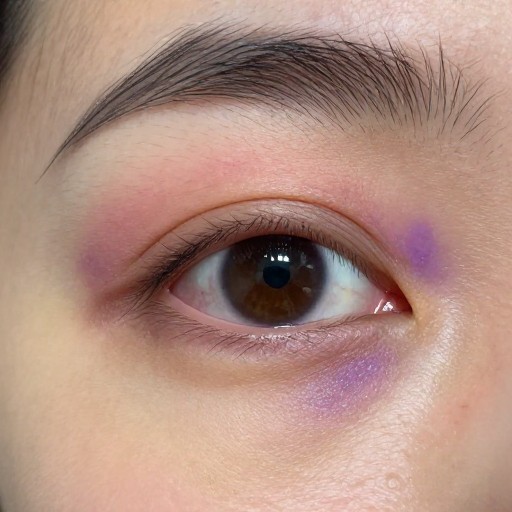
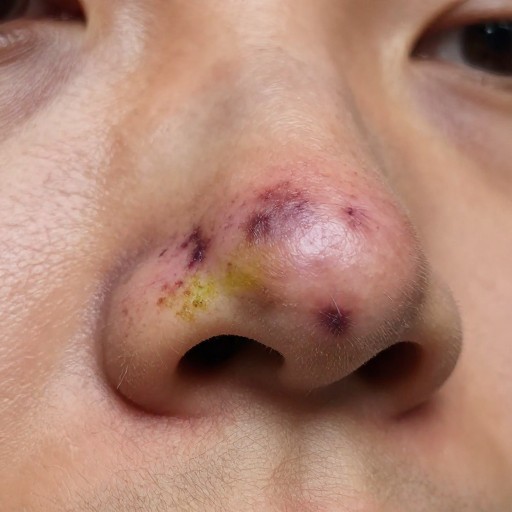
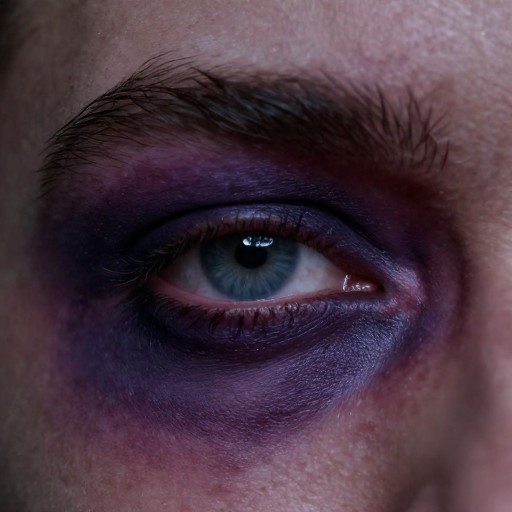
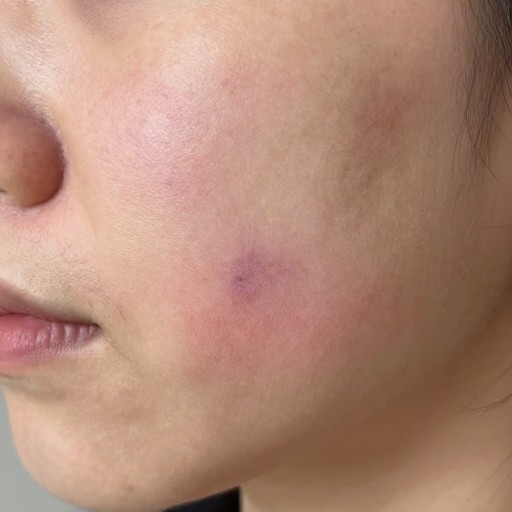
Related Portrait & Caricature Tools
How to Get Started
Simple steps to create amazing results
Upload Your Photo
Select and upload the image you want to edit. Our tool accepts JPG, PNG, and other common formats.
Customize Your Bruise
Choose the bruise type, size, color intensity, and placement on your photo. Adjust settings for maximum realism.
Download & Share
Preview your edited image and download it instantly in high quality. Use it for makeup tutorials, film projects, or special effects.
Main Features
Powerful capabilities at your fingertips
Realistic Bruise Effects
Generate authentic-looking bruises with customizable colors, from fresh red to healing yellow-green tones.
Smart Placement
Intelligently position bruises on any body part with automatic blending that matches skin texture and lighting.
Precision Controls
Fine-tune size, opacity, rotation, and intensity to create exactly the effect you need for your project.
Multiple Bruise Types
Choose from various injury types including contusions, black eyes, cuts, scrapes, and healing stages.
Natural Blending
Advanced AI ensures bruises blend seamlessly with skin tone, shadows, and photo quality for realistic results.
High-Resolution Export
Download your edited photos in full resolution, perfect for professional makeup portfolios, film, or theater productions.
Frequently Asked Questions
Everything you need to know
What can I use this bruise photo editor for?
How realistic do the bruises look?
Can I adjust the bruise after adding it?
Is there a limit to how many photos I can edit?
What image formats are supported?
Do I need design experience to use this?
Ready to Create Realistic Bruise Effects?
Transform your photos with professional-quality bruise effects in seconds. Perfect for makeup artists, filmmakers, and creative projects.