Add Earrings To Photo
Try on earrings virtually with AI-powered realistic image generation
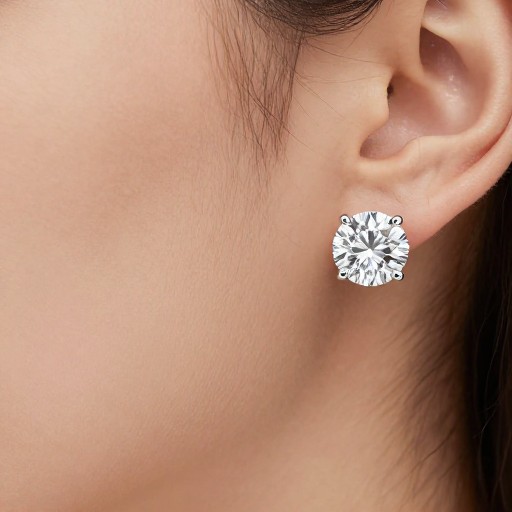
Add Earrings To Photo Examples
See what others have created
How to Get Started
Simple steps to create amazing results
Upload Your Photo
Click the upload button and select a clear photo of yourself or a model with visible ears. Make sure the lighting is good and ears are clearly visible for best results.
Choose Earring Style
Browse through different earring styles or describe what you're looking for. Select from hoops, studs, dangles, or custom designs to virtually try on.
Download & Share
Preview how the earrings look on your photo, make any adjustments, then download your image to save or share with friends and family.
Main Features
Powerful capabilities at your fingertips
Virtual Try-On Technology
Upload your photo and see realistic earrings added instantly. Our AI precisely positions and scales earrings to match your ear placement and face angle.
Custom Earring Styles
Choose from countless earring designs or describe your ideal style. Create hoops, studs, chandelier earrings, or match earrings from inspiration photos.
Realistic Rendering
Advanced AI ensures earrings look natural with proper lighting, shadows, and reflections that blend seamlessly with your original photo.
High-Quality Export
Download your enhanced photos in high resolution, perfect for social media, shopping decisions, or sharing with jewelry designers.
Style Customization
Adjust earring size, color, material finish, and positioning to perfectly match your preferences and see exactly how they'll look.
Unlimited Variations
Try on as many earring styles as you want with no limits. Experiment freely to find the perfect look before making a purchase decision.
Frequently Asked Questions
Everything you need to know
Ready to Try On Your Perfect Earrings?
See how any earring style looks on you instantly. No commitment, no purchase needed—just unlimited virtual try-ons.