Add Tears To Photo
Create authentic emotional edits with realistic tears and crying face filters
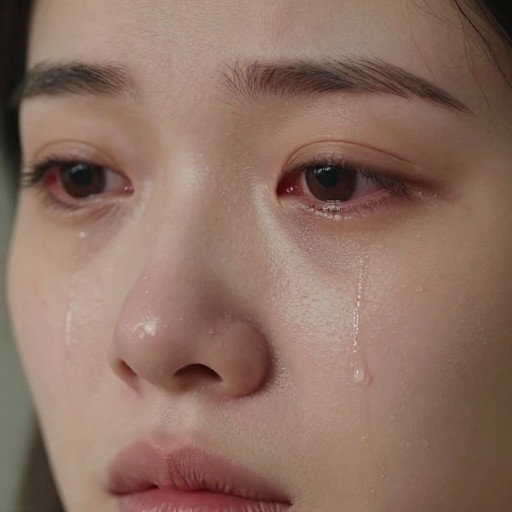
Add Tears To Photo Examples
See what others have created
How to Get Started
Simple steps to create amazing results
Upload or Describe Your Photo
Upload your existing photo or describe the image you want to create with tear effects. Our AI works with portraits, selfies, and any photo where you want to add emotional depth.
Customize Your Tear Effect
Choose the intensity of tears, select from crying filters like cry face filter or sad face filter, and adjust the mood and style to match your vision.
Generate & Download
Let our AI create realistic tear effects on your photo instantly. Download your edited image in high quality and use it wherever you need.
Main Features
Powerful capabilities at your fingertips
Realistic Tear Effects
Advanced AI technology creates natural-looking tears that blend seamlessly with your photo's lighting and texture for authentic emotional expression.
Multiple Crying Filters
Choose from various effects including cry face filter, crying face filter, sad face filter, and stylized options to perfectly match your photo's mood.
Customizable Intensity
Adjust tear intensity, size, and placement to create the exact emotional effect you want—from subtle glistening to dramatic crying scenes.
Works with Any Photo
Perfect for portraits and close-ups, but versatile enough to add tear effects to any photo style with clear facial features.
Instant Processing
No waiting required. Our AI cry editor generates your tear-enhanced photos in seconds, so you can create and download immediately.
High-Quality Output
Download your edited photos in full resolution with professional-grade tear effects that look natural and emotionally compelling.
Frequently Asked Questions
Everything you need to know
Ready to Get Started?
Transform your photos with realistic tear effects in seconds. Create emotionally powerful images that capture genuine feeling.