Charcoal Portrait Generator
Transform your photos into timeless vintage charcoal portraits with artistic detail
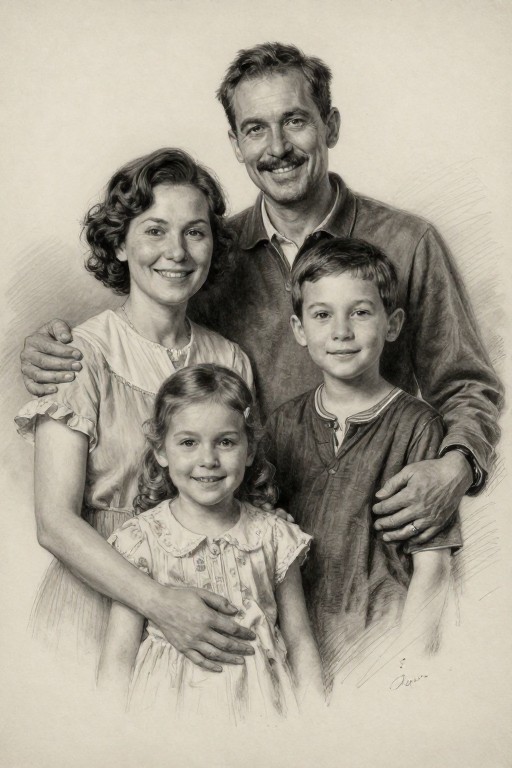
Charcoal Portrait Generator Examples
See what others have created
How to Get Started
Simple steps to create amazing results
Upload Your Photo
Click the 'Upload Photo' button and select any image from your device. Our tool works with portraits, selfies, and profile pictures.
Customize Your Style
Choose from vintage, modern, or classic charcoal styles. Adjust the intensity and detail level to match your artistic vision.
Download & Share
Generate your charcoal portrait instantly and download it in high resolution. Perfect for printing or sharing on social media.
Main Features
Powerful capabilities at your fingertips
Realistic Charcoal Effect
Advanced AI creates authentic charcoal textures with natural strokes, smudging, and shading that mimics traditional hand-drawn artwork.
Multiple Artistic Styles
Choose from vintage, modern, or classic charcoal portrait styles. Each style offers unique characteristics and artistic interpretations.
Professional Quality Output
Generate high-resolution portraits suitable for printing in various sizes including A4, A3, and A2 formats.
Instant Processing
Transform your photos into stunning charcoal portraits in seconds. No waiting, no complicated software required.
Smart Enhancement
AI automatically optimizes contrast, detail, and composition to create the most flattering and artistic charcoal effect.
Easy Download
Save your charcoal portraits in high-quality formats ready for printing, framing, or digital use across all platforms.
Frequently Asked Questions
Everything you need to know
Ready to Create Stunning Charcoal Portraits?
Transform your photos into timeless artistic masterpieces in seconds. No artistic skills required.