AI Home Design: Visualize Your Dream Home
Learn how to use AI to design your entire home, from exterior curb appeal to interior living spaces. Generate photorealistic renders, explore architectural styles, plan renovations, and visualize your dream home before spending a dollar on construction.
 by David LaubJan 15, 202615 min read
Transform Your Home with AI Design Tools
AI home design has revolutionized how homeowners visualize renovation projects and new construction. Whether you're planning an exterior makeover, a kitchen remodel, or designing a home from scratch, AI-powered tools generate photorealistic renders in minutes. Upload a photo of your current home, describe your desired changes, and watch AI transform your vision into realistic visualization.
This comprehensive guide covers both exterior and interior design workflows. You'll learn how to use AI to explore different architectural styles, test color palettes, generate floor plans, and create mood boards for your design projects. The AI interior design section focuses on room-by-room transformation, while exterior workflows help you reimagine your home's curb appeal. For more on image generation technology, see our best AI image generators guide.
AI technology doesn't replace architects or contractors. It streamlines the early design process, helping you communicate ideas, explore options, and make confident decisions before major investments. Real estate agents use these tools for virtual staging. Homeowners use them to plan makeovers. Designers use them to present concepts to clients. The functionality extends across the entire home design experience.
Throughout this guide, you'll see AI-generated examples demonstrating various design styles and renovation approaches. Each workflow includes prompting techniques you can adapt for your own projects. Whether you're working with Planner 5D, RoomGPT, SketchUp, or Vondy's design tools, these principles apply across platforms.
The algorithms powering modern AI design tools have advanced significantly. Today's models understand architectural proportions, material textures, lighting conditions, and style conventions. When you describe a "craftsman bungalow with tapered columns," AI knows exactly what that means. This semantic understanding makes AI an invaluable design app for exploring possibilities before engaging architects or contractors for detailed plans.
Exterior + Interior
Complete home visualization from curb to living room
Instant Renders
Generate photorealistic renders in under a minute
Multiple Styles
Test contemporary, farmhouse, colonial, and more
Explore Architectural Styles
Before planning a renovation, explore different architectural styles to find what resonates with your vision. AI generates exterior renders in any style, from modern farmhouse to traditional colonial. These generated design examples show how the same property could look with different styles applied.
Understanding interior design styles helps when coordinating exterior and interior aesthetics. A craftsman bungalow exterior pairs naturally with warm, handcrafted interior elements. Contemporary exteriors complement minimalist interior spaces. Use AI to visualize these connections before committing to major changes.
Each architectural style carries specific design features that AI recognizes and reproduces. Modern farmhouse designs emphasize clean lines with rustic touches. Colonial homes feature symmetry and classical proportions. Contemporary architecture showcases geometric forms and extensive glazing. When prompting AI, naming these styles helps generate accurate representations that respect historical conventions while allowing for personal customization.
AI-Generated Exterior Styles (click to view prompt)
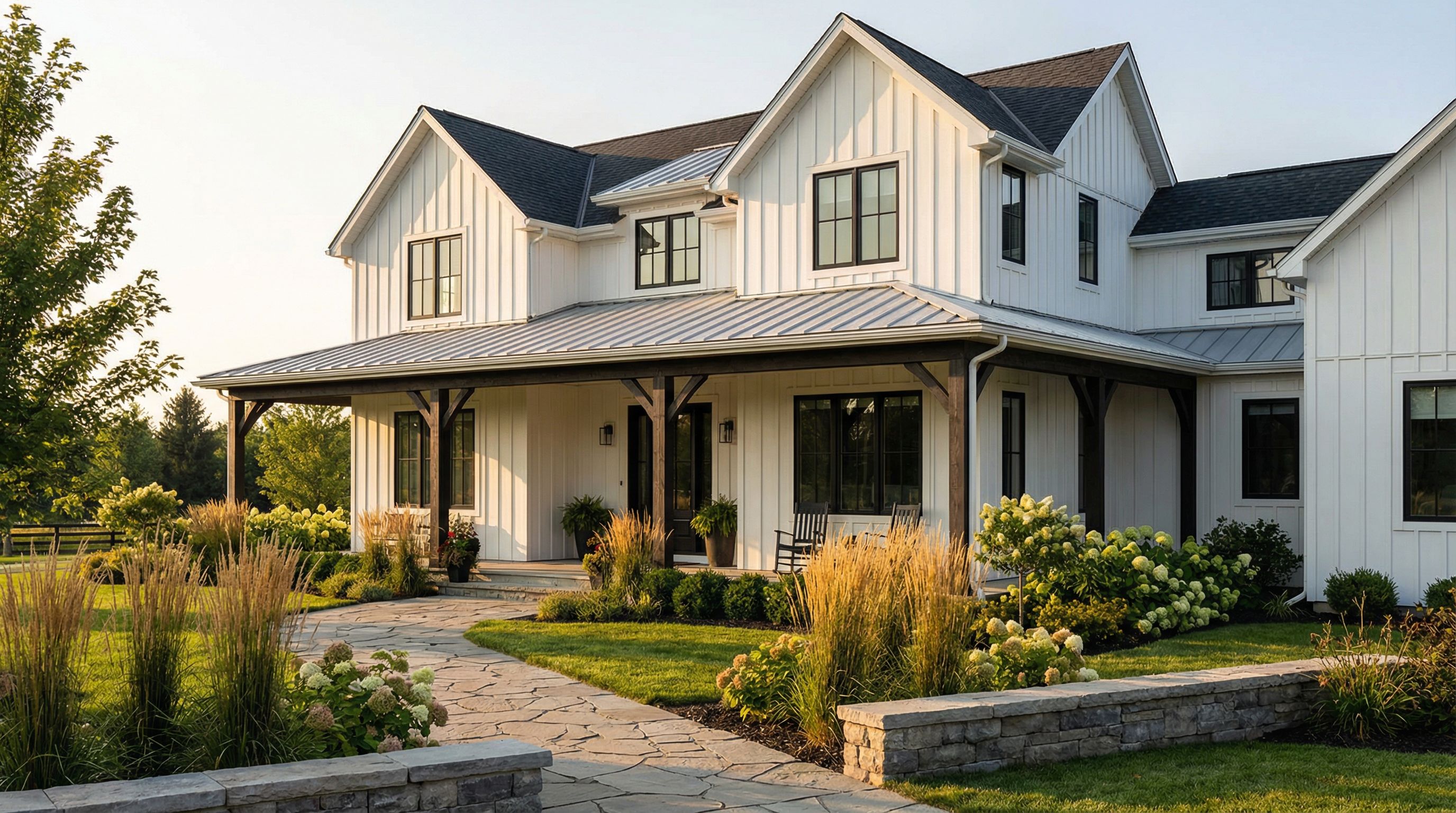
Modern Farmhouse
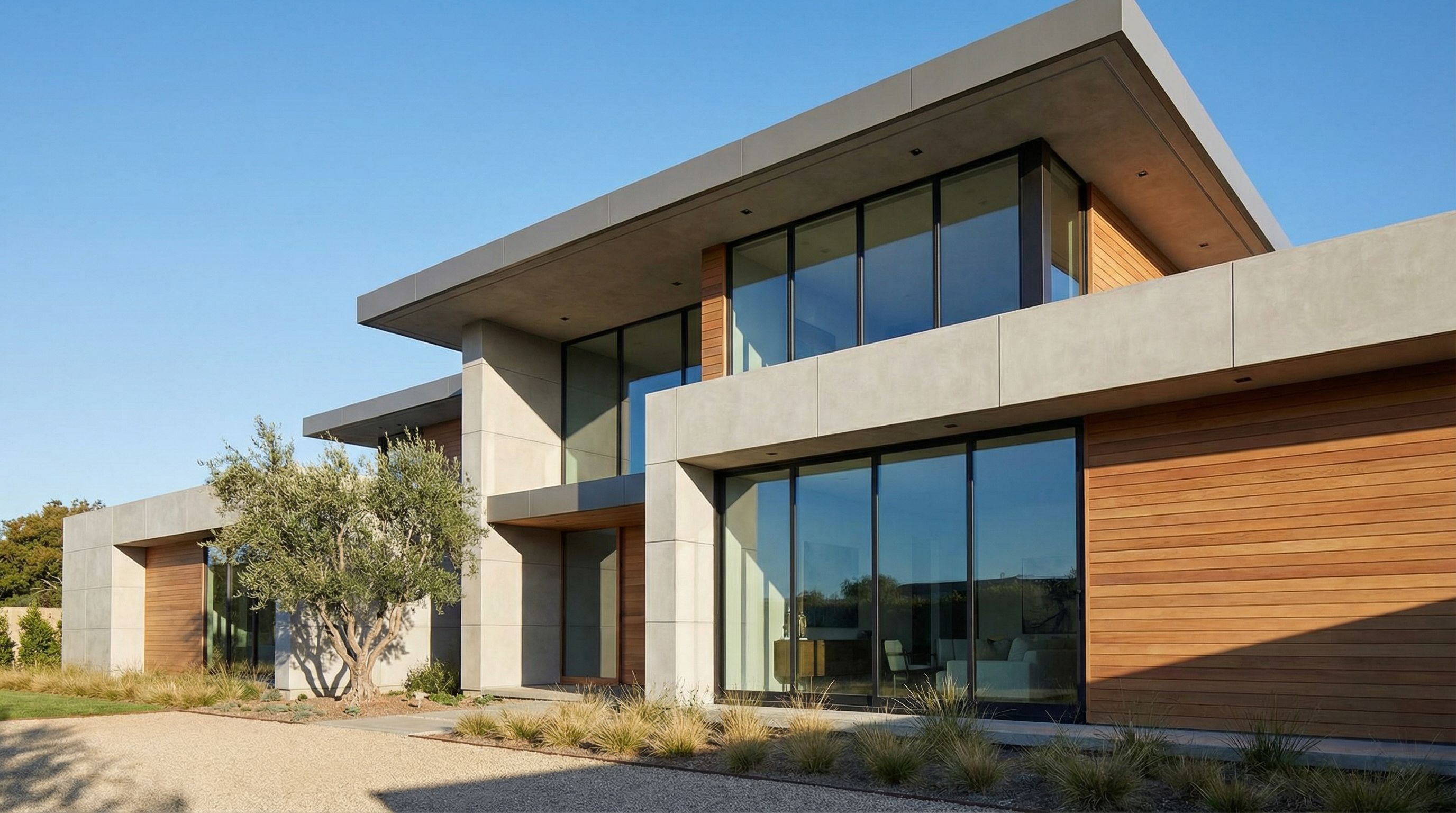
Contemporary

Traditional Colonial
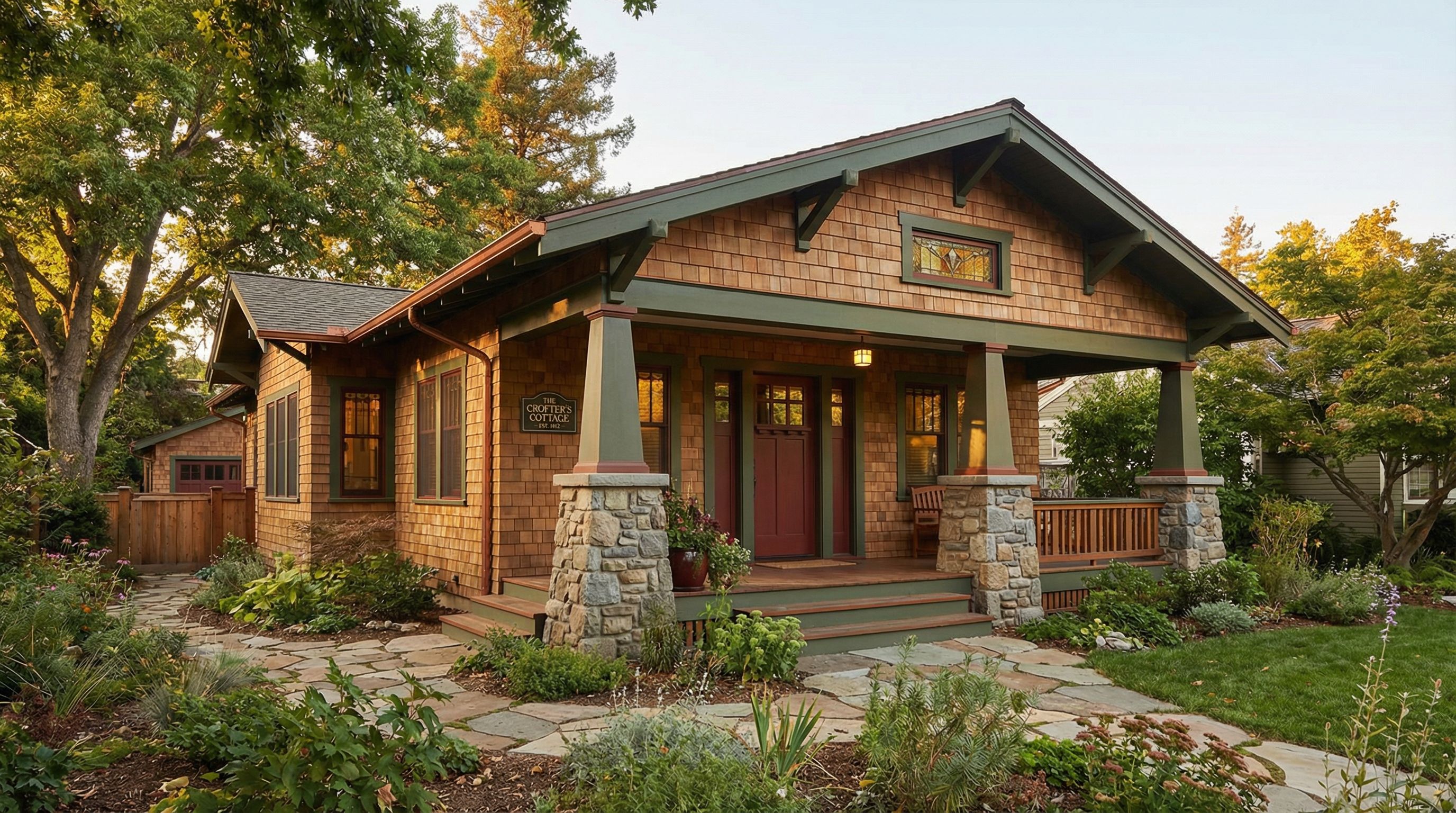
Craftsman Bungalow
Exterior Renovation Visualization
See how AI transforms a dated home exterior into different styles. Upload a photo of your current home, and AI generates redesign options while preserving the basic structure. This workflow is ideal for homeowners planning exterior renovation or makeover projects. For landscape ideas to complement your exterior, see our AI landscape design guide.
The before-and-after visualization approach is particularly powerful for exterior transformations. Homeowners can share these AI renders with contractors to communicate their vision clearly, reducing misunderstandings and ensuring everyone works toward the same goal. Real estate agents also use this workflow to show sellers how updates could increase property value.
When generating exterior makeover concepts, AI considers multiple elements simultaneously: siding materials, window trim, roofing, entry design, and landscaping. This holistic approach ensures cohesive results where all elements work together aesthetically. The inspiration image you provide as input helps AI understand your home's unique proportions and site conditions.
Starting Point: Dated Home Exterior
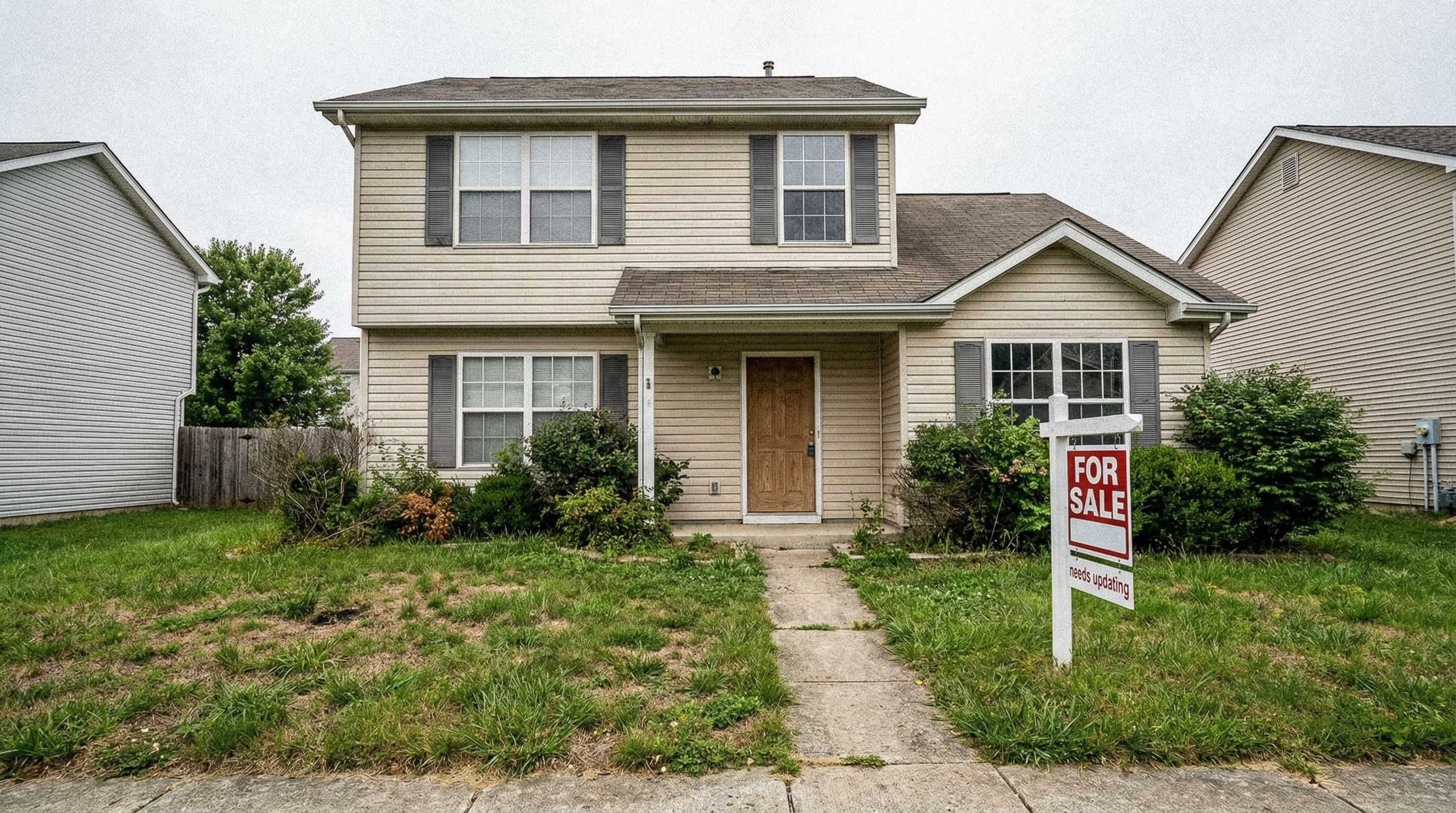
AI-Generated Makeover Options (click to compare)
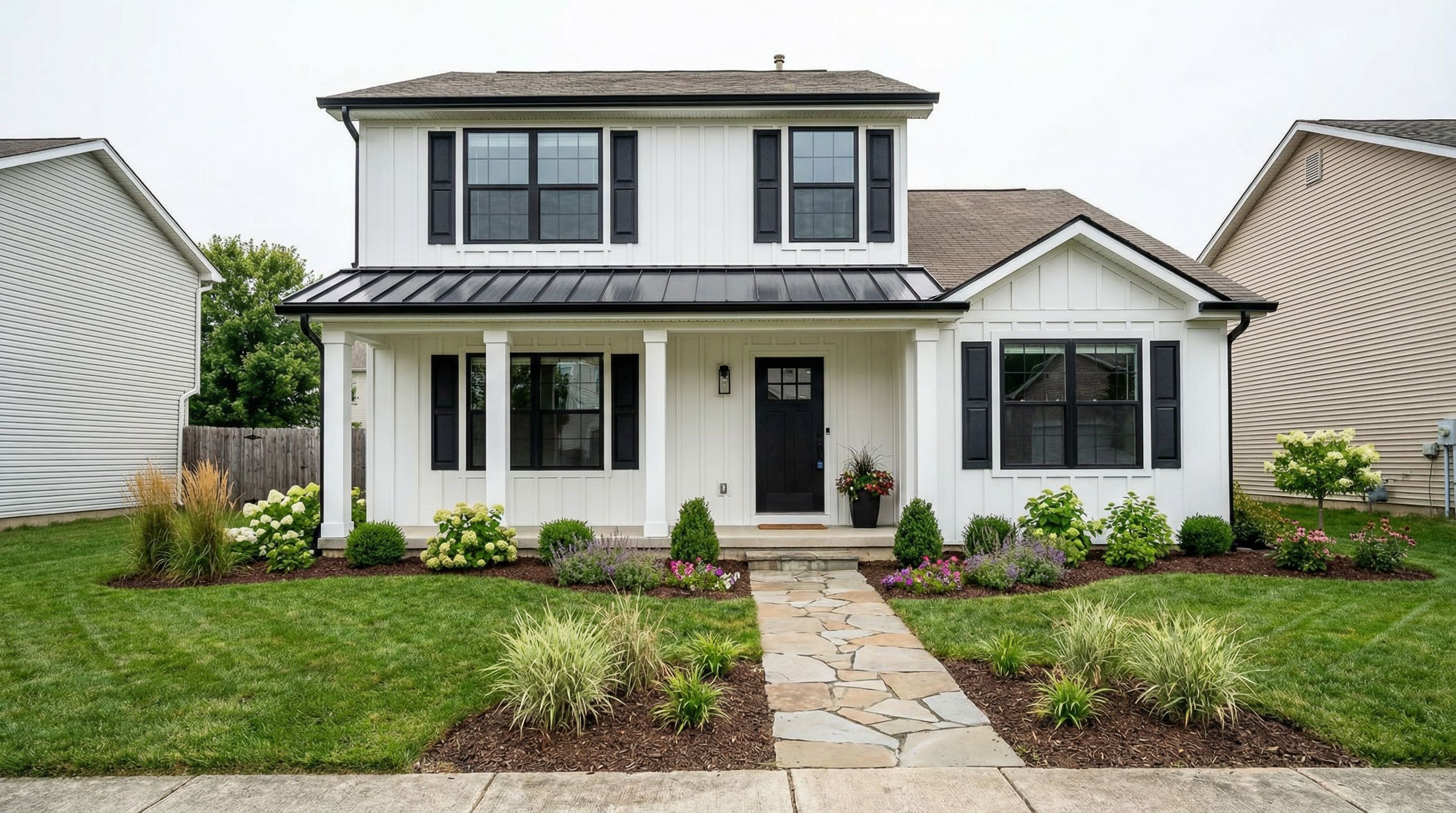
Modern Farmhouse Makeover
~45s • Click to compare with original
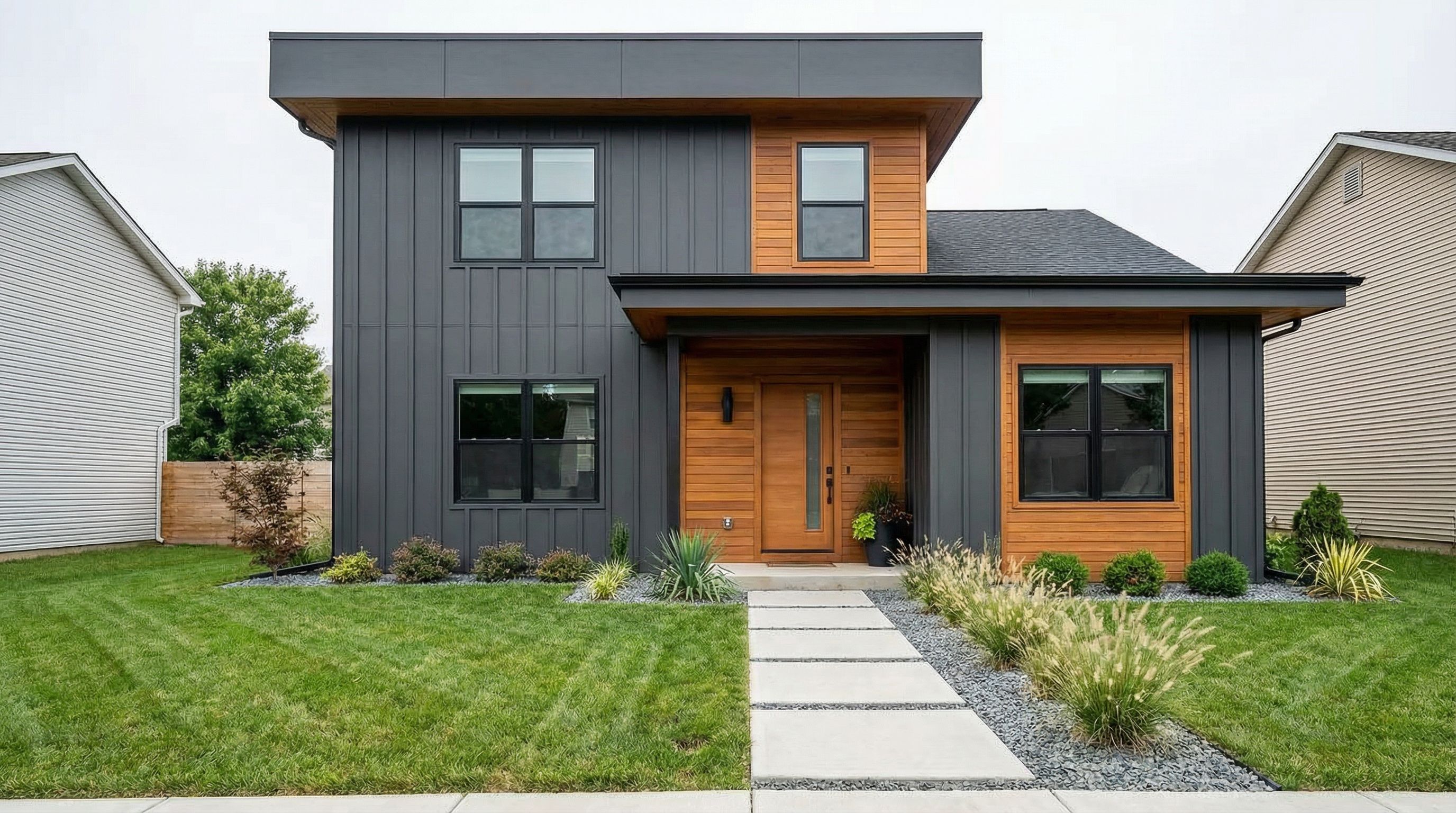
Contemporary Makeover
~42s • Click to compare with original
Exterior Renovation Tips
- Upload a straight-on photo of your home's front facade for best results
- Specify "keep same house shape and windows" to preserve your home's structure
- Include landscaping details for a complete curb appeal visualization
Living Room Transformation
AI interior design tools transform empty rooms into beautifully decorated spaces. This living room workflow shows how to visualize different design styles from the same starting point. Upload a photo of your empty room, and AI generates furnished versions matching your desired aesthetic. For detailed room-by-room workflows, see our dedicated AI room design guide.
The AI-powered room planner functionality preserves your room's actual layout, windows, and architectural features while adding furniture, decor, and color schemes. This makes AI particularly valuable for virtual staging and pre-purchase visualization. The generated design maintains proper scale and proportion, ensuring furniture fits realistically within the space.
Interior visualization helps homeowners make confident purchasing decisions. Instead of wondering whether a cream sectional will work in your living room, generate a realistic render showing exactly how it would look. Test different color palettes, furniture arrangements, and decor styles before spending money. This design experience transforms how people approach interior decorating projects.
Starting Point: Empty Living Room
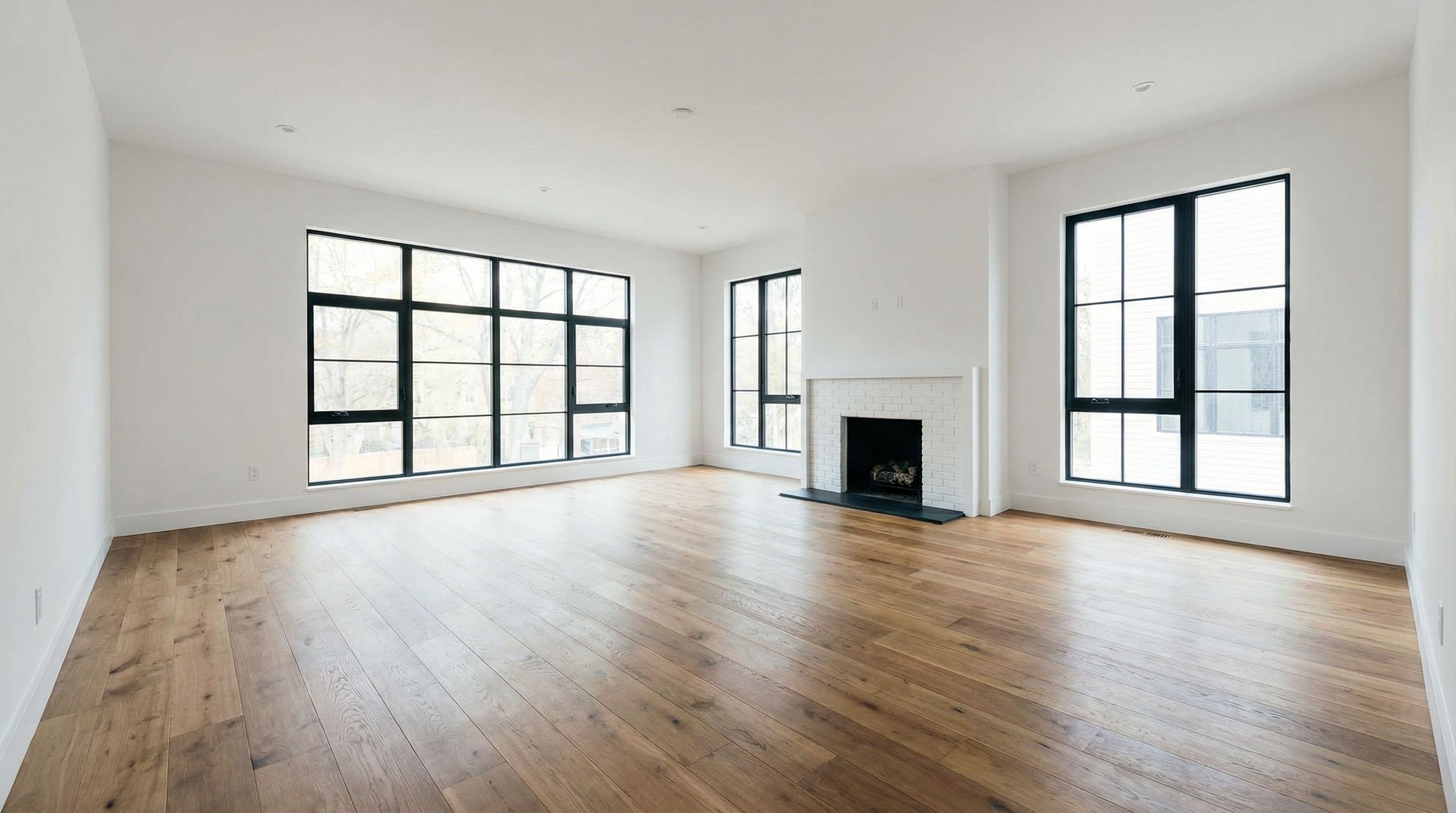
AI-Generated Interior Styles (click to compare)
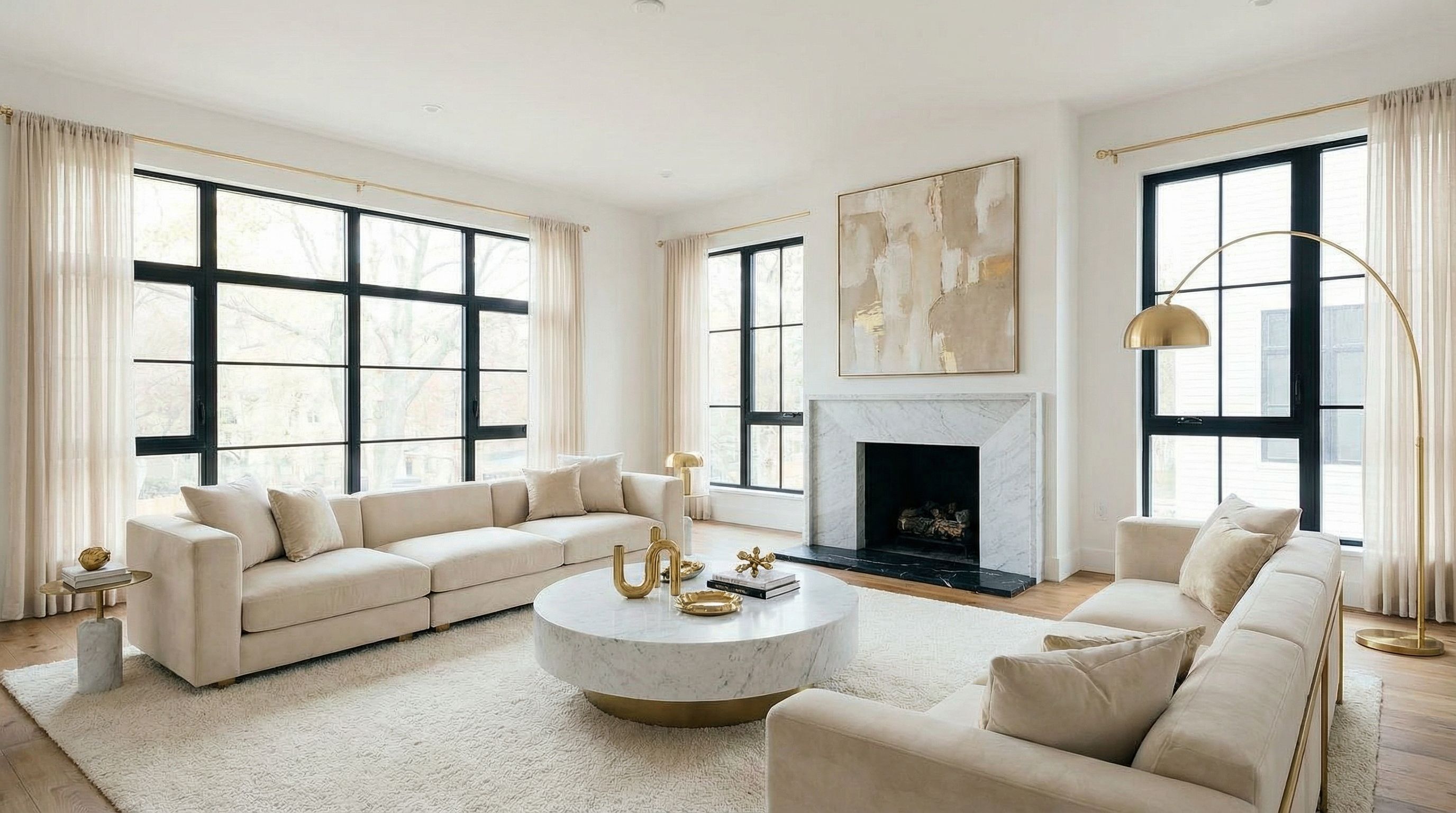
Modern Luxury
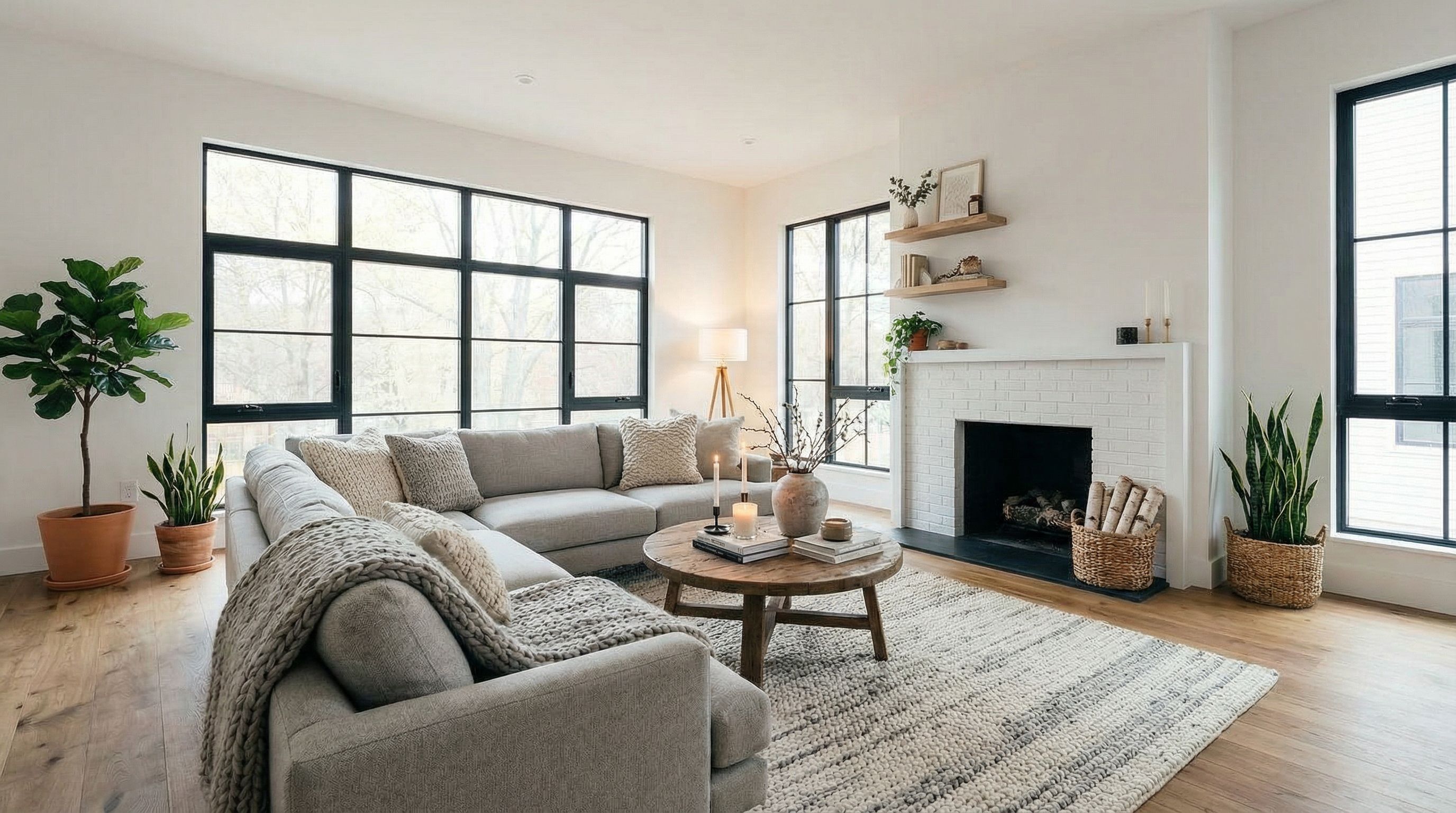
Scandinavian Hygge
Kitchen Remodel Visualization
Kitchen remodels are among the most impactful home renovation projects. Before committing to expensive changes, use AI to visualize different cabinet styles, countertop materials, and design approaches. This workflow demonstrates how AI transforms an outdated kitchen into modern or farmhouse aesthetics while preserving the room type and basic layout.
AI excels at helping homeowners compare options side by side. Generate a modern white kitchen, then a warm farmhouse version, and evaluate which direction feels right. These realistic renders help communicate your vision to contractors and family members during the design process. The visualization capabilities reduce costly mid-project changes by clarifying expectations upfront.
When planning kitchen remodels, consider how the space connects to adjacent rooms. Open floor plans require kitchen designs that complement living and dining areas. AI can generate renders showing these transitions, helping you maintain cohesive aesthetics throughout your home. This whole-home perspective is what distinguishes AI home design from simple room-by-room tools.
Starting Point: Outdated Kitchen
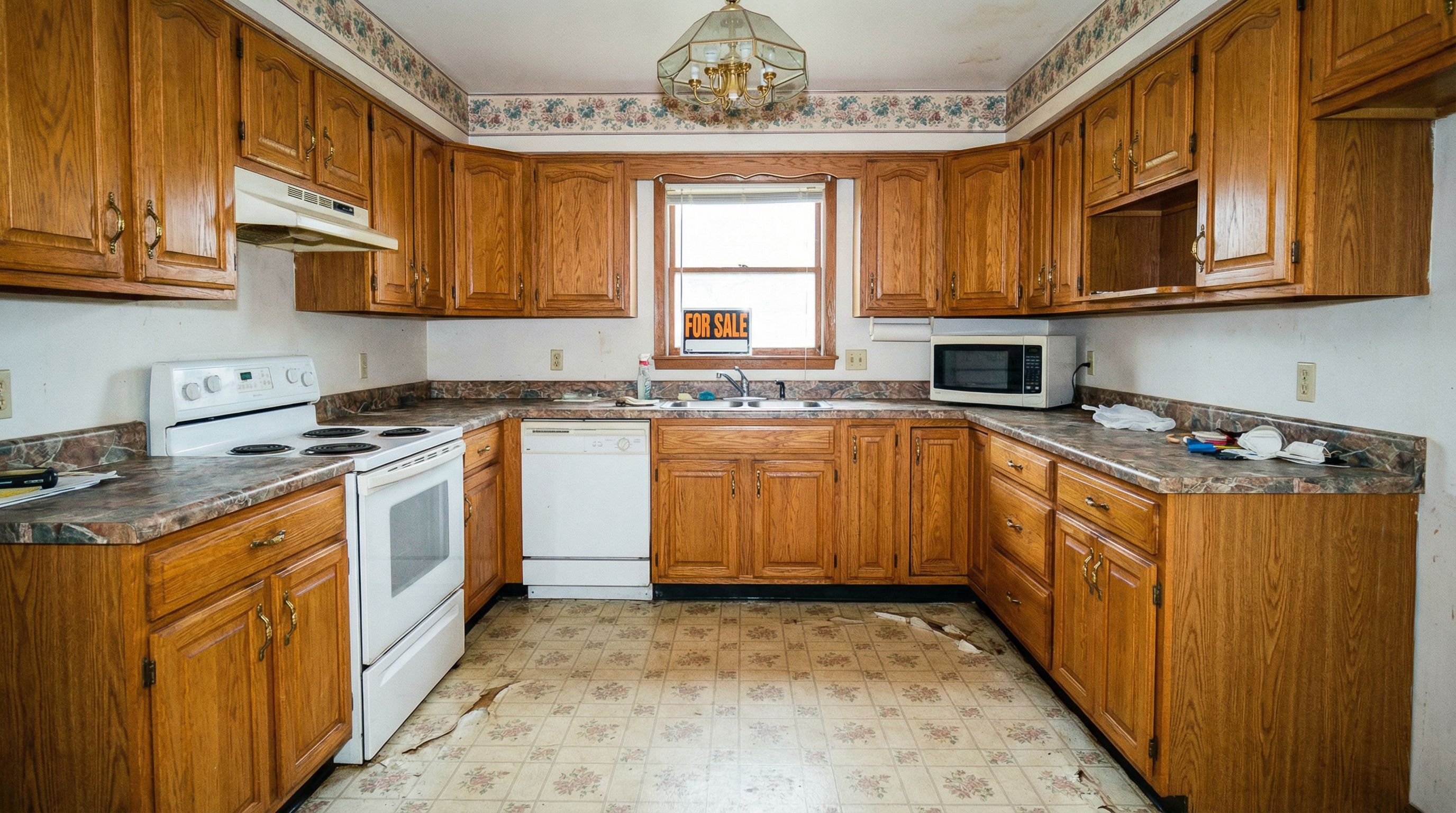
AI-Generated Remodel Options (click to compare)
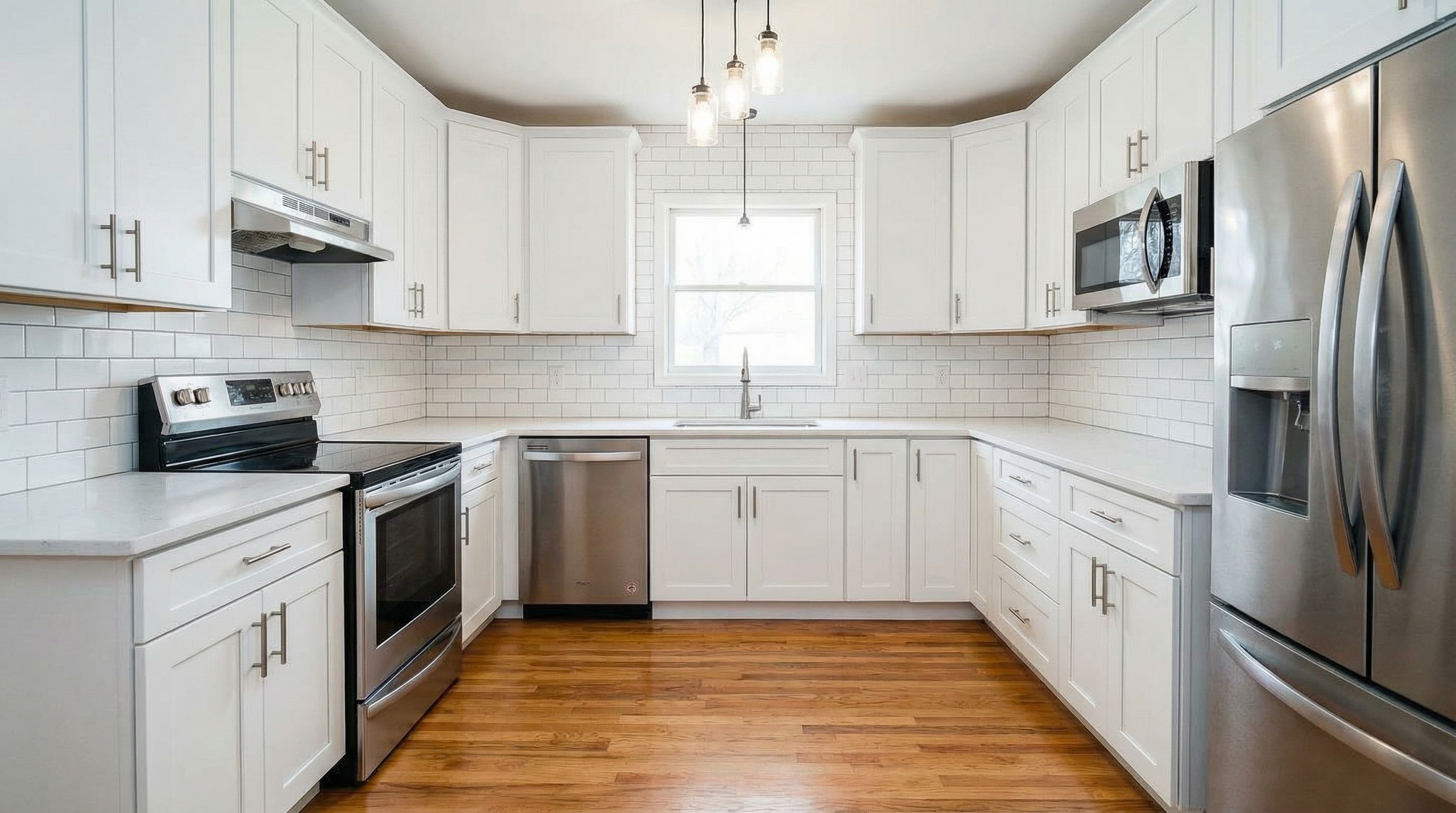
Modern White Kitchen
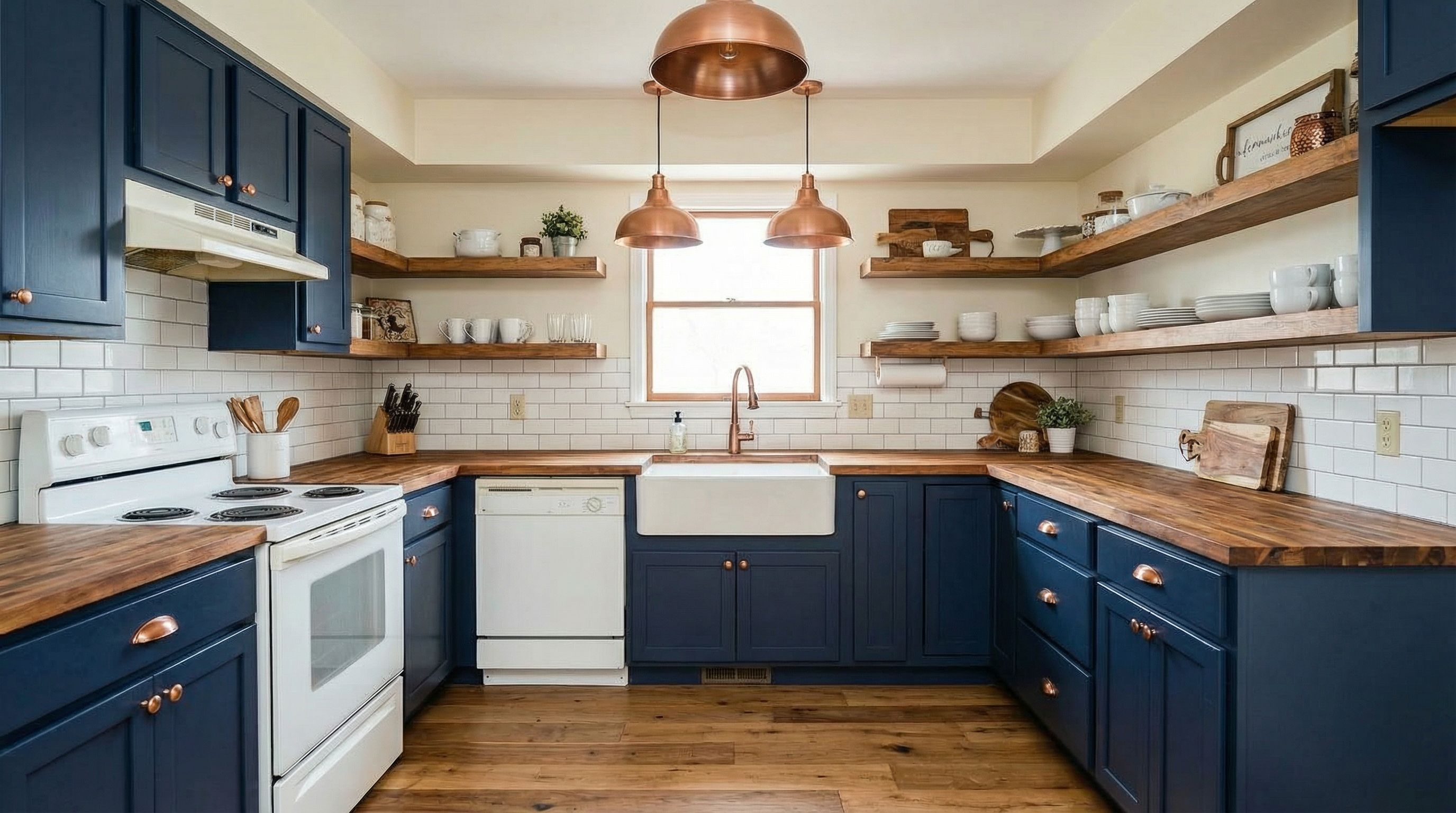
Warm Farmhouse Kitchen
AI-Generated Floor Plans
Floor plans are essential for understanding spatial relationships and planning furniture placement. AI generates 2D floor plans from room descriptions or 3D renders, helping you visualize how spaces connect. While not replacement for professional architectural drawings, AI-generated floor plans provide excellent starting points for design discussions.
Understanding your home's layout is crucial for any renovation project. AI-generated floor plans help identify traffic patterns, natural light sources, and spatial relationships between rooms. This bird's-eye perspective reveals opportunities for improvement that may not be obvious when standing in individual rooms.
For homeowners considering additions or major reconfigurations, AI floor plans serve as communication tools. Share generated layouts with architects to explain your vision, or use them to evaluate whether proposed changes will actually improve your home's functionality. The room planner capabilities in tools like Planner 5D allow detailed furniture placement experiments on these generated floor plans.
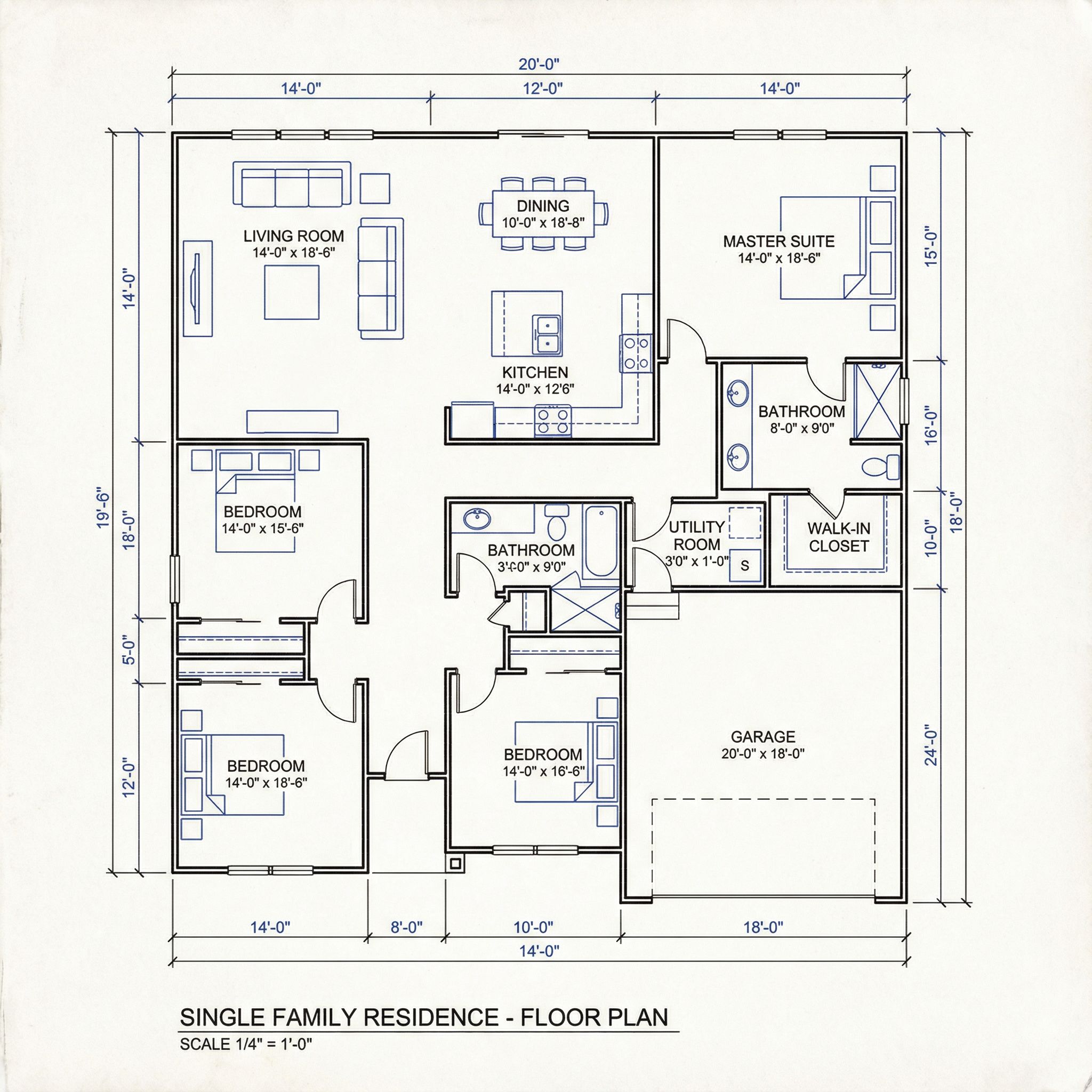
Click to view prompt • ~38s
Pro Tip: For detailed floor plans, try our dedicated AI floor plan generator tool, which offers specialized functionality for room planner needs.
AI Home Design Prompting Tips
Effective prompting is key to getting realistic renders from AI tools. Whether you're using ChatGPT with image capabilities, specialized design apps, or Vondy's AI interior design tools, these techniques help you achieve professional-quality outputs. The best workflow combines clear descriptions with quality inspiration images.
Start with your existing home
Upload a photo of your current home exterior or interior. AI analyzes the existing structure and generates redesign options while preserving the basic footprint and architecture.
Specify architectural style
Clearly state the style you want: modern farmhouse, contemporary, colonial, craftsman, mid-century modern, or Mediterranean. Each style has distinct features AI recognizes.
Describe materials and colors
Include specific materials like "white siding," "brick facade," "metal roof," or "wood shingles." Specify color palettes for cohesive results.
Preserve key elements
Add "keep same house shape and windows" or "maintain existing footprint" to ensure AI preserves your home's structural elements while updating aesthetics.
Consider surroundings
Mention landscaping, lighting conditions, and environmental context. "Golden hour lighting" or "manicured lawn" creates more photorealistic renders.
Iterate and refine
Generate multiple options, then use the best result as input for further refinement. This iterative workflow produces increasingly polished design solutions.
Example High-Quality Exterior Prompt
"Transform this dated house exterior into modern farmhouse style. Add white board and batten siding, black window frames, a covered front porch with white columns, and metal roof accents over the entry. Include landscaping with stone pathway, ornamental grasses, and boxwood hedges. Keep the same house footprint and window positions. Professional architectural photography, golden hour lighting."
Best AI Home Design Tools
Several AI interior design tools and home design platforms offer different design features for various needs. Planner 5D provides detailed 3D modeling with furniture libraries. RoomGPT offers quick AI room design transformations from photos. SketchUp remains popular among professionals for precise architectural modeling. Vondy's tools provide flexible image generation for both exteriors and interiors with user-friendly interfaces that work well for beginners.
Pricing varies significantly across platforms. Some offer free tiers suitable for basic visualization, while professional tools require subscriptions. Consider your design experience level and project complexity when choosing tools. Real estate agents often need quick virtual staging capabilities, while homeowners may prefer more detailed room planner functionality for thorough exploration of options.
The best AI home design tools combine ease of use with quality output. Look for platforms that allow you to upload existing photos, specify styles clearly, and iterate on results. Some tools excel at exteriors while others focus on interior spaces. Many designers use multiple tools throughout a project, leveraging each platform's strengths for different stages of the design process.
AI Design Tools Comparison
AI House Exterior Design
Generate exterior renders and visualize architectural style changes for your home.
Try free →AI Room Design Tool
Transform interior spaces with AI. Upload room photos and visualize different styles.
Try free →Related: For professional interior workflows, explore our comprehensive AI interior design guide. Real estate professionals should also see our AI for real estate article.
FAQs About AI Home Design
Can AI design my entire home?
AI home design tools excel at visualization and concept generation. You can use AI to explore different exterior styles, interior design styles, floor plans, and renovation ideas. While AI generates impressive photorealistic renders, final construction plans still require professional architects. Think of AI as a powerful design exploration tool that streamlines the initial design process before you engage professionals.
What's the difference between AI interior design and AI home design?
AI interior design focuses on room-by-room transformation including furniture placement, color palettes, and decor. AI home design encompasses the entire property: exterior facades, architectural styles, landscaping, and how interior spaces connect. This guide covers both, from curb appeal makeovers to living room redesigns and kitchen remodels.
How accurate are AI home renovation visualizations?
AI-generated renders provide excellent visualization for design exploration and decision-making. They're particularly useful for communicating ideas to contractors, real estate agents, or family members. However, AI may not account for structural limitations, building codes, or exact material availability. Always validate major renovation plans with professionals before construction.
Which is the best AI home design tool?
The best AI tool depends on your needs. Planner 5D and SketchUp offer detailed room planner functionality. RoomGPT excels at quick AI room design transformations. Vondy's AI tools provide flexible image generation for both exteriors and interiors. For homeowners exploring options, start with user-friendly tools offering free tiers, then consider professional software for detailed design projects.
Can AI help with virtual staging for real estate?
Absolutely. AI-powered tools have become essential for virtual staging. Upload photos of empty rooms, and AI generates furnished versions in various interior design styles. Real estate agents use these for listings, helping buyers visualize potential. Always disclose when images are AI-generated to maintain transparency with buyers.
How do I get photorealistic renders from AI?
For realistic renders, use detailed prompts specifying materials, lighting, and style. Include terms like "professional architectural photography" or "realistic render." Upload high-quality source images when possible. Iterate on results, using good outputs as input for further refinement. The best results come from combining detailed prompts with quality reference images.
Ready to Design Your Dream Home?
Transform your home's exterior and interior with AI-powered design tools.
Start DesigningContinue Learning