The Best Image-to-Video AI Models You Can Use Right Now
We tested the top AI image to video tools with identical source images. Here's which models actually deliver high-quality video from still images, whether you need product showcases, character animation, or living photo effects.
 by David LaubJan 15, 202618 min read
Why AI Image to Video Matters
The ability to transform static images into video content has become essential for video creation workflows. Whether you're a content creator animating Midjourney outputs, a marketer turning product photos into professional video clips, or a business owner who needs engaging social media content without expensive production, AI image to video tools deliver results that weren't possible two years ago. This artificial intelligence revolution has made professional video accessible to everyone.
In our comprehensive testing for the best AI video generator article, we discovered that image-to-video (I2V) capabilities varied dramatically between AI models. Some excelled at product rotation while failing at character animation. Others nailed parallax effects but couldn't preserve text on labels. This deep dive focuses specifically on turning still images into high-quality video using generative AI technology.
The best results come from matching the right AI video generator to your specific use case. Product showcase videos need different capabilities than AI avatar animation or cinemagraph effects. We tested five leading AI models across portrait animation, product rotation, landscape motion, character bring-to-life, and selective motion effects to find which AI tools actually deliver the best AI video generator experience.
Unlike text-to-video generation where Sora and OpenAI dominate, the image-to-video space rewards different strengths. Google's Veo leads for product content, while Hailuo from MiniMax wins for character physics. For beginners wanting to experiment with free AI video tools, PixVerse and Kling AI offer competitive free plan options with minimal watermark on outputs. The cutting-edge capabilities of these AI-powered video makers mean you don't need editing skills or expensive video editing software to create professional video content.
The landscape of image to video generator options has exploded. Beyond the models we tested, you'll find alternatives like Pika Labs (popular for stylized animation), Luma Dream Machine (strong for cinematic outputs), and Adobe Firefly (integrated with Creative Cloud). ChatGPT Plus now includes limited Sora access, while Gemini users can tap into Google's Veo generation model. Each brings different strengths to video creation, but our testing focused on the best AI tools for pure image-to-video transformation.
What makes a great image to video generator? We evaluated each AI video tool on motion quality, source image fidelity, text and label preservation, generation speed, and pricing. The best AI video generator for e-commerce differs from the best for character animation or cinemagraph effects. Understanding these differences helps you choose the right tool for your workflow and avoid wasting credits on poorly-matched AI models.
Quick Summary
Best Overall I2V
Veo 3.1
Best Character Motion
Hailuo
Best Parallax
Kling 2.5
Fastest
PixVerse V5
Best Value
Seedance Pro
Fewest Restrictions
Hailuo & Kling
The Contenders
Top AI Image to Video Models
These are the five AI video tools that consistently delivered the best results for transforming static images into video clips. Each excels at different workflows, so the best AI video generator for you depends on your specific use case. For AI image generation to pair with these video models, see our best AI image generators guide.
We also tested Pika, Luma Dream Machine, and Adobe Firefly but found they performed better at text-to-video than image-to-video workflows. Each video model below represents the best AI tools for specific I2V tasks, from product showcases to character animation. The generation model quality has improved dramatically, with most producing pixel-perfect results that rival traditional video editing.
Veo 3.1
Best OverallGoogle DeepMind
The refined image to video generator from Google delivers exceptional product rotation and label preservation. Best results for e-commerce and professional video content.
Strengths
Limitations
Hailuo
Best PhysicsMiniMax
Exceptional at fabric physics, realistic gestures, and lip sync. The go-to model for character animation and AI avatar content with natural motion.
Strengths
Limitations
Kling 2.5
Best ParallaxKuaishou
Reliable performer with excellent parallax depth and camera movement. Creates convincing 3D-like animation from static images at a budget-friendly price.
Strengths
Limitations
PixVerse V5
FastestPixVerse
The speed king for AI video generation. Perfect for rapid iteration, social media content, and stylized animation. Includes useful templates and preset options.
Strengths
Limitations
Seedance Pro
Motion SpecialistByteDance
Specialized in realistic human motion and dance sequences. Second fastest in our tests with excellent results for fitness, dance, and action content.
Strengths
Limitations
Real Tests
Image-to-Video Generation Tests
Can these AI video tools animate any image while preserving what matters? We tested with identical source images and text prompts to see which models deliver the best results for real-world video creation. Each test evaluates different aspects of AI-generated videos from portraits to products to landscapes. The goal: find the best AI video generator for each specific workflow.
Our testing methodology used high-resolution still images across multiple formats and aspect ratios. We ran each image through every AI image to video tool with identical text prompts, measuring generation speed, output quality, and motion accuracy. These real-world tests reveal which video model handles transitions, visual effects, and complex motion without artifacts. Whether you need generated videos for tutorials, social media, or professional video production, these tests show what to expect.
I2V TEST 1 · Portrait
Portrait Animation (Subtle Motion)
"Animate this portrait with subtle breathing motion, gentle blinking, and slight head movement. Maintain exact likeness. No expression change. Soft ambient motion only."
What we looked for: likeness preservation, natural micro-motion, no uncanny artifacts
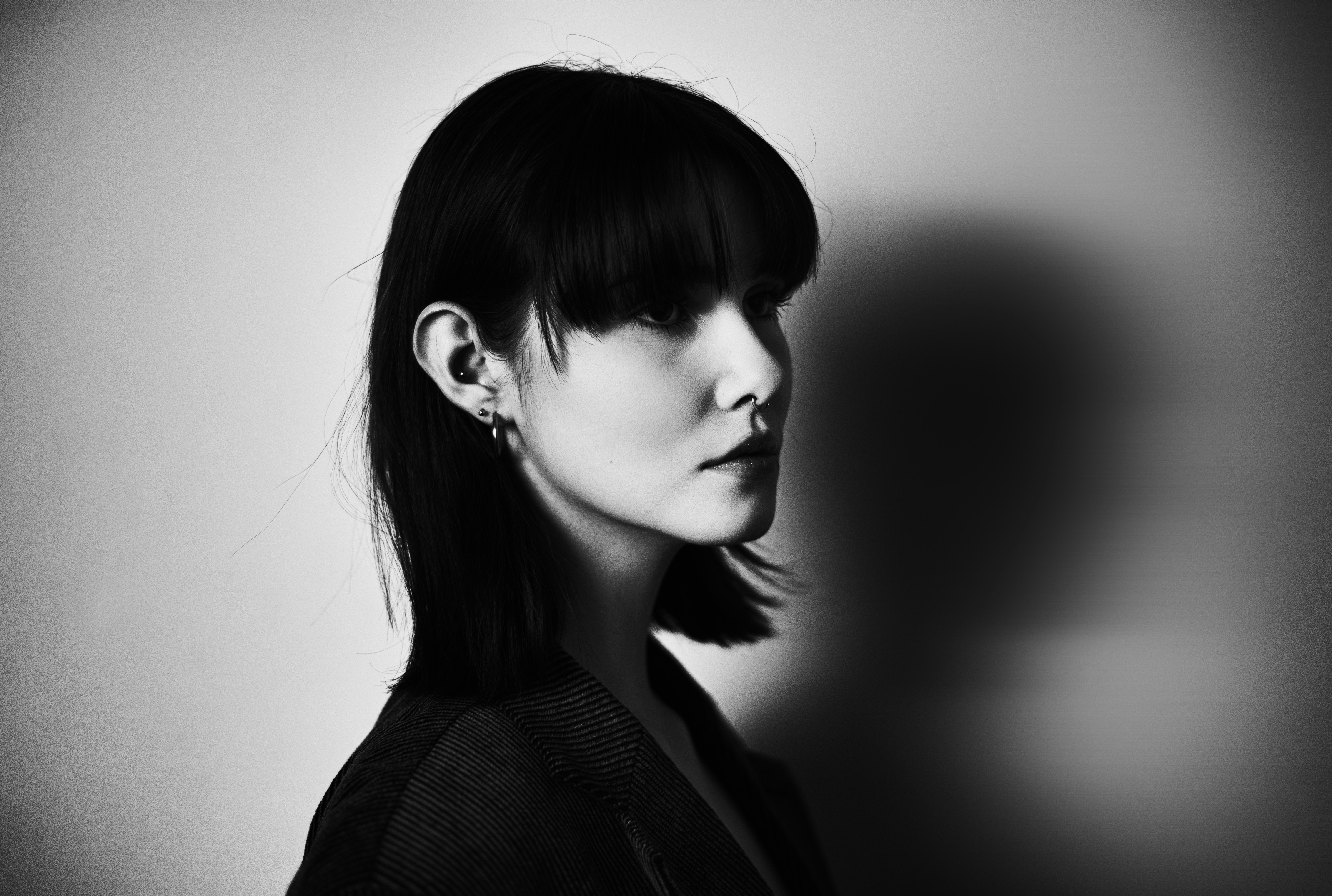
Starting Frame
Each model received this reference image
Key Findings
Veo and Kling produced footage indistinguishable from real video. Sora refused all real human inputs due to safety filters. The generated videos from Hailuo had excellent micro-expressions.
I2V TEST 2 · Product
Product Showcase (360° Rotation)
"Rotate this product image smoothly 360 degrees. Maintain lighting consistency throughout the rotation. Add subtle shadow movement. Professional product video quality."
What we looked for: rotation smoothness, lighting preservation, shadow accuracy, product integrity
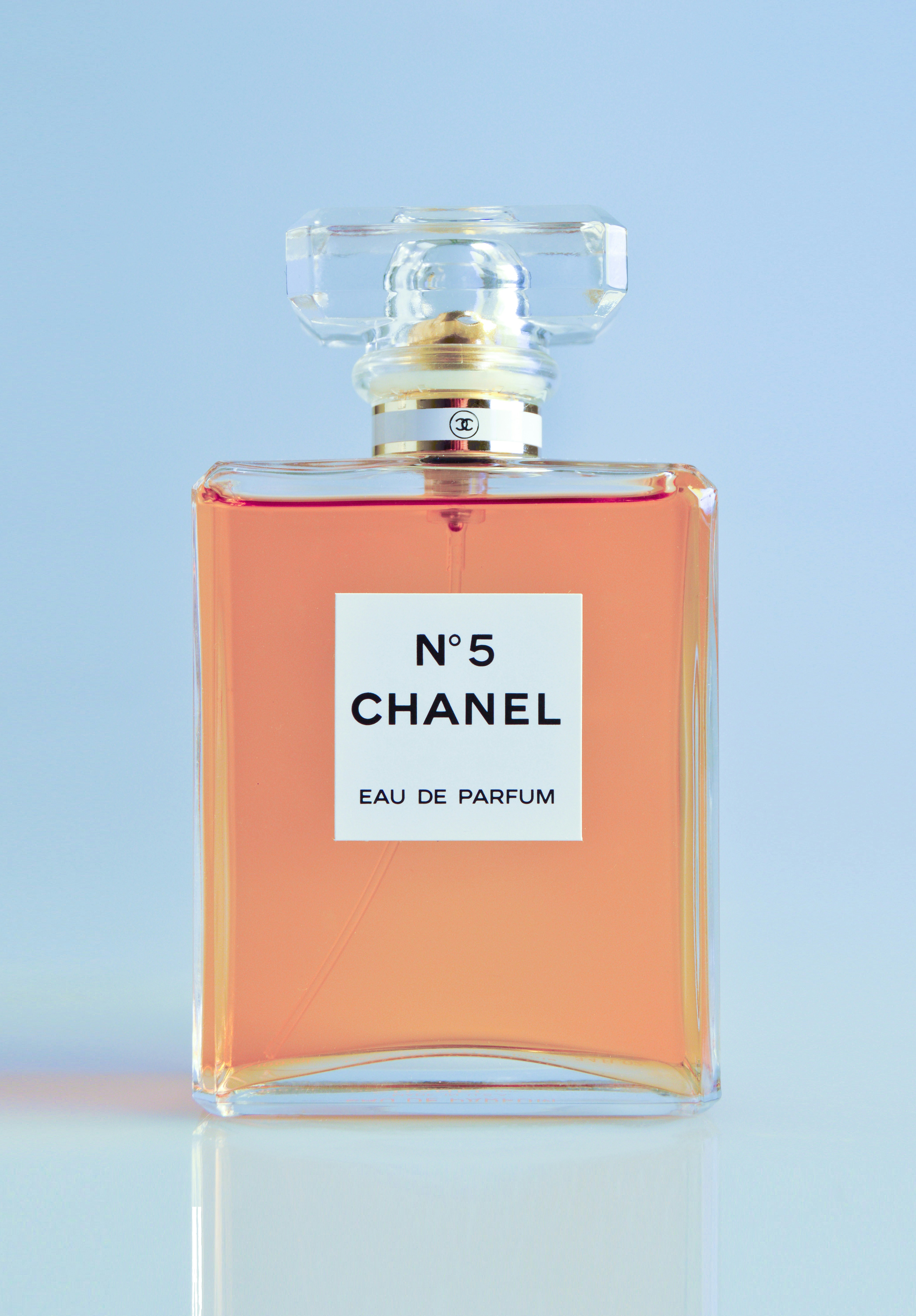
Starting Frame
Each model received this reference image
Key Findings
Veo 3.1 preserved labels perfectly through full 360° rotation, making it the best image to video generator for e-commerce. PixVerse showed text legibly through liquid effects. Sora looked realistic but avoided the full rotation.
I2V TEST 3 · Environment
Background Animation (Parallax + Movement)
"Animate this landscape image with gentle wind moving through trees, clouds drifting slowly, water rippling in the lake. Create depth with parallax motion. Foreground moves more than background."
What we looked for: parallax depth, natural element motion, scene coherence
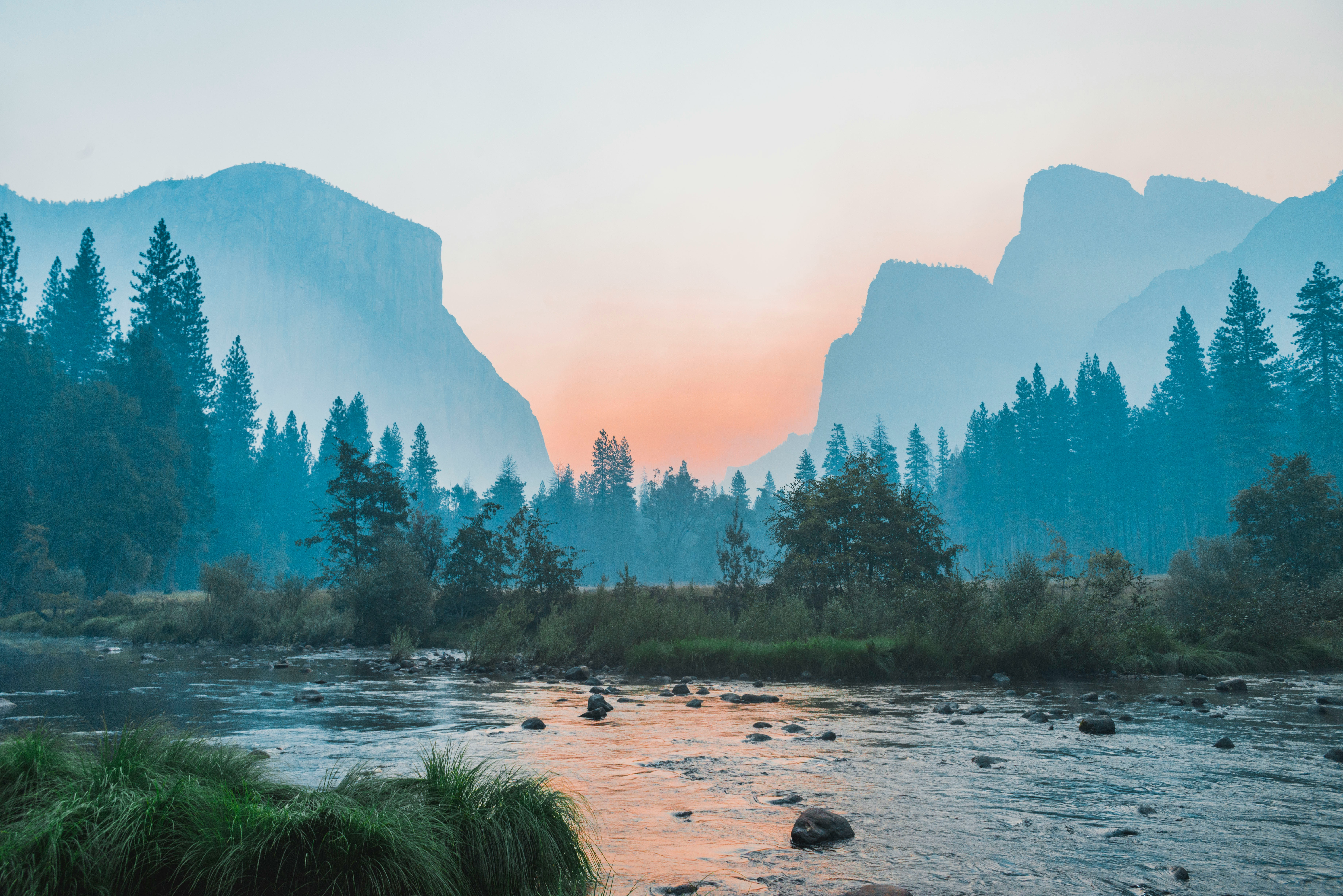
Starting Frame
Each model received this reference image
Key Findings
Hailuo and Kling nailed parallax depth, creating that premium 3D-from-2D effect. Wan and Veo had the best wind and cloud animation. Sora barely animated at all, producing nearly static output.
I2V TEST 4 · Character
AI Avatar Bring-to-Life
"Bring this character illustration to life. Have them wave at the camera, then perform a thinking gesture. Maintain exact design style and colors. Suitable for content creator intro sequence."
What we looked for: style preservation, action clarity, gesture timing, content creator viability
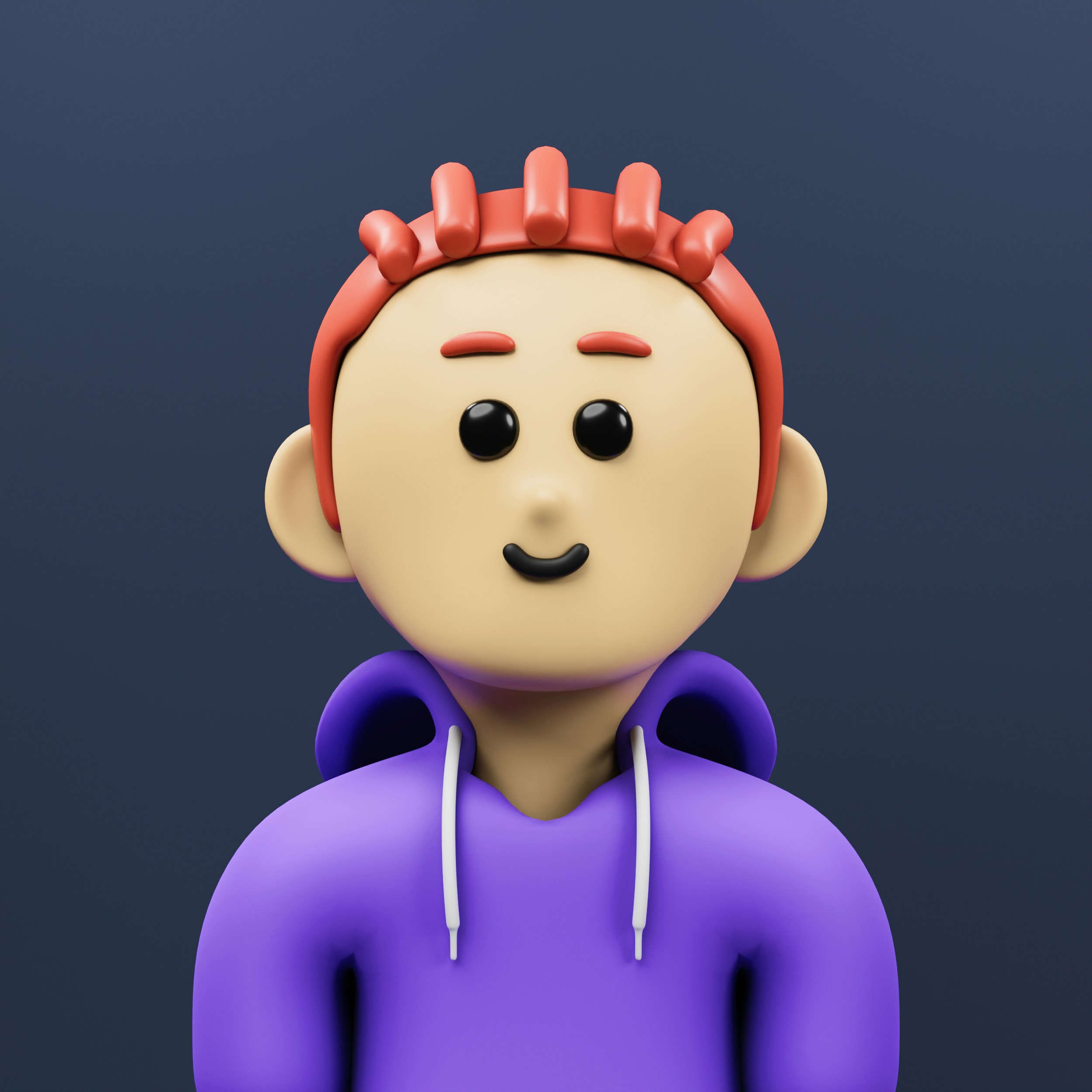
Starting Frame
Each model received this reference image
Key Findings
Hailuo excelled at realistic gestures with proper timing and weight. Veo was blocked by safety filters on stylized characters. For AI avatar and mascot video creation, Hailuo is the clear winner.
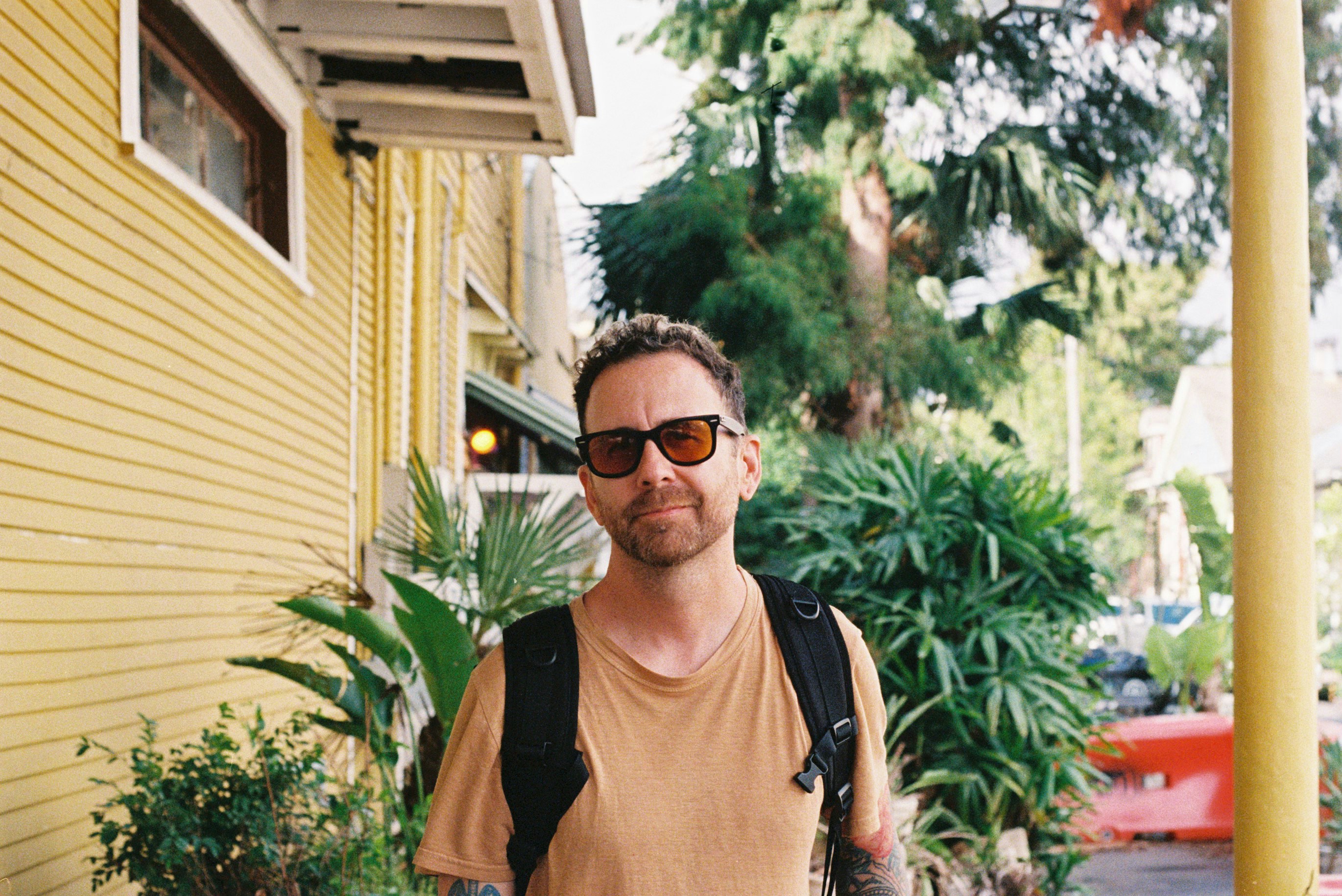
I2V TEST 5 · Cinemagraph
Selective Motion (Living Photo)
"Create a cinemagraph effect. Keep most of the image still while adding subtle isolated movement like hair swaying gently, fabric rippling slightly, or leaves rustling. Seamless loop. Hypnotic, calming motion."
What we looked for: selective animation, motion isolation, loop seamlessness, subtlety control
Starting Frame
Each model received this reference image
Key Findings
Hailuo and Kling understood subtle selective motion, perfect for cinemagraph-style video clips. Most models animated too aggressively. Sora blocked by safety filters on human portraits.
Practical Applications
AI Image to Video Use Cases
Here's how content creators, marketers, and businesses actually use AI image to video generators. Each workflow includes the best model recommendation and expected time to create professional video content from static images.
Product Videos for E-commerce
Transform product photos into rotating 360° showcase videos. Perfect for Amazon listings, Shopify stores, and social media marketing. No expensive video shoots required.
Workflow
Upload product image → Add rotation prompt → Generate video clips → Export for listings
AI Avatar & Character Animation
Bring illustrated characters or portraits to life with natural gestures, blinking, and subtle motion. Ideal for content creator intros, explainer videos, and mascot onboarding.
Workflow
Upload character art → Define gestures → Generate animation → Add to video editor
Landscape & Background Animation
Add parallax depth, drifting clouds, and flowing water to still images. Creates cinemagraph effects and living photos for websites, presentations, and social media.
Workflow
Upload landscape → Specify motion elements → Generate seamless loop → Export
Social Media Video Content
Quickly generate video clips from existing graphics for TikTok, Instagram Reels, and YouTube Shorts. The fastest way to turn static posts into engaging video content.
Workflow
Upload graphic → Select animation style → Generate in ~60s → Post to social
Talking Head & Lip Sync
Animate portraits with realistic lip sync for AI voiceovers. Perfect for tutorials, explainer videos, and professional video presentations without filming.
Workflow
Upload portrait → Add audio track → Generate lip sync → Refine timing
Cinemagraph Effects
Create hypnotic living photos with selective motion. Keep most of the image still while hair sways, fabric ripples, or leaves rustle. Premium website and ad content.
Workflow
Upload photo → Define motion areas → Generate subtle loop → Export as GIF or video
Beyond Basic Animation
Advanced AI video tools can handle complex transitions, visual effects, and even storyboards. For marketing teams, AI image to video generation enables rapid iteration on ad creative without expensive video production. Combine with AI voiceovers and background music for complete video creation without traditional video editing. Many creators import generated videos directly into their video editor for final polish and color grading.
The key features to consider: aspect ratio flexibility for different formats (vertical for TikTok, square for Instagram, landscape for YouTube), watermark policies on free tier outputs, and API access for workflow automation. Most AI video tools support common aspect ratio presets to streamline social media video creation. PixVerse and Kling AI offer particularly robust preset libraries.
For advanced users, tools like Pika and Luma Dream Machine offer granular motion controls. Adobe Firefly integrates directly with Premiere Pro for seamless video editing workflows. ChatGPT users can access Sora through OpenAI's interface, while Gemini provides Veo access for Google Workspace subscribers. The best AI tools for your workflow depend on your existing software stack and whether you need free AI options or premium professional video capabilities.
Analysis
Model Comparison
How do the top AI image to video models compare across key features? Here's the breakdown to help you choose the right image to video generator for your workflow.
| Feature | Veo 3.1 | Hailuo | Kling |
|---|---|---|---|
| Generation Speed | ~145s | ~200s | ~165s |
| Motion Quality | ●●● | ●●● | ●● |
| Label/Text Preservation | ●●● | ●● | ●● |
| Character Animation | ●● | ●●● | ●● |
| Parallax Depth | ●● | ●●● | ●●● |
| Pricing | Medium | Medium | Low |
| Safety Filters | Strict | None | None |
| Free Plan | Limited | Yes | Yes |
Understanding Pricing
AI video generator pricing varies significantly. Free plan options typically include watermarks and limited generation credits. Paid tiers remove watermarks and offer faster generation. For professional video production, expect to spend $20-50/month for adequate credits. ChatGPT Plus subscribers get limited Sora access, while Gemini integrates with Google's Veo models. For small business use, Kling AI and Seedance offer the best value with their low pricing tiers.
Pika offers a generous free tier for beginners, while Luma Dream Machine provides competitive pricing for high-volume video maker needs. Adobe Firefly requires a Creative Cloud subscription but unlocks powerful video editing integration. The best AI video generator for your budget depends on volume: occasional users should stick with free AI options, while professional video creators benefit from paid plans that remove watermark restrictions and provide faster generation.
Next Steps
Start Creating AI Videos
Ready to transform your static images into engaging video content? Here's how to get started with the top AI image to video tools based on your specific needs. Each image to video generator below represents the best AI tools for specific workflows.
For beginners, we recommend starting with PixVerse or Kling AI since both offer generous free plan options with minimal learning curve. More advanced users creating professional video content should explore Veo or Hailuo for their superior motion quality. Pika and Luma Dream Machine are excellent alternatives worth testing if our top picks don't match your style. Adobe Firefly users already in Creative Cloud have seamless video editor integration for post-processing generated videos.
For Product Videos
Start with Veo 3.1 for e-commerce product showcases. Best label preservation and 360° rotation for professional video quality.
Best for: E-commerce, Amazon, Shopify
For Character Animation
Use Hailuo for AI avatar content, mascot videos, and lip sync. No safety restrictions on stylized characters, with natural gesture physics.
Best for: Content creators, tutorials, intros
For Quick Social Content
Try PixVerse V5 for rapid video creation. ~65s generation time with built-in templates and preset options for social media formats.
Best for: TikTok, Reels, beginners
Tips for Best Results
Use high-resolution source images
AI image to video quality depends heavily on input quality. Start with images at least 1024px for pixel-perfect output.
Match model to motion type
Product rotation? Use Veo. Character gestures? Use Hailuo. Parallax landscapes? Use Kling AI or Luma.
Write specific text prompts
Describe exactly what motion you want. "Subtle breathing" vs "gentle head turn" yield different AI-generated videos.
Test multiple AI models
Results vary. Generate the same image with 2-3 video models (try Pika, PixVerse, or Dream Machine) to compare.
Consider aspect ratio early
Choose your target format (9:16 for TikTok, 1:1 for Instagram) before generating to avoid cropping.
Check free plan limits
Most AI video tools offer free tier with watermark. Test before upgrading for professional video use.
Combine with AI image generator
Use Midjourney, DALL-E, or a free AI image generator to create source images optimized for video animation.
Plan for post-processing
Import generated videos into your video editor for color grading, transitions, and final polish before publishing.
All AI Video Models, One Platform
Vondy gives you access to Veo, Hailuo, Kling AI, PixVerse, Seedance, and more in one place. No separate subscriptions. Try each AI video generator with your own images and find the best results for your workflow. Perfect for business video creation without the complexity.
Compare Pika vs Luma Dream Machine vs our top picks side by side. Access free AI options alongside premium video models. Whether you're a video maker creating tutorials, a marketer producing social media video clips, or a creator building an AI avatar for your channel, start with the best AI tools in one unified interface.
Try Image to Video FreeContinue Learning