
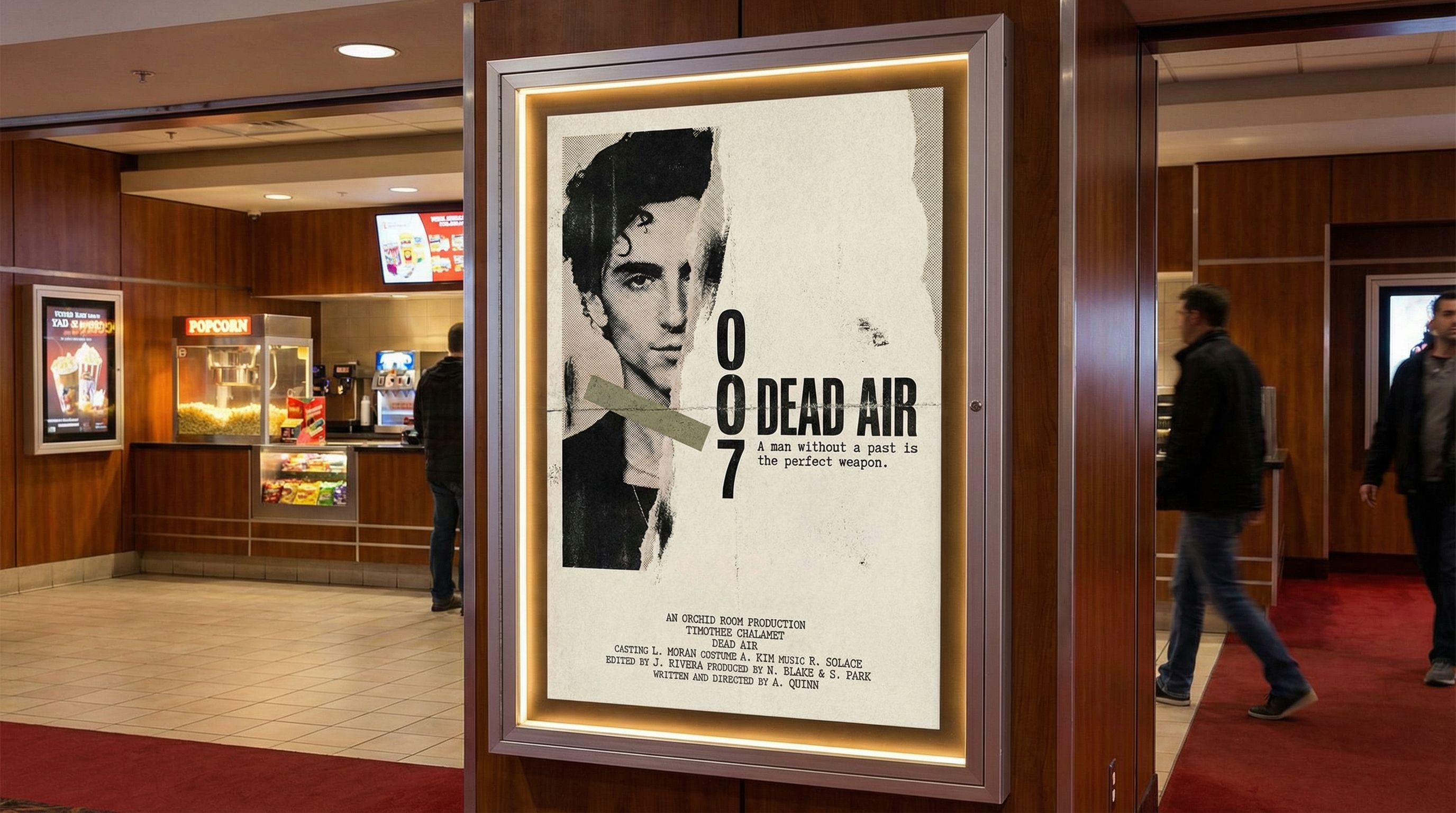
A great movie poster can make or break audience interest. Hollywood studios spend thousands on graphic designers and agencies to create that perfect image. But for independent filmmakers with a feature film or short, those budgets are often out of reach.
Traditional tools like Photoshop and Adobe Illustrator require years of skill. Movie poster templates in Canva help beginners get started, but the results often look generic. AI changes the game entirely. Instead of manipulating layers or searching through designed templates, you describe your vision and get a high-quality poster in seconds.
What You'll Learn
- Understanding movie poster size and format requirements
- Generating multiple poster concepts with different visual styles
- Creating style variations from minimalist to noir
- Adapting your poster for Netflix, social media, and billboard
Understanding Movie Poster Size
Movie poster size matters because distributors have specific requirements. The standard theatrical "one-sheet" is 27 x 40 inches (2:3 aspect ratio). This is what you see in theater lobbies and on official marketing materials.
Common Film Poster Formats
Theatrical One-Sheet
27 x 40 inches (2:3)
US standard for theaters
International A1
23.4 x 33.1 inches
European standard
Streaming Thumbnail
1:1 or 16:9
Netflix, Prime, etc.
Teaser/Billboard
Varies (often 16:9)
Outdoor advertising
Step 1: Gather Your Assets
Before generating your own movie poster, gather the elements that will make it compelling. Unlike stock images or free movie poster templates, AI works best when you provide clear creative direction along with key visual assets.
Visual Elements
- • Lead actor headshot or production still
- • Movie title treatment or preferred fonts
- • Key visual motifs from your screenplay
- • Color palette or mood references
Text Content
- • Movie title
- • Movie tagline (the hook line)
- • Cast names / executive producer credits
- • Release date or "Coming Soon"
Our Example: "DEAD AIR"
For this tutorial, we created a poster for a fictional spy thriller called "Dead Air." We uploaded a portrait photo and specified a minimalist, A24-inspired aesthetic with torn-paper textures, asymmetric whitespace, and a restrained palette. The movie tagline: "Some secrets are worth dying for."
Step 2: Generate Multiple Concepts
The power of AI image generators for movie poster design is rapid exploration. Generate 3-4 different concepts to explore various visual directions before committing to one.
Create a minimalist movie poster for [film title], a [genre] film. Use the provided portrait as the lead (keep likeness). Style: [aesthetic]. Layout: [composition]. Background: [color/texture]. Typography: movie title in [font style] at [position]. Include tagline: "[tagline]"Here are four concepts we generated for "Dead Air." We ultimately selected the A24-style art collage direction for its distinctive torn-paper aesthetic:
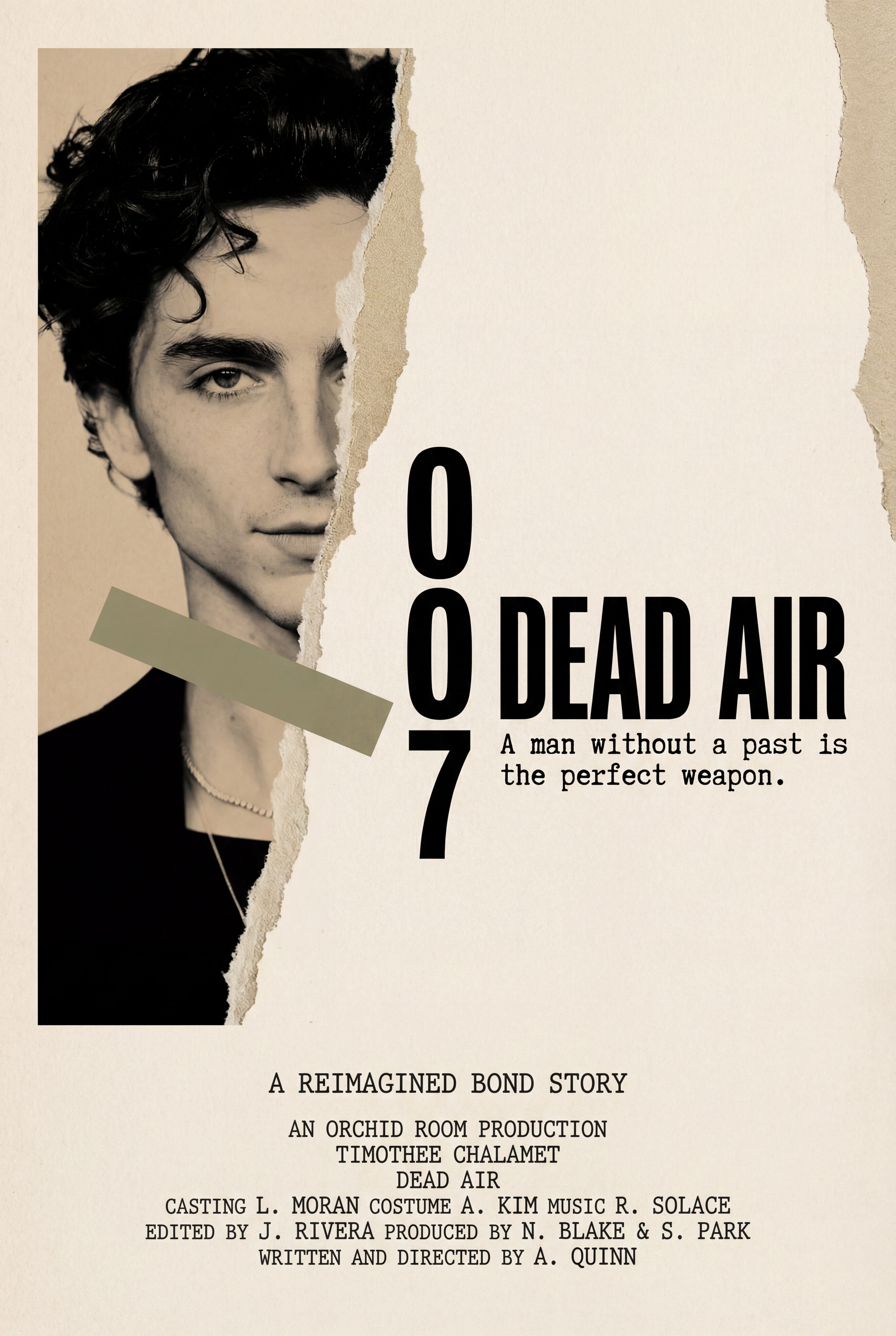
A24-Style Art Collage
Torn-paper textures, asymmetric whitespace
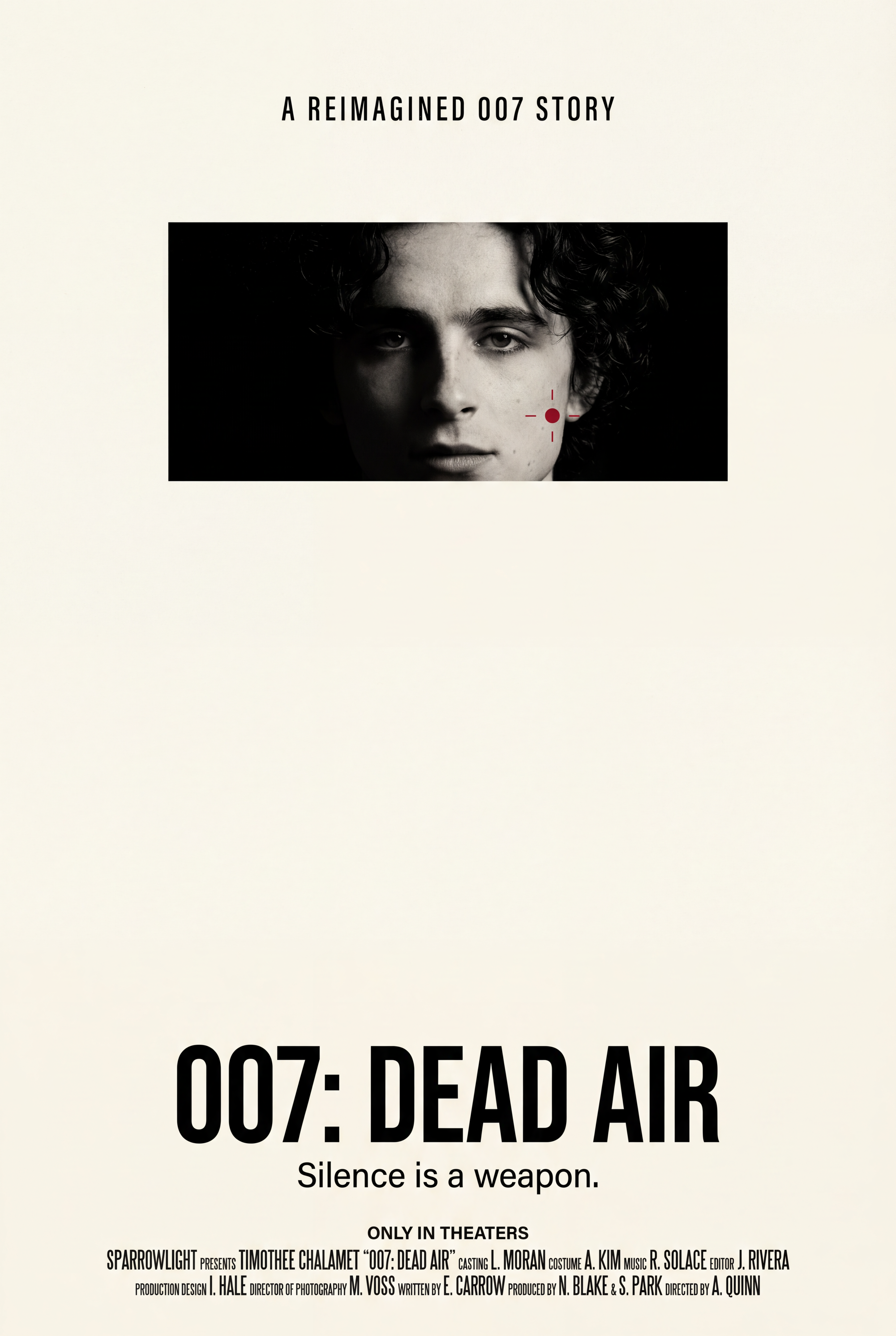
Minimalist Spy-Thriller
Negative space, film grain, unconventional composition
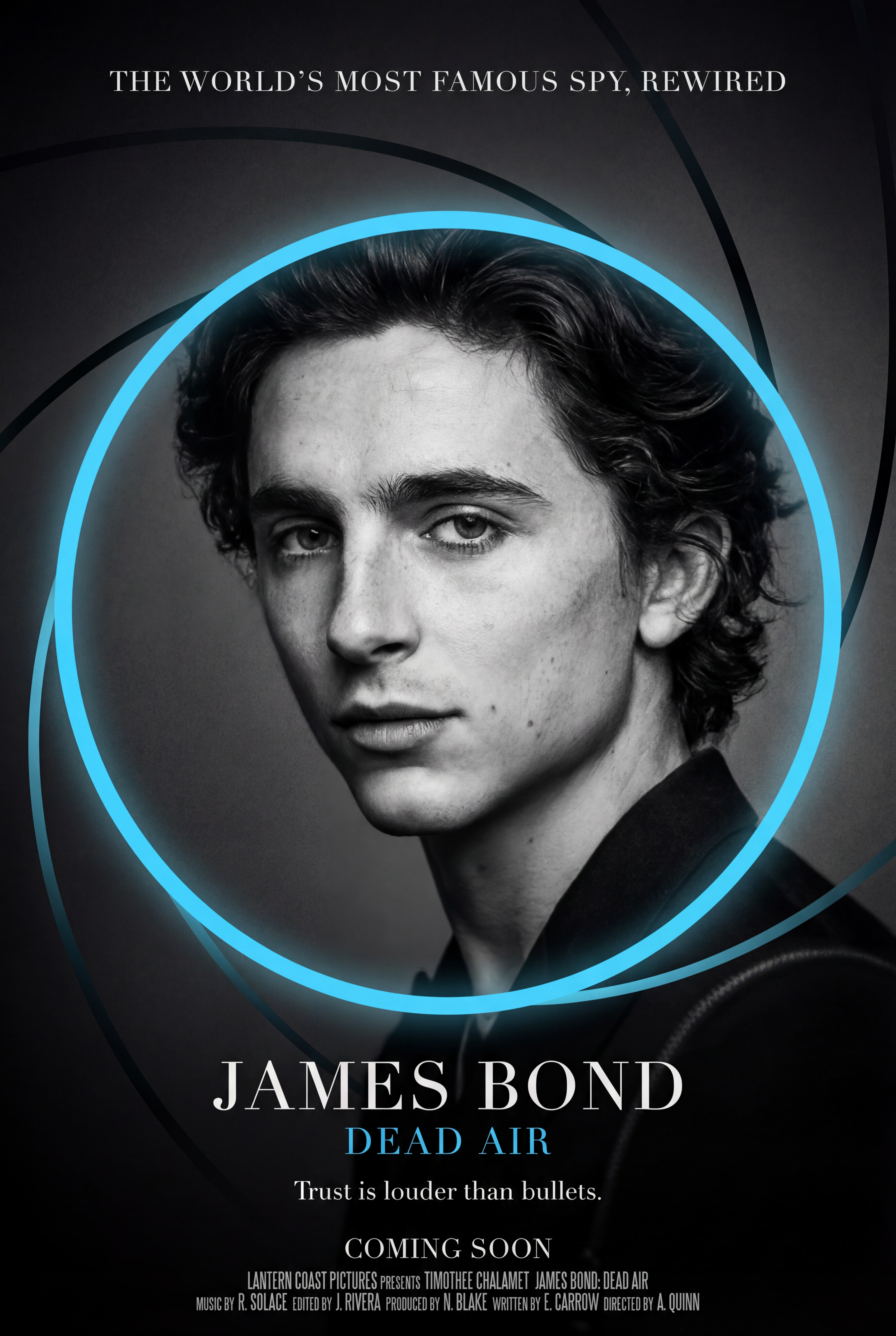
Gun Barrel Concept
Moody monochrome with cyan accent
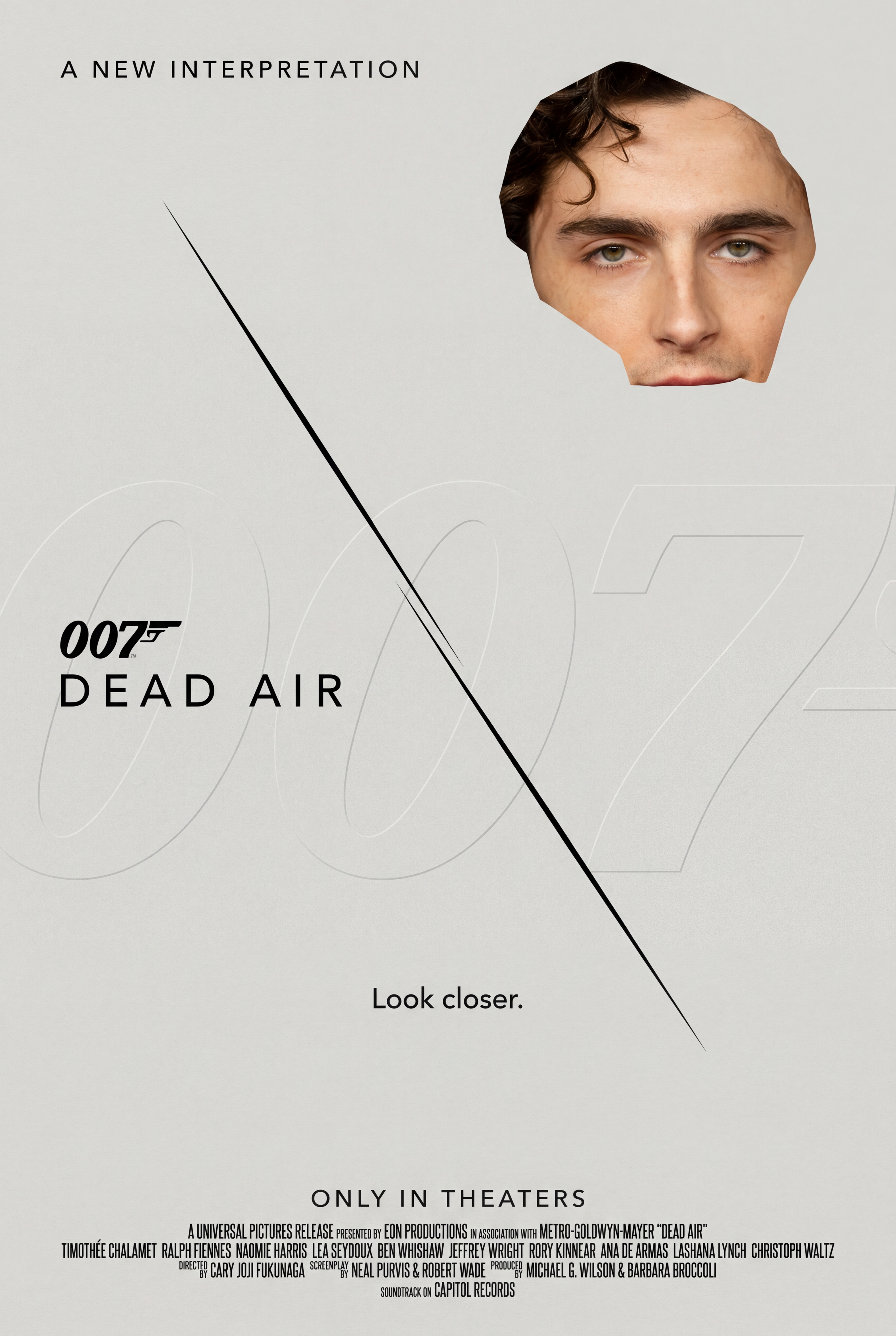
Conceptual Fragment
Strong negative space, face fragment
Step 3: Create Style Variations
With the A24-style art collage selected, we generated style variations to explore different visual treatments. This is where AI for graphic design shines. You can transform your poster from photocopy zine to museum editorial to moody night while keeping the core composition.
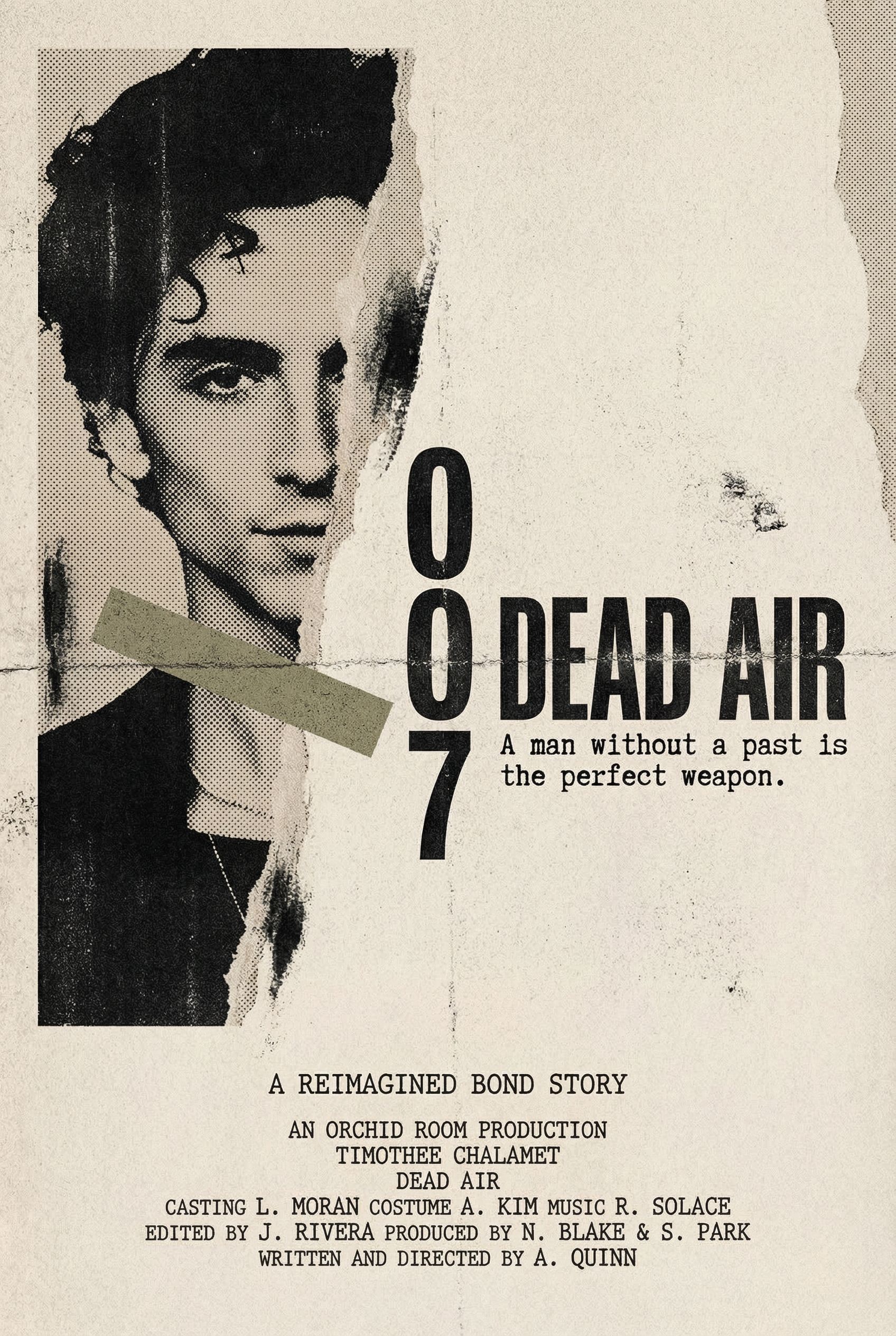
Photocopy/Zine
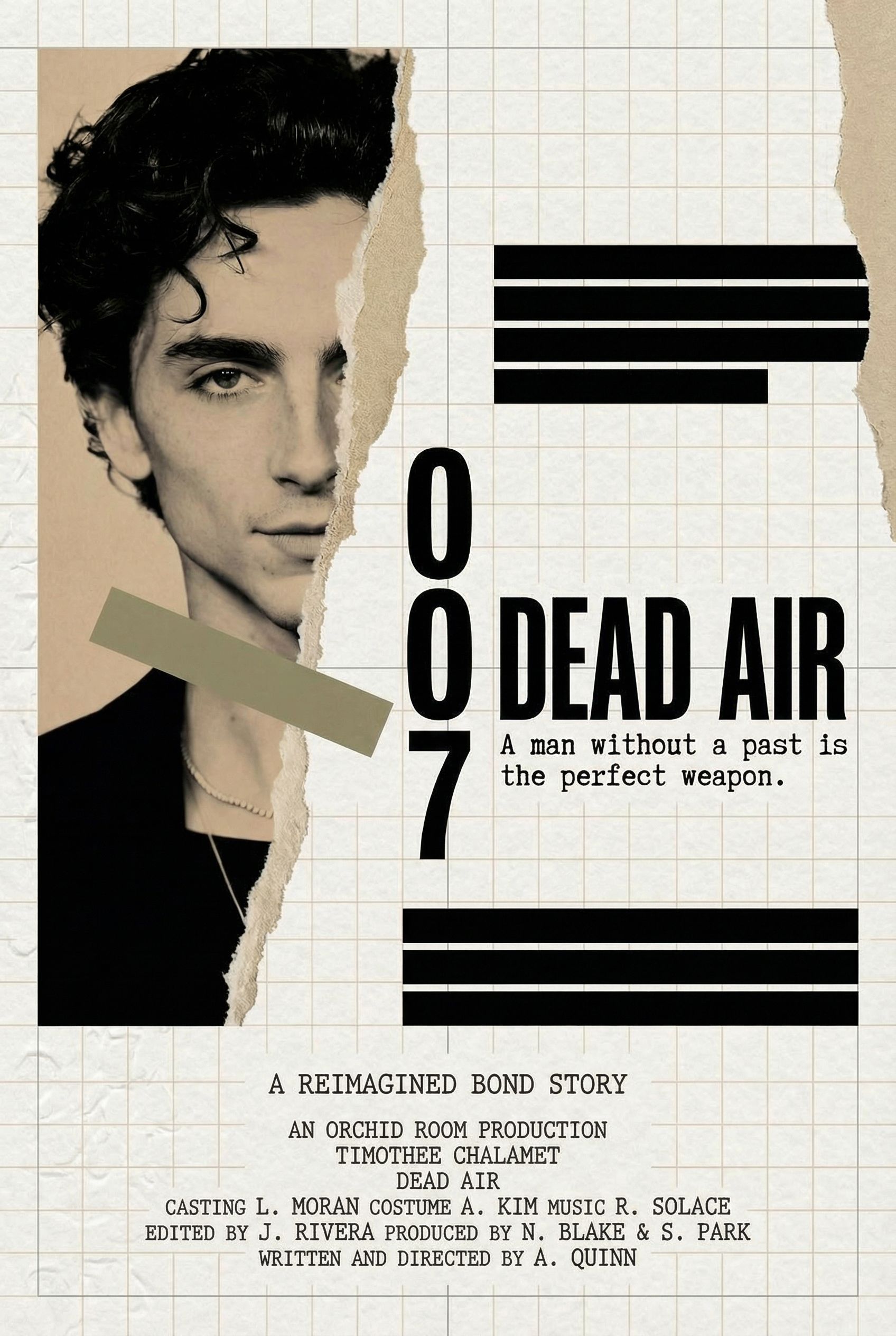
Museum Label
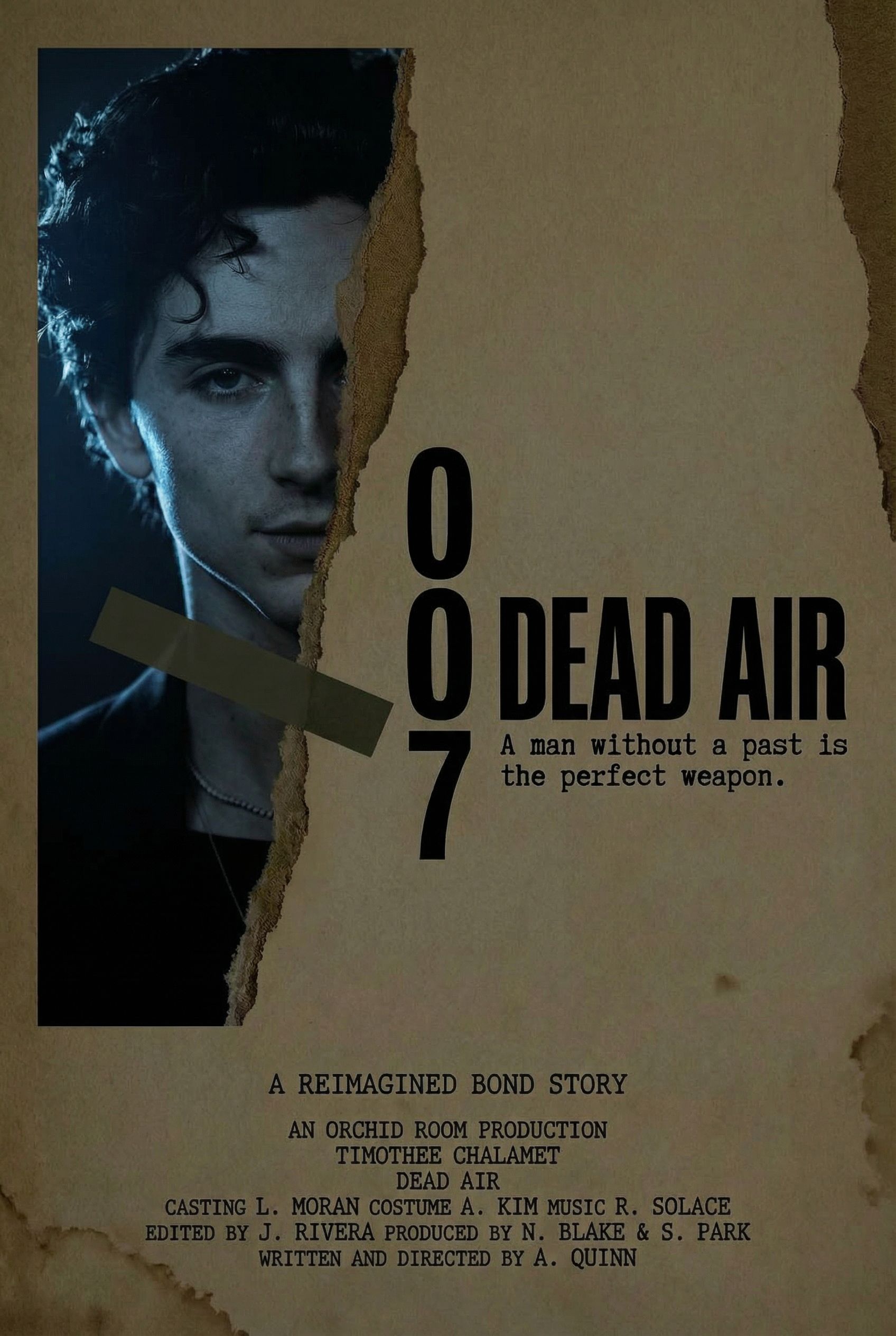
Night Version
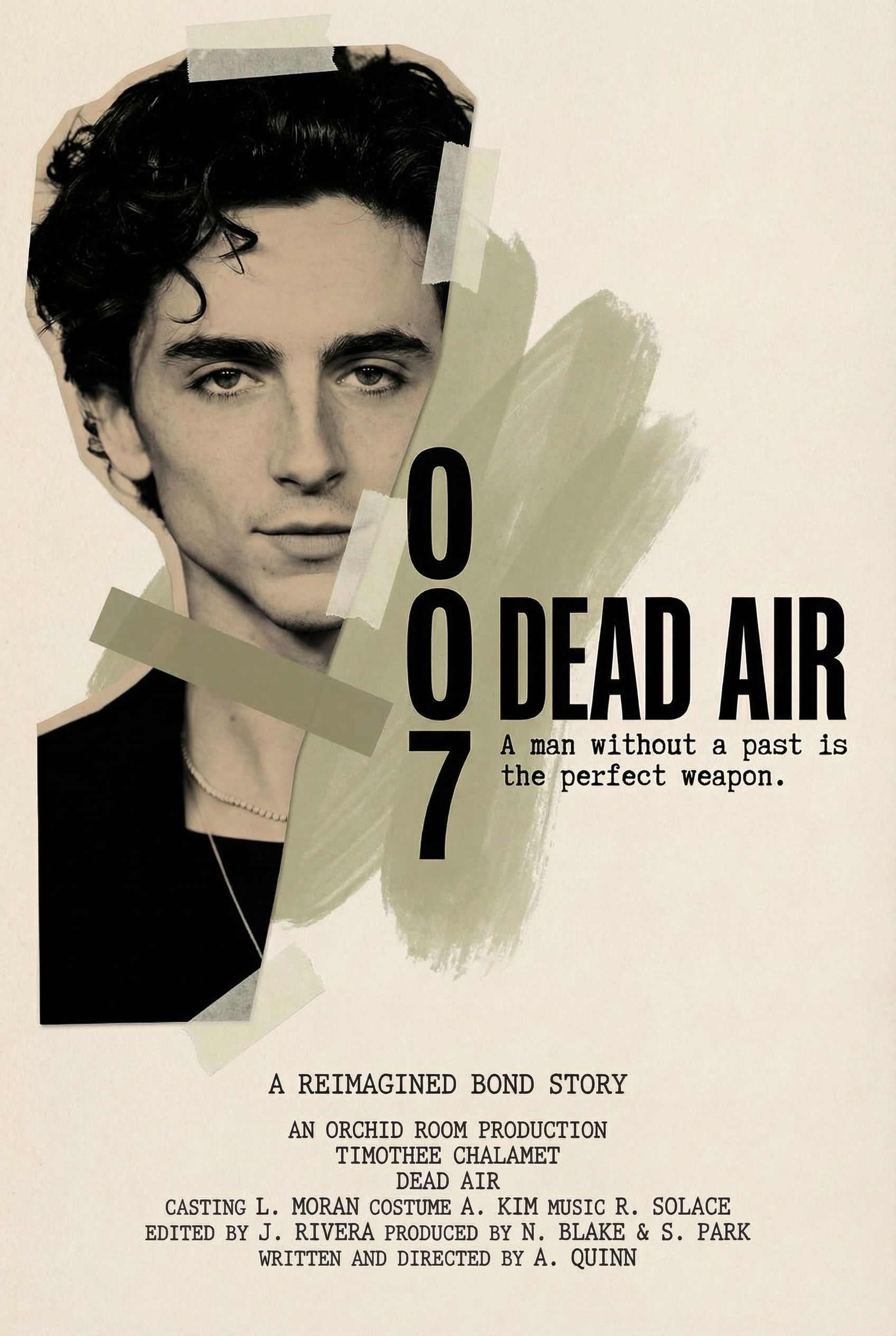
Mixed Media
We also explored variations from the minimalist spy-thriller concept to see different aesthetic directions:
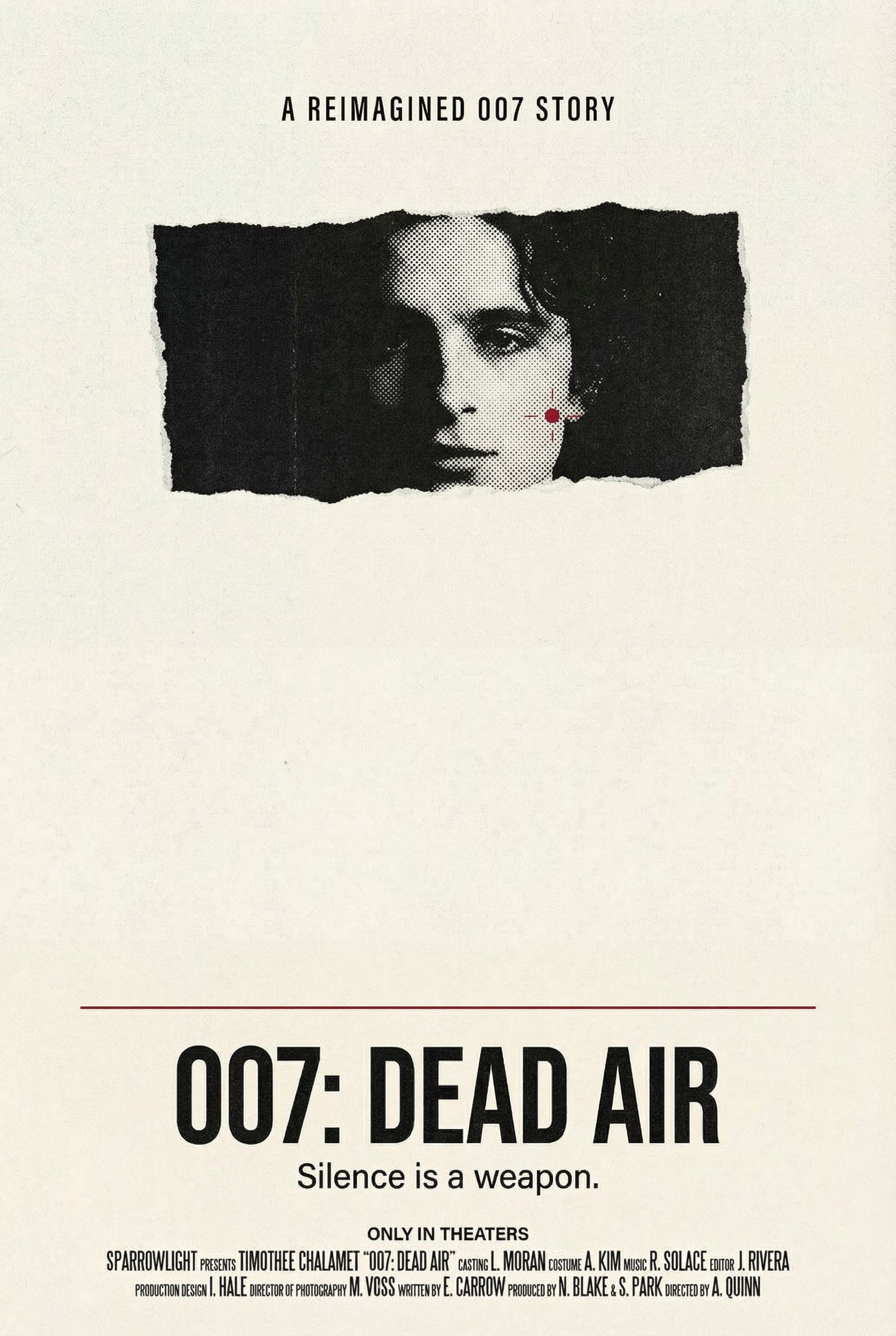
Brutalist Cutout
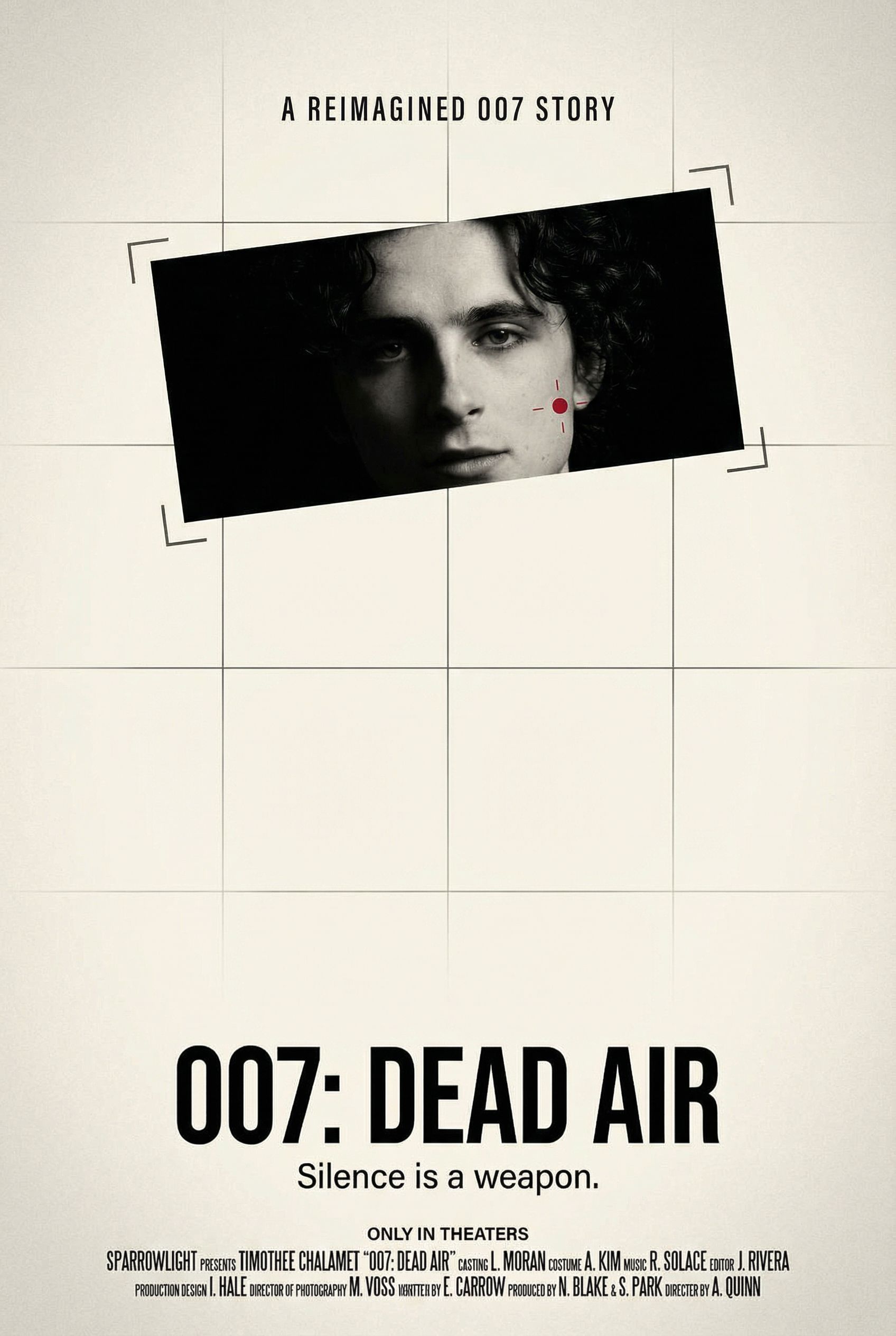
Surveillance Framing
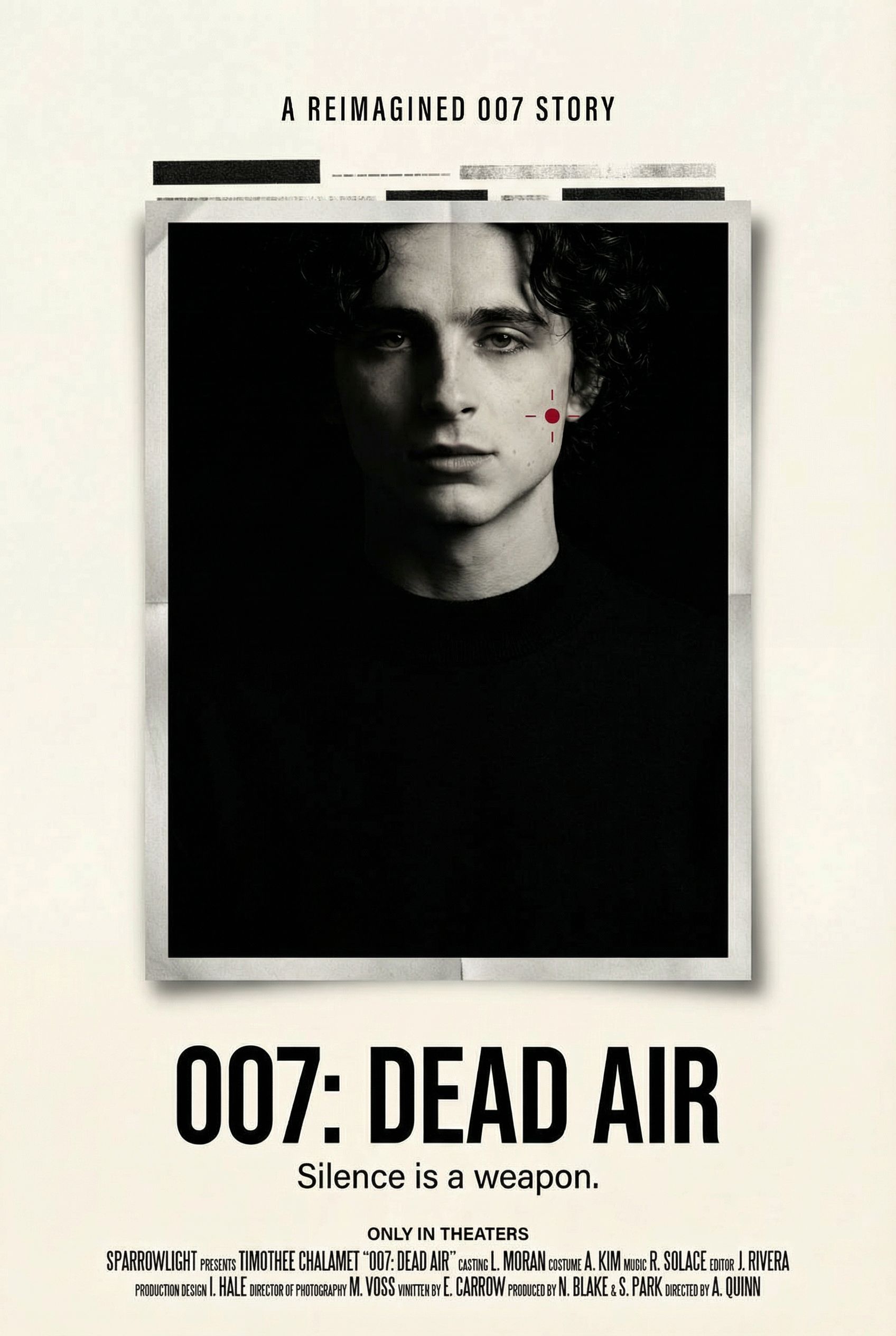
Classified Dossier
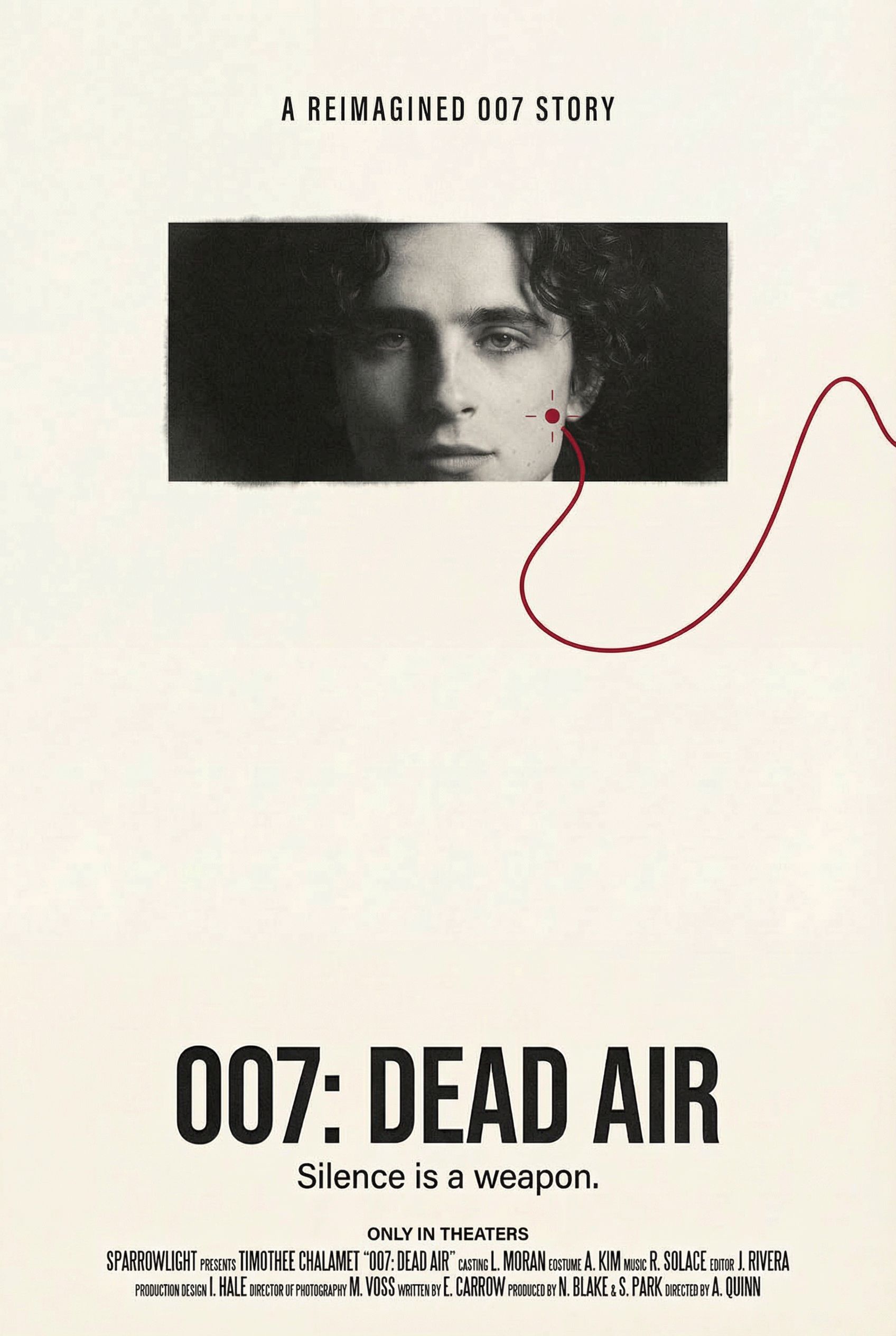
Neon Noir
Step 4: Refine and Edit
AI-generated movie posters sometimes include unwanted text or elements. AI photo editing lets you make precise adjustments without starting over. We selected the photocopy/zine treatment and removed some placeholder text.
Edit Example: Text Removal
The photocopy/zine variation had some unwanted placeholder text. Using the annotation tool, we circled the text and simply specified "remove this text" to clean up the poster.
Before
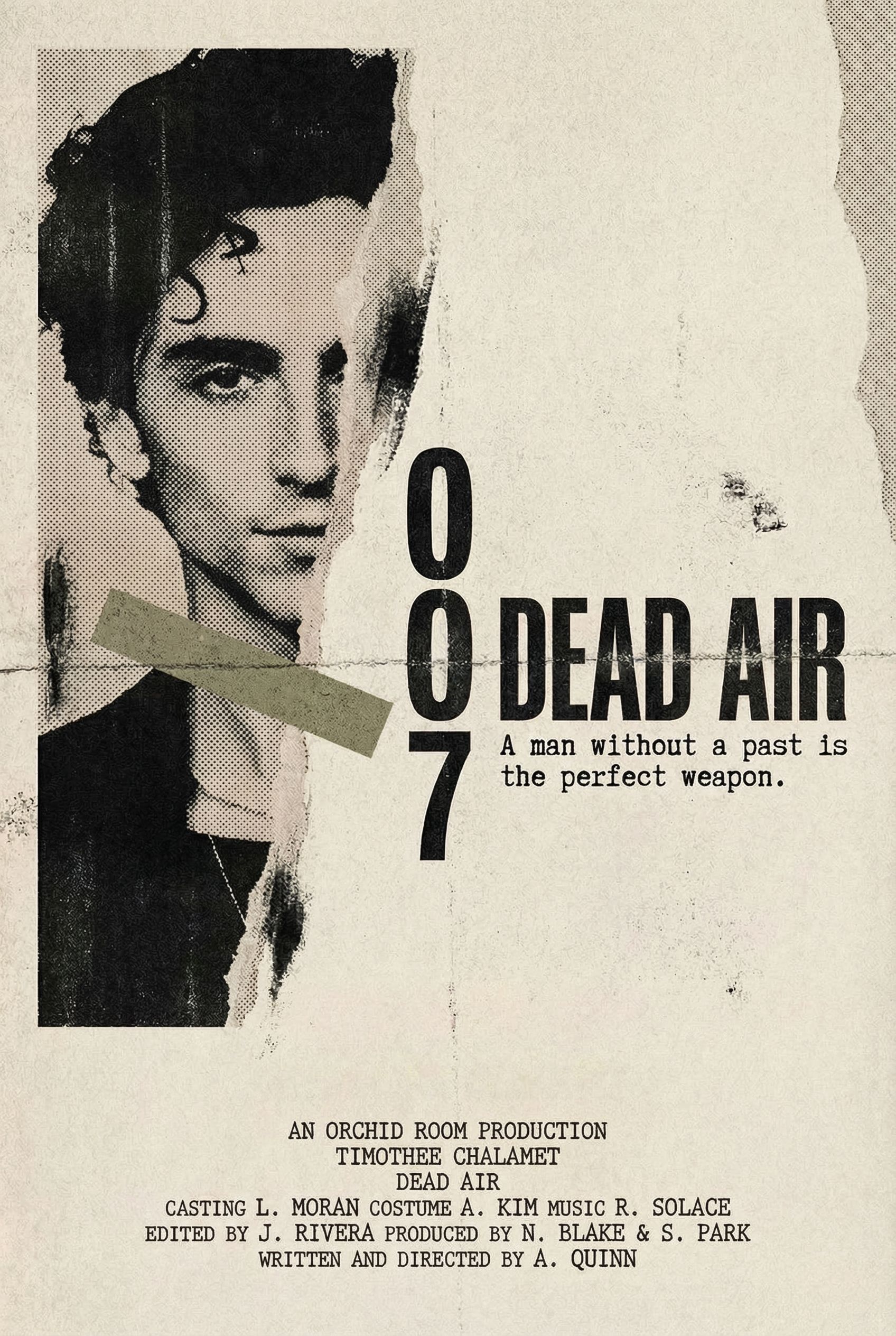
After
Click for before/after
Step 5: Format Adaptations
Your movie poster needs to work across multiple formats. Streaming platforms like Netflix require square or horizontal thumbnails. Social media has different requirements. Billboards need horizontal banners. AI can resize and recompose your poster for each format.
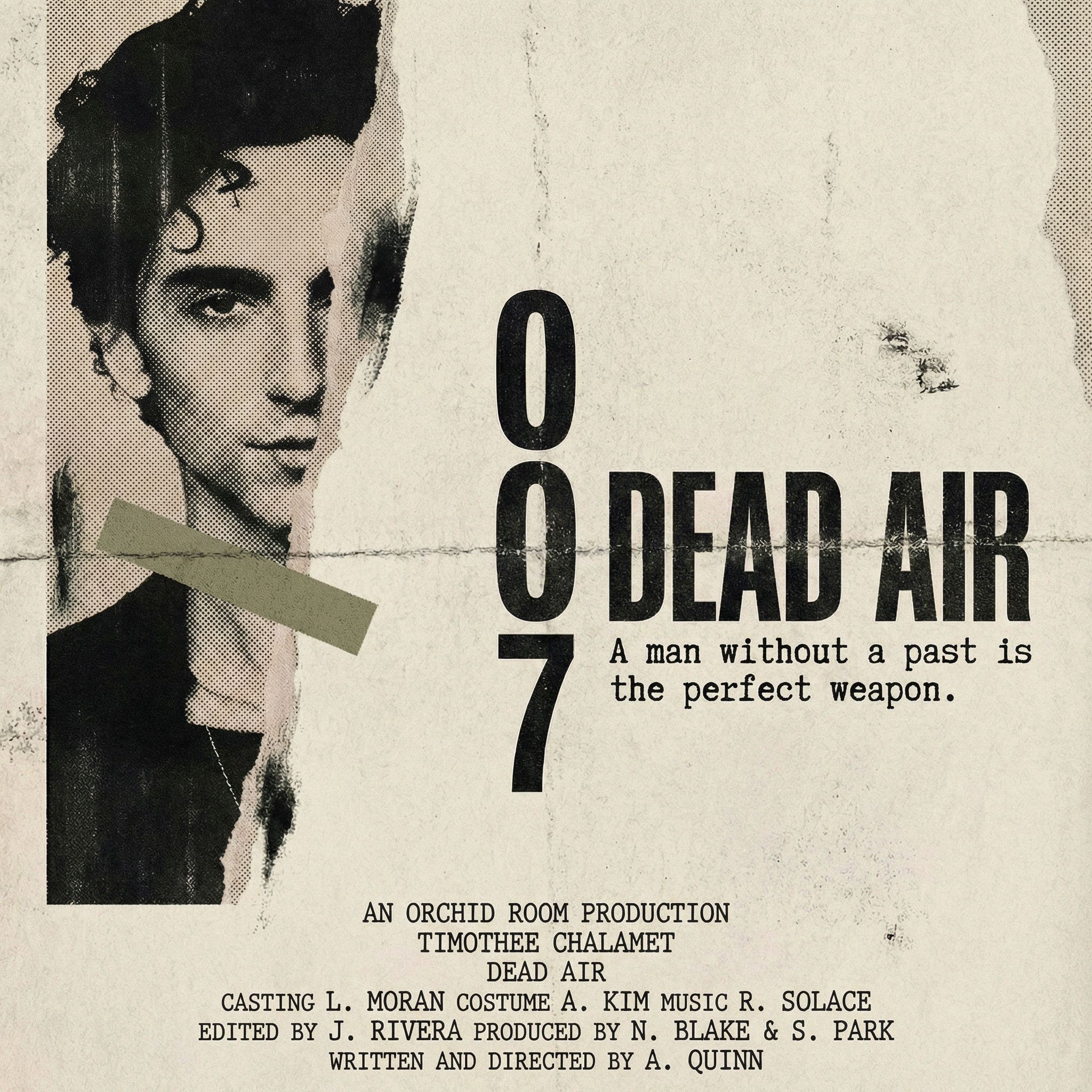
Netflix Thumbnail
1:1 aspect ratio
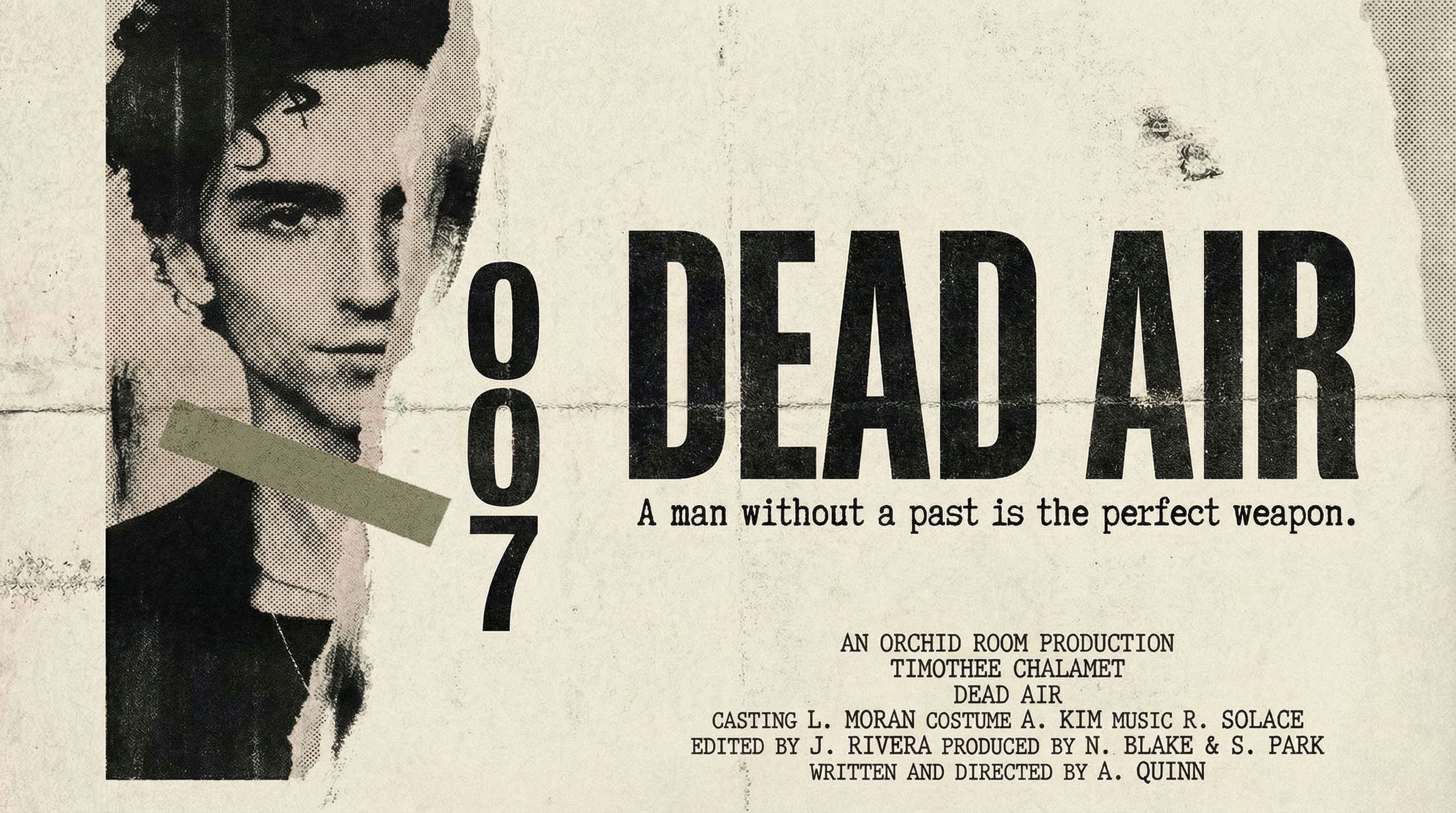
Web Banner
16:9 aspect ratio
Pro Tip: Create a Teaser Poster
Before your full poster is ready, create a teaser with minimal information. A striking image, movie title, and "Coming Soon" generates buzz without revealing too much. Teaser posters work great for social media announcements and film festival submissions.
FAQ
How does AI compare to Canva for movie posters?
Canva offers movie poster templates that work for beginners who need something quick. But all Canva templates look similar because thousands of other filmmakers use them too. AI generates completely original film poster designs based on your specific vision and assets. For indie filmmakers wanting a distinctive movie poster look, AI delivers professional results that rival what Hollywood graphic designers create.
What fonts work best for movie titles?
Movie title fonts depend heavily on genre. Thrillers often use condensed sans-serifs with tight tracking. Horror favors distressed or hand-drawn type. Period dramas lean into elegant serifs. When prompting AI, describe your desired typography style rather than specific fonts. Say "bold condensed uppercase" or "elegant script" and the AI will generate appropriate lettering that matches your poster's mood.
Can I use AI posters for film festival submissions?
Yes! AI-generated movie posters are perfect for festival submissions, press kits, and distributors. Make sure you have rights to any photos or assets you upload. The generated artwork is high-quality enough for print materials. Many festivals require poster files at 300 DPI, and AI typically generates images well above minimum resolution requirements.
How do I make my movie poster look less generic?
Avoid the clichés that make movie poster templates feel generic. Reference specific aesthetics like "A24-style minimalist" or "1970s exploitation grindhouse" rather than just saying "thriller poster." Specify unusual compositions like "face cropped to eyes only" or "off-center portrait with massive negative space." The more specific your vision, the more distinctive the result. Using AI art generators with detailed prompts consistently beats generic templates.

Create Your Own Movie Poster
All the AI design tools used in this tutorial are available on Vondy. Generate concepts, explore style variations, and adapt your poster for any format.
Start creating
Continue Learning