AI Office Design: Transform Your Workspace
Use AI technology to visualize modern office layouts, explore design styles, and create photorealistic renders of your workspace. Generate high-quality office design ideas in minutes.
 by Rohit DasJan 15, 202612 min read
AI interior design has transformed how businesses approach office space planning. Whether you're redesigning an existing workspace, planning a new office layout, or exploring design trends for a home office, AI-powered design tools generate photorealistic visualization in minutes. Using AI eliminates the traditional costs of hiring designers for initial concept exploration.
This guide covers practical AI office design workflows for various scenarios. You'll learn prompting techniques for modern office environments, biophilic workspaces, collaborative spaces, and executive offices. For residential applications, see our AI room design guide or explore AI home design for complete property visualization.
AI technology doesn't replace professional designers or architects. It functions as a cost-effective visualization tool that streamlines the design process, helping you explore design options and iterate on ideas before committing to expensive build-outs. The AI-generated outputs serve as mood boards and communication tools for contractors and stakeholders.
The modern office environment has evolved significantly, with design trends emphasizing employee wellness, collaboration, and flexibility. Biophilic design brings nature indoors with living walls and natural materials. Hot-desking and activity-based working require diverse space types. Ergonomic workstations support physical health during long work hours. AI helps visualize all these concepts before committing to expensive renovations or furniture purchases, making the design process more accessible to businesses of all sizes.
Explore Office Design Styles
AI tools render diverse office styles from text prompts, producing high-quality outputs suitable for visualization and planning. Each design style below addresses different work environment needs and design trends. Modern minimalist suits focused individual work, while biophilic designs prioritize wellness. Industrial styles work well for creative agencies, and executive designs convey corporate professionalism.
Understanding different office design styles helps you communicate requirements more effectively to AI tools. Modern minimalist offices feature clean lines, neutral color palettes, and uncluttered workstations that minimize distractions. Biophilic offices incorporate living green walls, natural wood materials, and abundant plants to improve air quality and employee wellbeing. Industrial creative spaces expose structural elements like brick and metal beams, creating an authentic startup atmosphere. Executive offices use premium materials like mahogany and leather to project sophistication and authority.
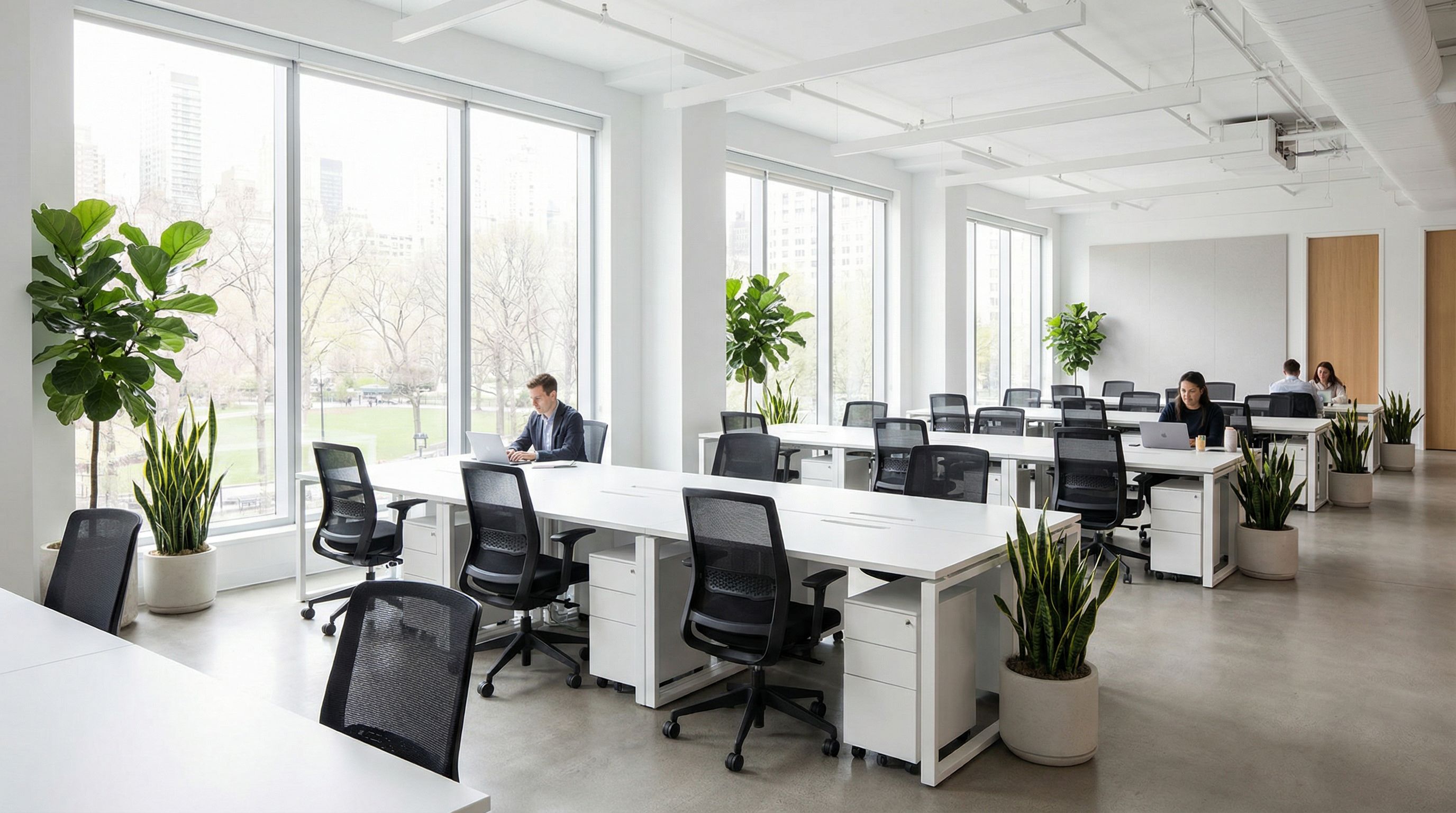
Modern Minimalist
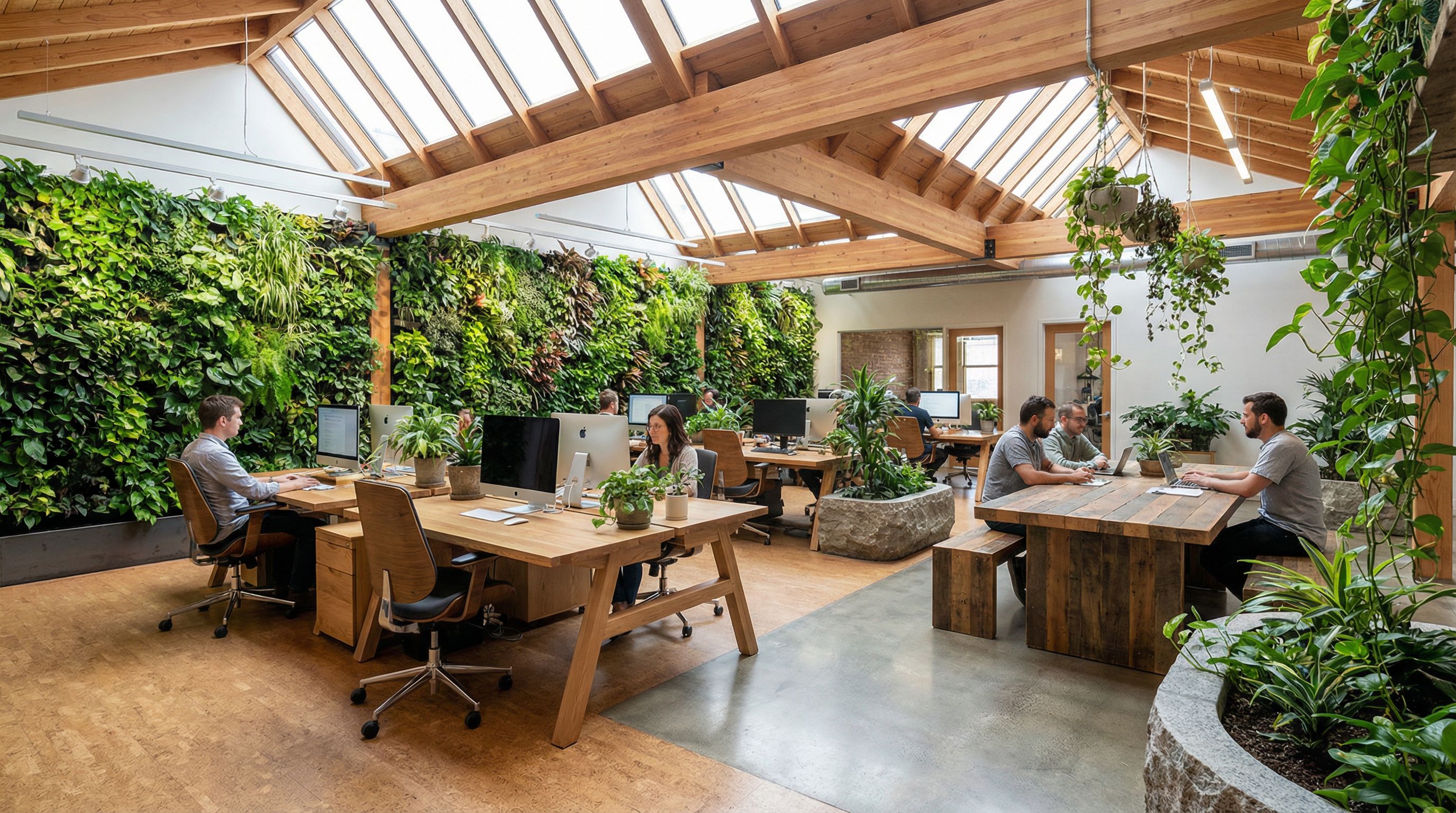
Biophilic Wellness
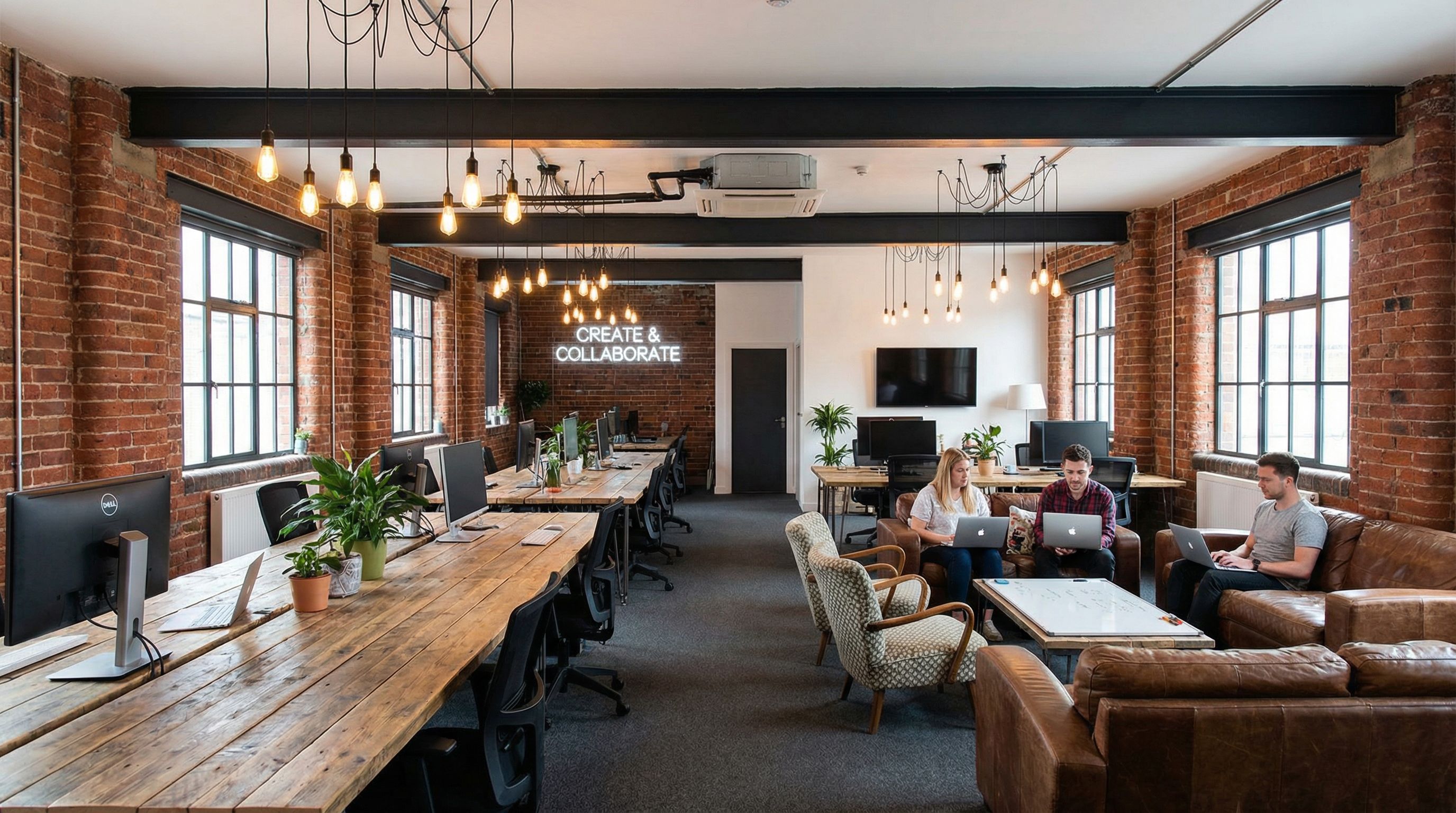
Industrial Creative
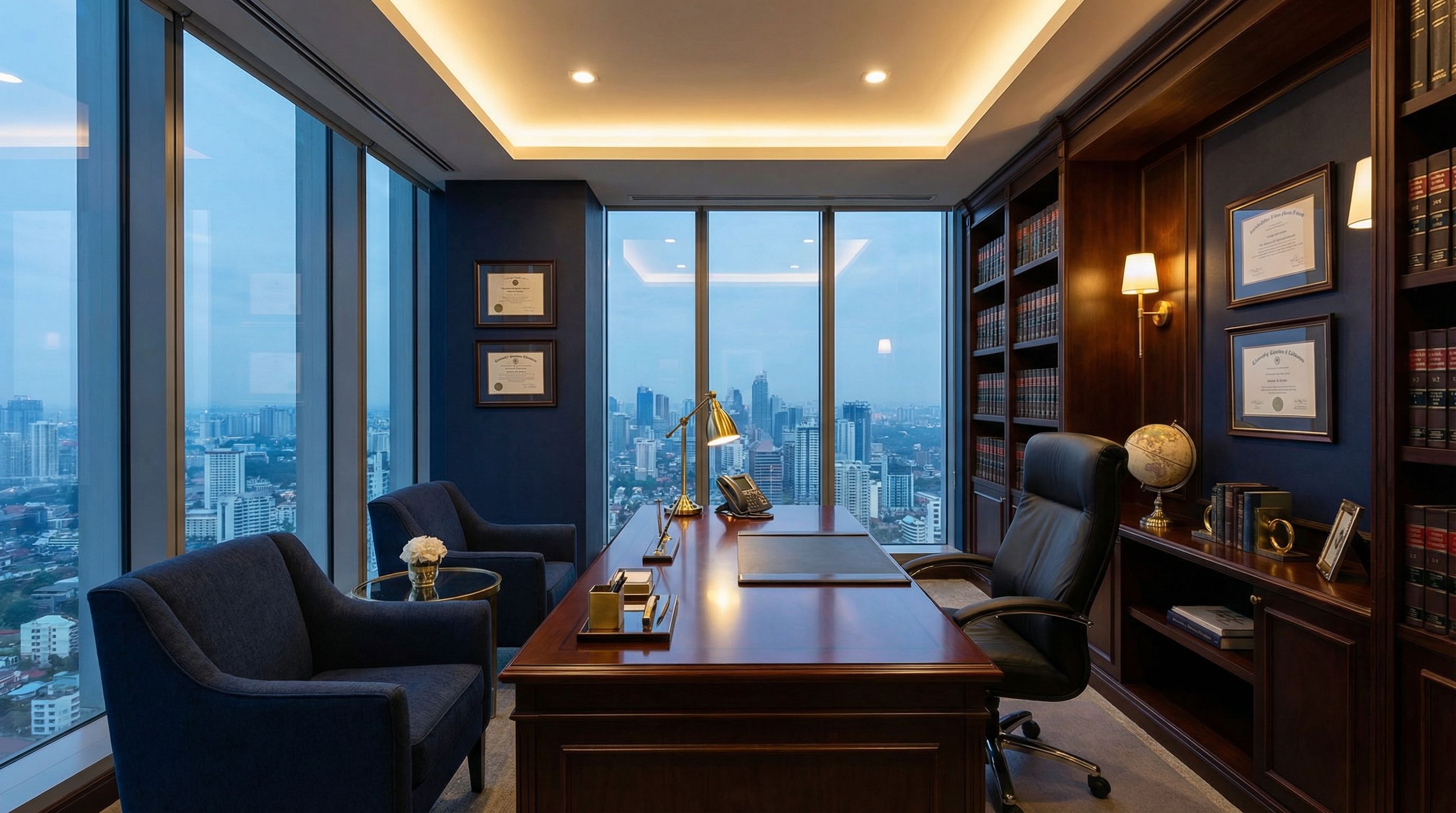
Executive Traditional
Office Transformation Workflow
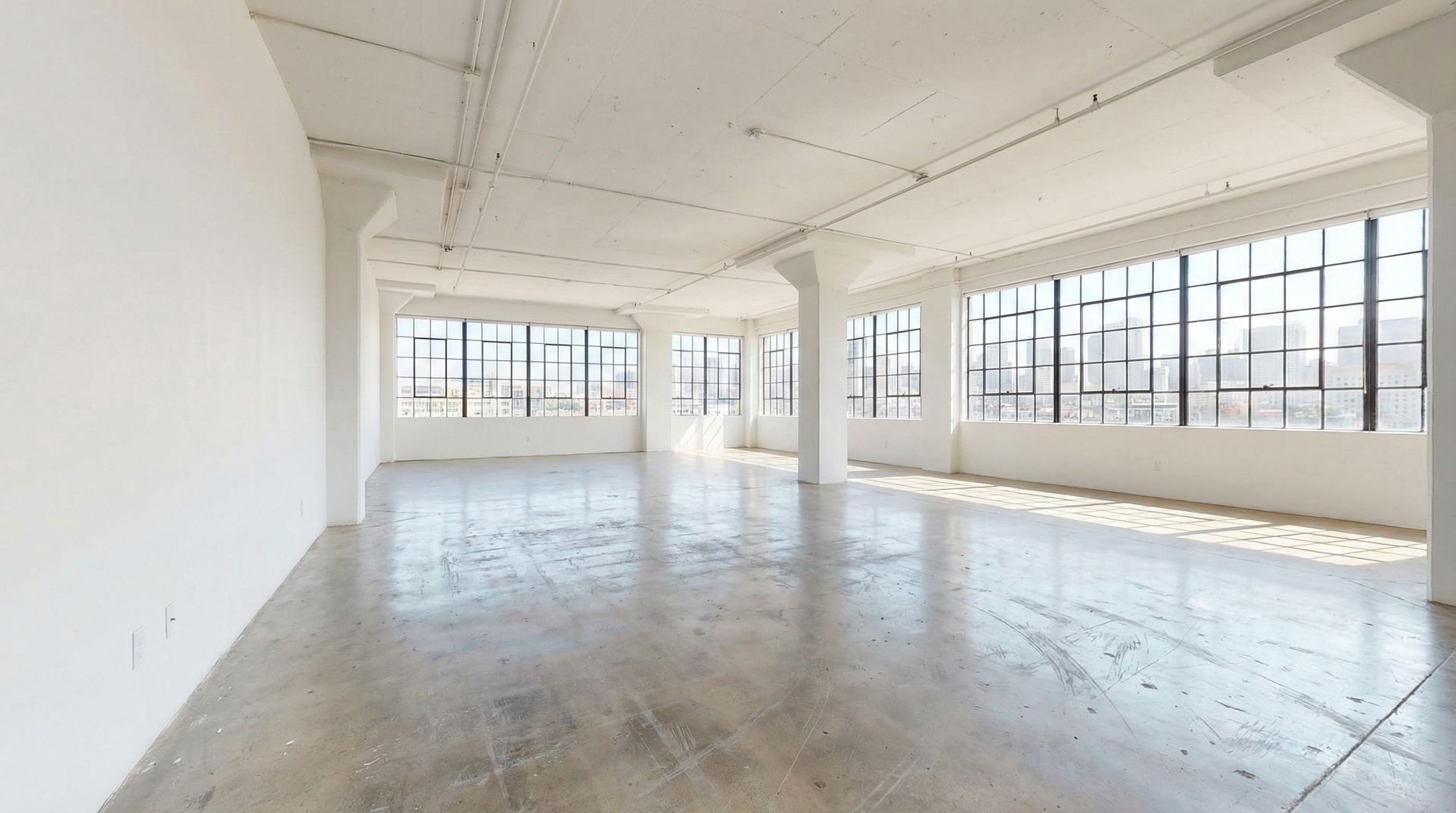
Transform an empty office space using AI visualization. Upload your current workspace photo, and AI generates multiple redesign options while preserving architectural features like windows and natural light. This workflow helps real estate professionals, facility managers, and business owners explore design ideas before any construction or furniture purchases.
The transformation workflow demonstrates how the same empty office can become completely different work environments depending on the design style and furniture choices. A modern open plan prioritizes density and collaboration with rows of ergonomic workstations. A Scandinavian modern approach creates a clean, minimalist workspace with light wood and neutral tones. A creative studio layout emphasizes flexibility with hot-desking areas and casual lounge seating for impromptu meetings.
BEFORE: Empty Office Space
AFTER: AI-Generated Office Designs
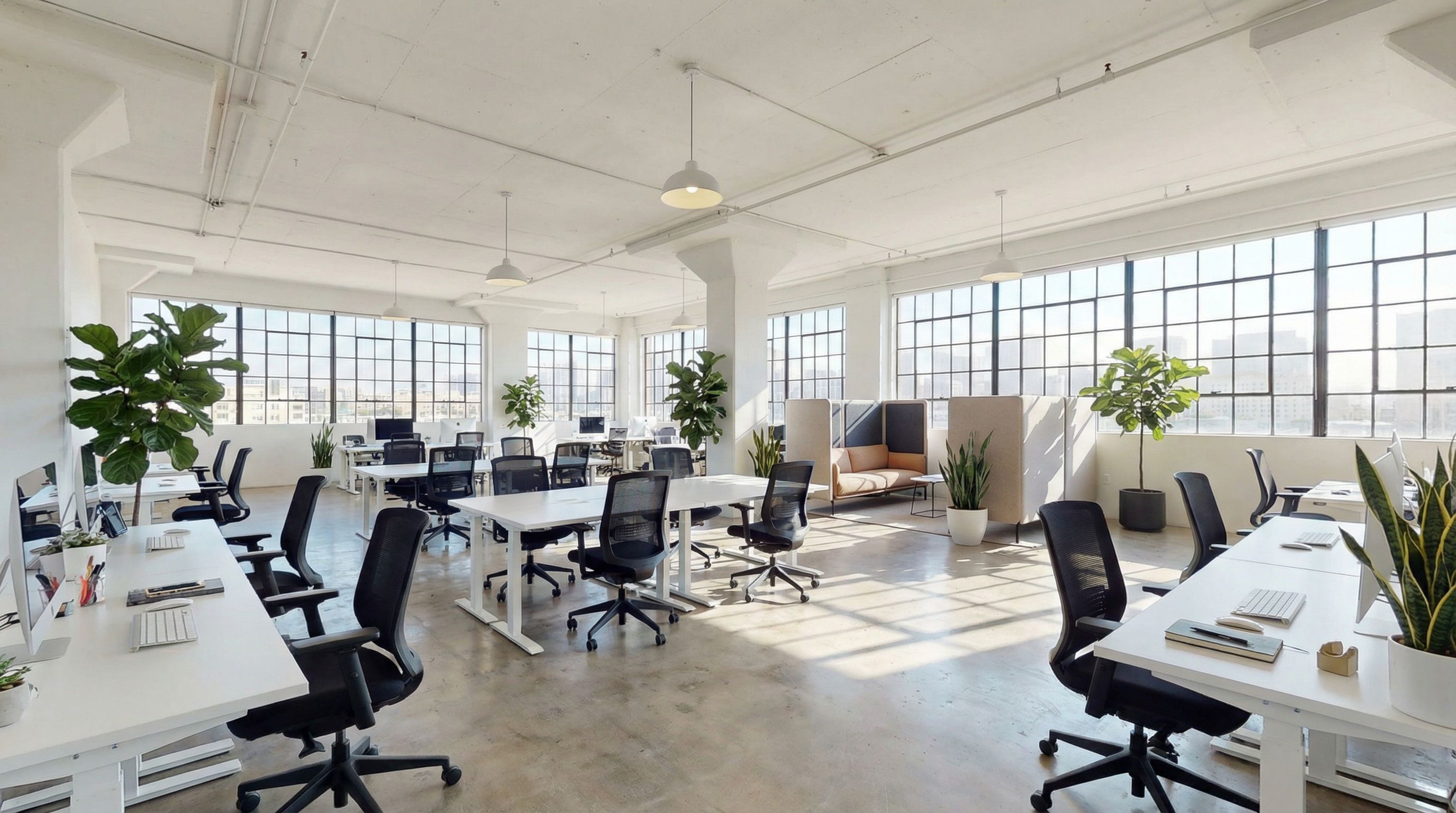
Modern Open Plan
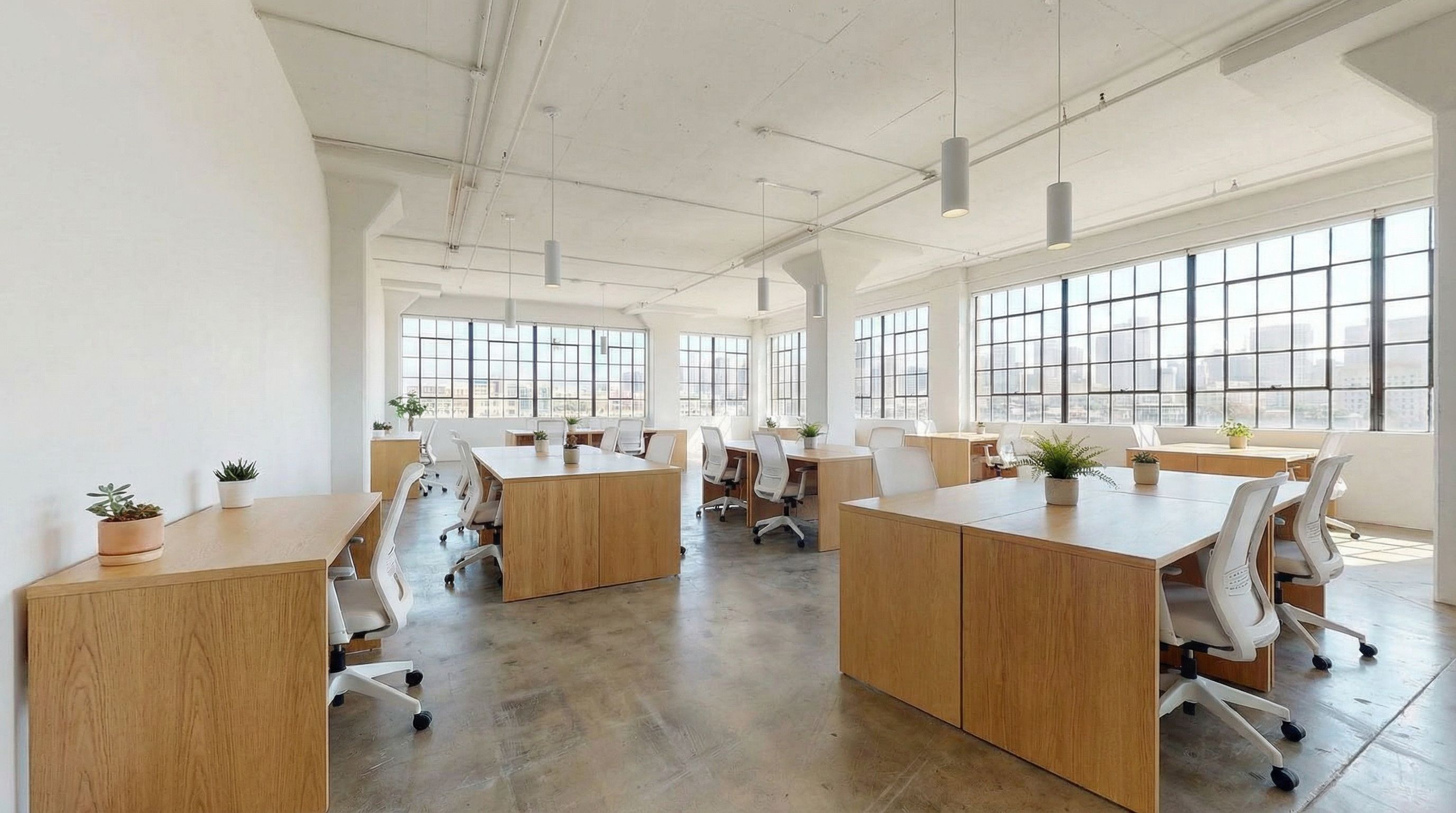
Scandinavian Modern
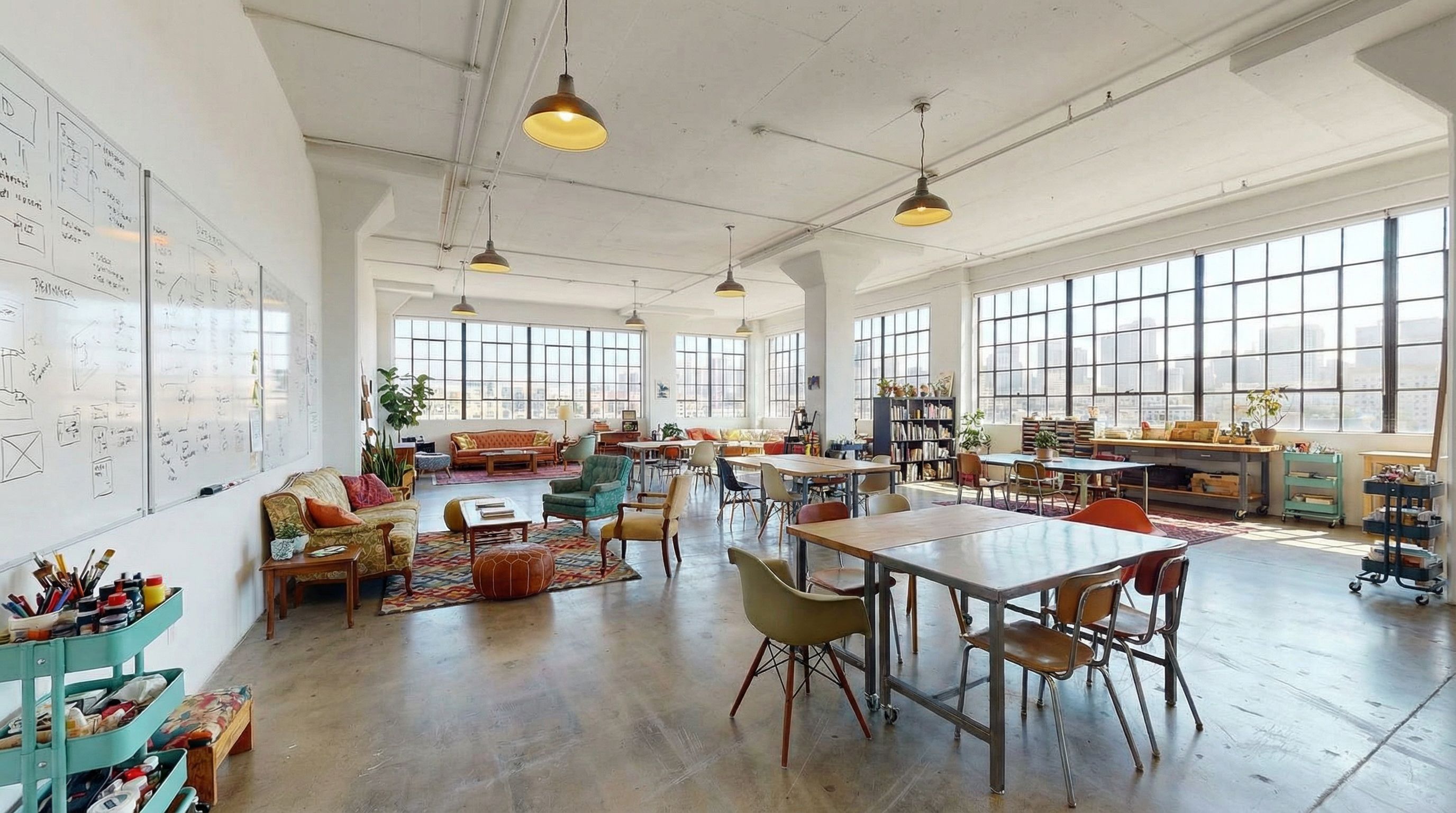
Creative Studio
Specialized Office Spaces
Beyond open workstations, modern offices require specialized spaces for different functionality. Conference rooms need video conferencing setups and ergonomic seating for long meetings. Home offices require careful attention to natural light and ergonomic furniture for remote work productivity. AI helps visualize these spaces with specific requirements. For living room conversions, see our AI living room design guide.
Conference rooms serve as the hub for client presentations, team meetings, and video calls with remote colleagues. Effective conference room design balances professional aesthetics with practical functionality like cable management, proper acoustics, and adequate display screens. Home offices have become increasingly important as remote and hybrid work models persist. A well-designed home office separates work from personal life while maintaining professional appearance for video calls.
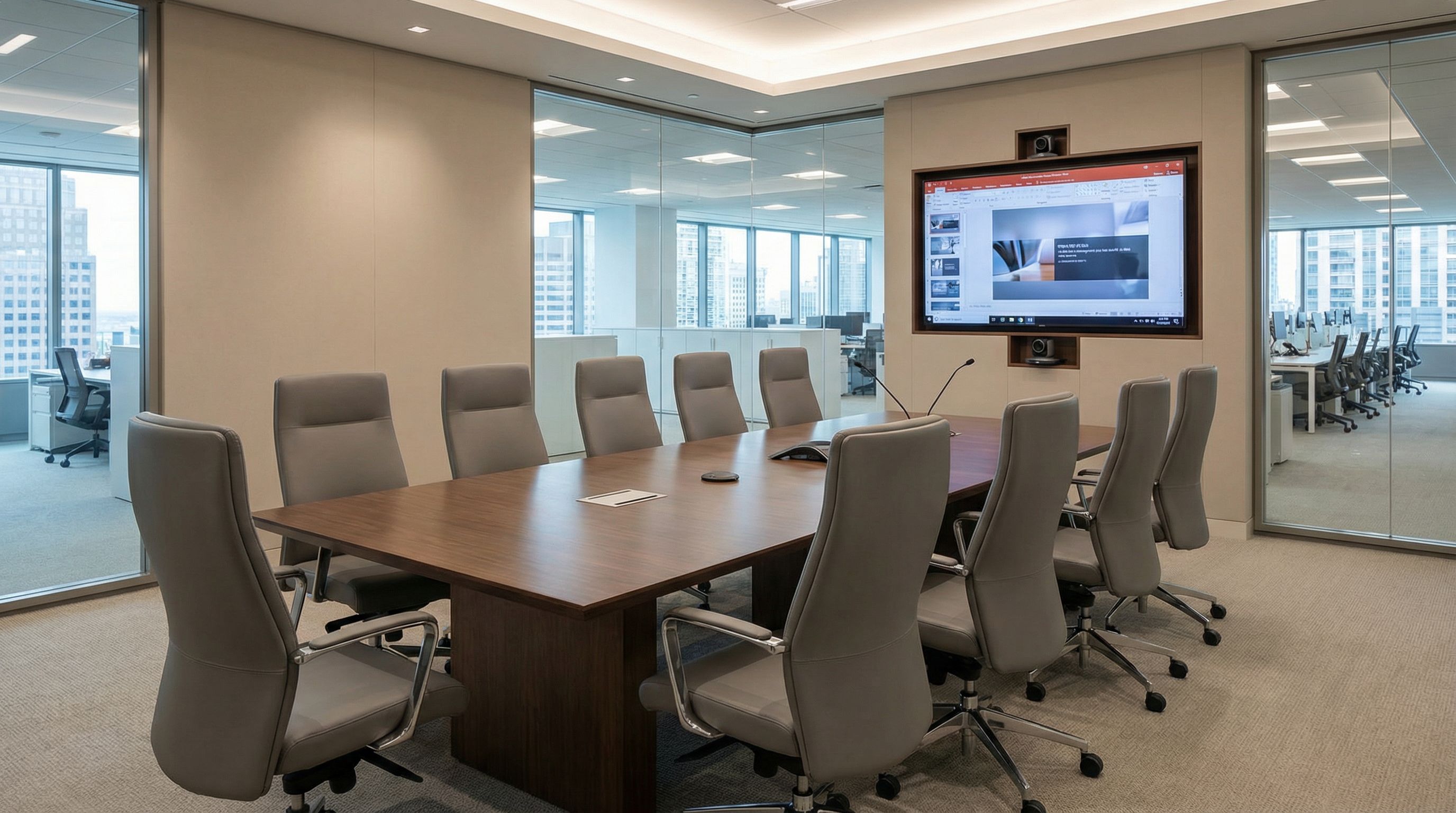
Conference Room
Professional meeting space with video conferencing, ergonomic seating, and collaborative technology.
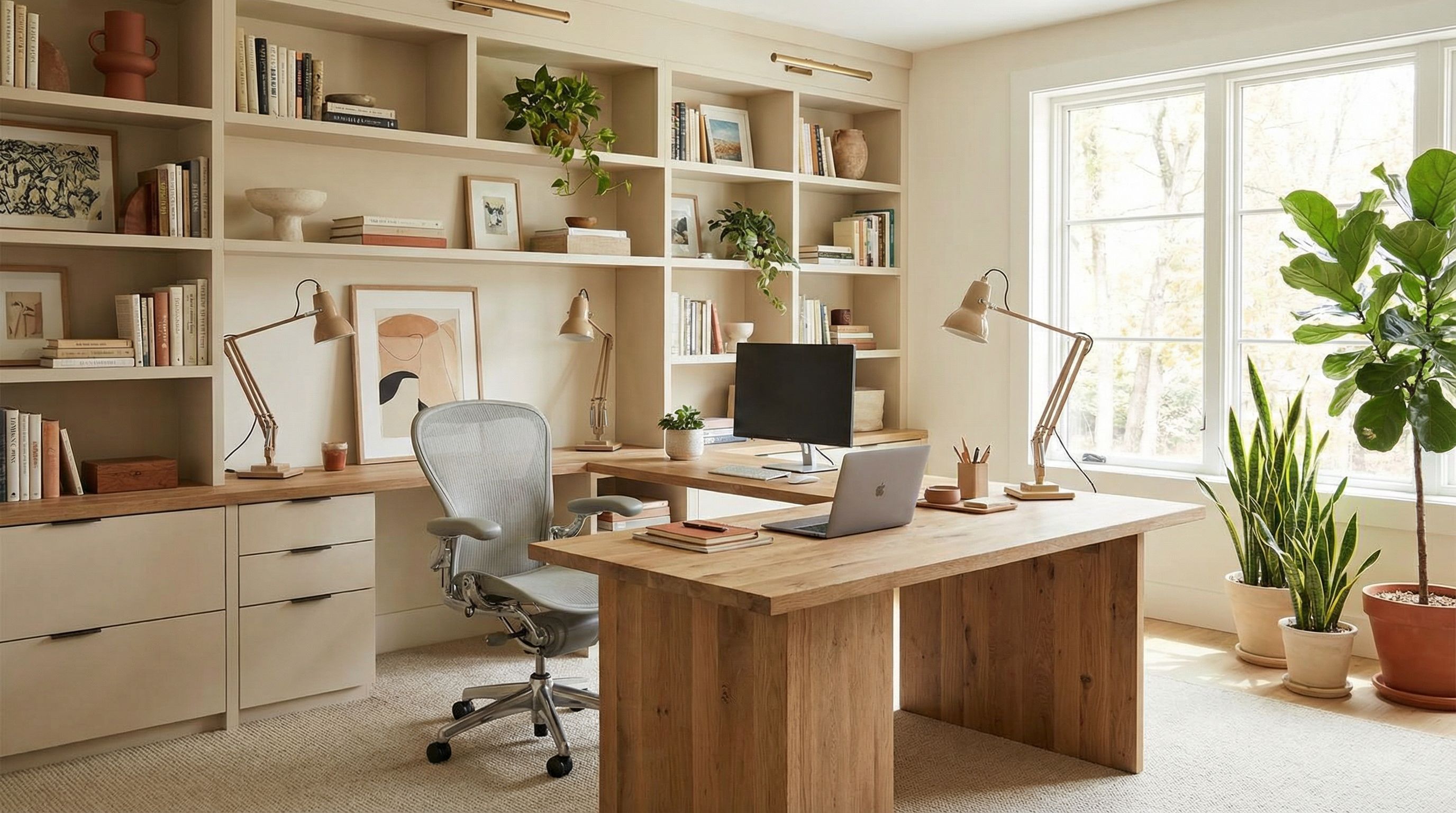
Home Office
Remote work setup with proper ergonomic furniture, natural light, and professional aesthetic.
AI-Generated Floor Plans
AI generates office floor plans and office layout diagrams from text descriptions. These visualizations help plan workstation arrangements, collaborative spaces, private offices, and amenity areas. While not precise enough for construction documents, AI-generated floor plans streamline early planning discussions and help communicate office layout concepts to stakeholders. Export as PNG for presentations or further refinement.
Effective office layout balances multiple competing priorities. Open floor plans maximize space efficiency and encourage collaboration but can create noise and distraction issues. Private offices along the perimeter provide quiet focus areas but consume more square footage. Central collaborative spaces like meeting pods and lounge areas foster spontaneous interaction. Support areas including kitchenettes, copy rooms, and storage need convenient placement. AI floor plan tools help explore these tradeoffs visually before engaging architects for detailed 3D models and construction drawings.
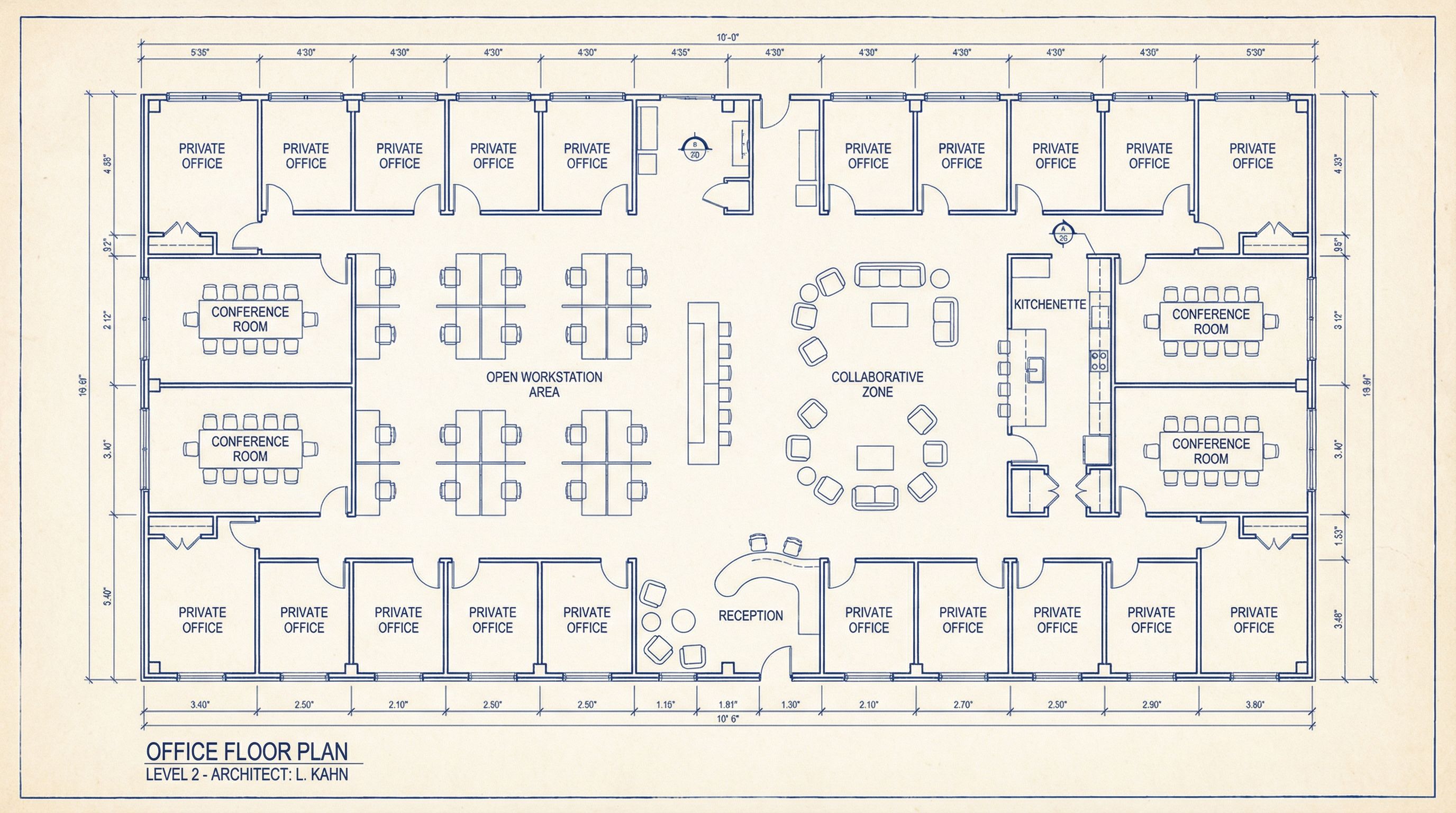
Office Layout Diagram
Floor plan showing open workstations, private offices, conference rooms, and common areas. Use as a starting point for detailed space planning with architects or interior designers.
AI Office Design Use Cases
Real Estate & Property Management
Property managers and real estate agents use AI office design to virtually stage empty commercial spaces. Show prospective tenants how blank shells can transform into functional workspaces. Generate multiple design options to appeal to different business types, from tech startups to law firms.
Facility Planning & Renovation
Facility managers use AI visualization to plan office renovations and redesigns. Test different configurations before committing to construction. Communicate proposed changes to leadership and employees with photorealistic renders that show the finished result.
Interior Design Presentations
Interior designers use AI to generate rapid concept options for client presentations. Explore multiple design directions without the time investment of traditional 3D modeling. Iterate on feedback in real-time during client meetings with instant generation capabilities.
Remote Work Setup
Remote workers and hybrid employees use AI to optimize home office setups. Visualize how different furniture arrangements and design styles would look in spare bedrooms, corners of living rooms, or dedicated office spaces. Make informed purchasing decisions before buying furniture.
Office Design Prompting Tips
Specify the design style
Use terms like "modern minimalist," "biophilic," "industrial," or "executive" to guide the AI toward specific aesthetics and work environment types.
Describe ergonomic features
Include "ergonomic chairs," "sit-stand workstations," or "adjustable desks" for health-focused office environments with proper furniture.
Mention natural light and color palette
Specify "large windows with natural light," "neutral color palette," or specific accent colors for accurate workspace visualization.
Include collaborative elements
Add "meeting pods," "lounge seating," "whiteboard walls," or "collaborative spaces" for modern office layouts that support teamwork.
Add photography context
Include "photorealistic render," "architectural photography style," or "real estate photo" for high-quality outputs suitable for presentations.
Best AI Office Design Tools
Several AI tools and apps help with office design visualization. User-friendly options provide quick renders, while more advanced design tools offer control over 3D models and floor plans. For pricing information and model comparisons, see the best AI image generators guide. Businesses can also explore AI for business applications beyond design, including automations and real-time analytics.
When selecting AI office design tools, consider your specific needs. Text-to-image generators excel at creating concept renders from scratch, ideal for exploring new design ideas. Image-to-image tools transform existing photos while preserving architectural features, perfect for redesign projects. Floor plan generators create layout diagrams that help with space planning discussions. Many users combine multiple tools: generating initial concepts with text-to-image, then refining specific spaces with image transformation capabilities.
Free AI Office Design
Generate office layouts and workspace concepts from text descriptions. User-friendly interface for quick visualization.
AI Floor Plan Generator
Create office floor plans and layouts automatically. Streamline your space planning workflow.
Free AI Room Design
Upload photos and transform spaces with AI. Works for offices, conference rooms, and home offices.
Related: For marketing your new office space, explore our AI for marketing guide. Small businesses can find more resources in our AI for small business guide covering cost-effective tools and workflow automations.
FAQs About AI Office Design
Can AI design a complete office layout?
AI generates visualization and design ideas, but not construction-ready drawings. Use AI-generated floor plans and renders as mood boards for discussions with architects, interior designers, or contractors who create detailed specifications.
How accurate are AI office renders?
Modern AI-powered tools produce photorealistic renders that accurately represent materials, lighting, and design styles. While not dimensionally precise, they excel at conveying design concepts and helping stakeholders visualize proposed changes.
What's the best AI tool for office design?
The best tool depends on your needs. For quick concept generation, text-to-image AI tools work well. For transforming existing spaces, image-to-image models preserve architectural features while redesigning furniture and finishes.
How do I describe ergonomic furniture to AI?
Include specific terms like "mesh ergonomic task chairs," "height-adjustable desks," "monitor arms," or "sit-stand workstations." Mentioning brand archetypes like "Herman Miller style" can help AI understand the aesthetic you want for ergonomic office furniture.
Can I use AI for home office design?
Absolutely. AI excels at home office visualization, helping remote workers design professional workspaces within residential settings. Describe the room size, desired style, storage needs, and any existing furniture you want to keep. AI generates options that balance professional functionality with home aesthetics.
What office design trends work best with AI?
AI handles most design trends effectively. Biophilic design with plants and natural materials renders beautifully. Modern minimalist with clean lines produces consistent results. Industrial creative with exposed elements creates distinctive visuals. Activity-based working with varied space types showcases AI's ability to generate diverse environments within single floor plans.
Ready to Design Your Office?
Use AI to visualize your dream workspace. Generate office layouts, explore design styles, and create photorealistic renders in minutes.
Start Designing FreeContinue Learning