
Mood boards are the starting point for almost every design project. Interior designers use them to align with clients on aesthetic direction. Graphic designers create them during brainstorming sessions. Fashion designers build inspiration boards before sketching collections. Event planners use them to communicate themes to vendors. The problem is that creating mood boards traditionally requires hours of searching stock images, cutting swatches, and arranging visual elements by hand or in tools like Canva, Adobe Illustrator, or Photoshop.
The traditional approach has real limitations. You're constrained by whatever images exist online. Finding the exact shade of terracotta tile or the right texture of Belgian linen often means settling for "close enough." And arranging dozens of images into a cohesive layout takes time, even with the best mood board templates.
AI changes the creative process entirely. Instead of hunting for the perfect reference images, you describe what you want and generate exactly the visual inspiration you need. Need a specific wood grain with warm undertones? Generate it. Want to see how your mood board would look with a completely different color palette? Transform it in seconds. In this step-by-step tutorial, we'll create a complete interior design mood board from scratch, explore different presentation styles, and even transform the aesthetic into completely different design directions.
What You'll Learn
- Generating individual visual elements (textures, swatches, lighting studies)
- Composing mood boards with different layout styles
- Creating style variations (Polaroid frames, gallery clips, editorial)
- Transforming mood boards into completely different aesthetics
- Adapting for Pinterest, social media, and client presentations
What is a Mood Board?
A mood board is a visual representation of a design direction. It combines images, color swatches, textures, typography samples, and other design elements into a single composition that communicates a feeling or aesthetic. Think of it as a storyboard for visual style.
Unlike a vision board (which focuses on personal goals), mood boards are professional design tools. They help stakeholders understand the design direction before any detailed work begins. A well-crafted mood board saves time and money by ensuring everyone agrees on the aesthetic before moving forward.
Digital Mood Board
- • Created in software (Canva, Photoshop, Figma)
- • Easy to share and resize
- • Can be updated in real-time
- • Export as JPG, PNG, or PDF
Physical Mood Board
- • Actual fabric swatches and paint color chips
- • Magazine clippings and printed photos
- • Tactile material samples
- • Great for client presentations
AI-generated mood boards combine the best of both: the convenience of digital with the photoreal quality of actual material samples. You can create online mood boards that look like they contain real fabric swatches, wood samples, and paint chips. The images are completely original, generated specifically for your design project rather than pulled from a shared library of stock images.
Professional designers often create multiple mood boards during the early design process to present different directions to clients. With AI, you can generate three or four completely different aesthetic options in the time it would take to assemble one traditional mood board. This rapid iteration helps you explore design ideas more freely and gives stakeholders meaningful choices.
Step 1: Gather Your Visual Elements
Before creating mood boards, you need reference images that capture your design ideas. Using AI image generators, you can create exactly the visual elements you need rather than searching through stock images hoping to find something close.
For our example, we're creating an interior design mood board for a Japandi living room redesign. Japandi is a popular interior design style that blends Japanese minimalism with Scandinavian warmth. The design direction is calm, organic, and intentional with natural materials like light oak, linen, and handmade ceramics.
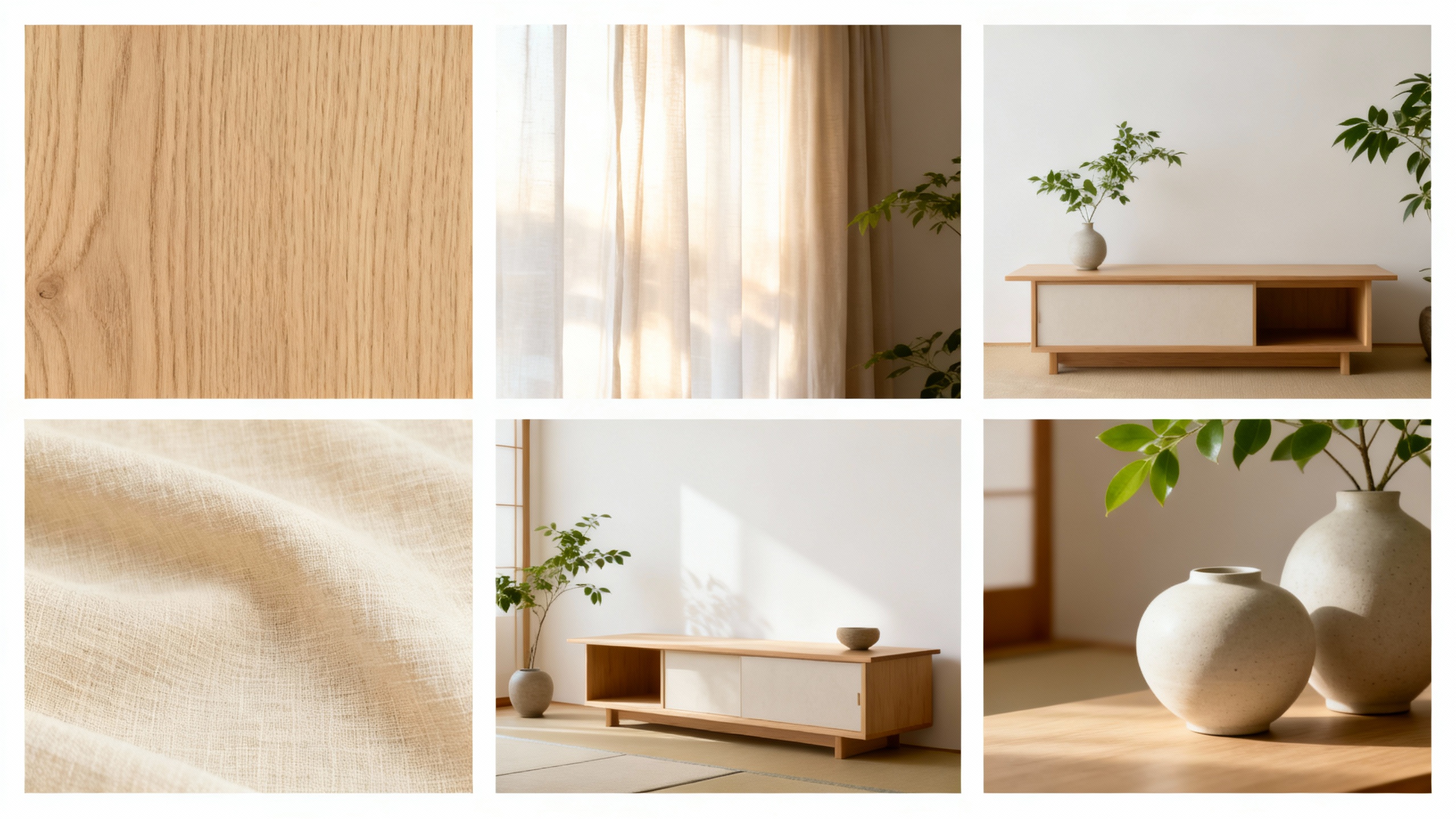
Before generating the complete mood board, we created individual visual elements that capture specific aspects of the aesthetic. This approach gives you more control over what appears in your final composition. Here are the six visual elements we generated:
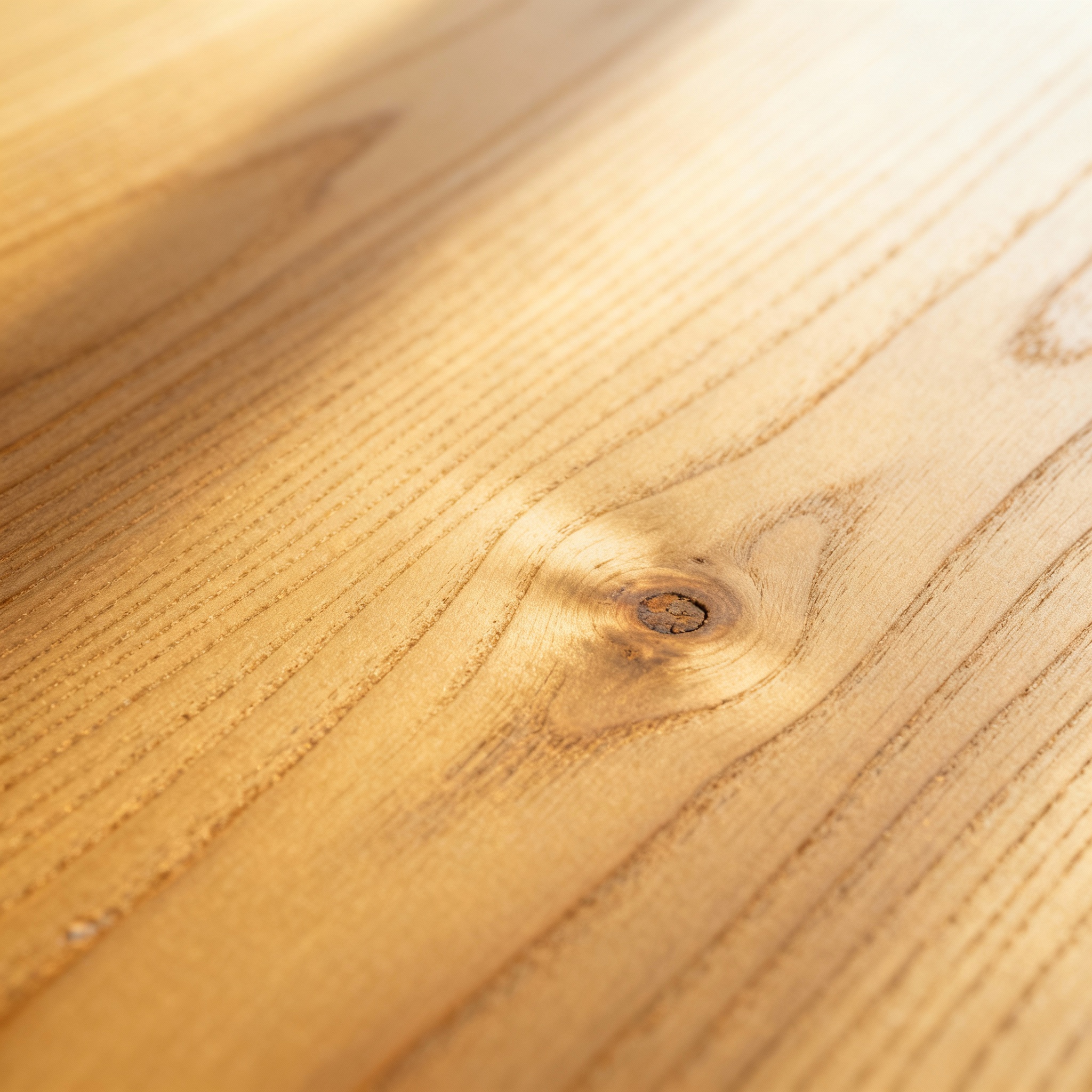
Wood Grain Texture
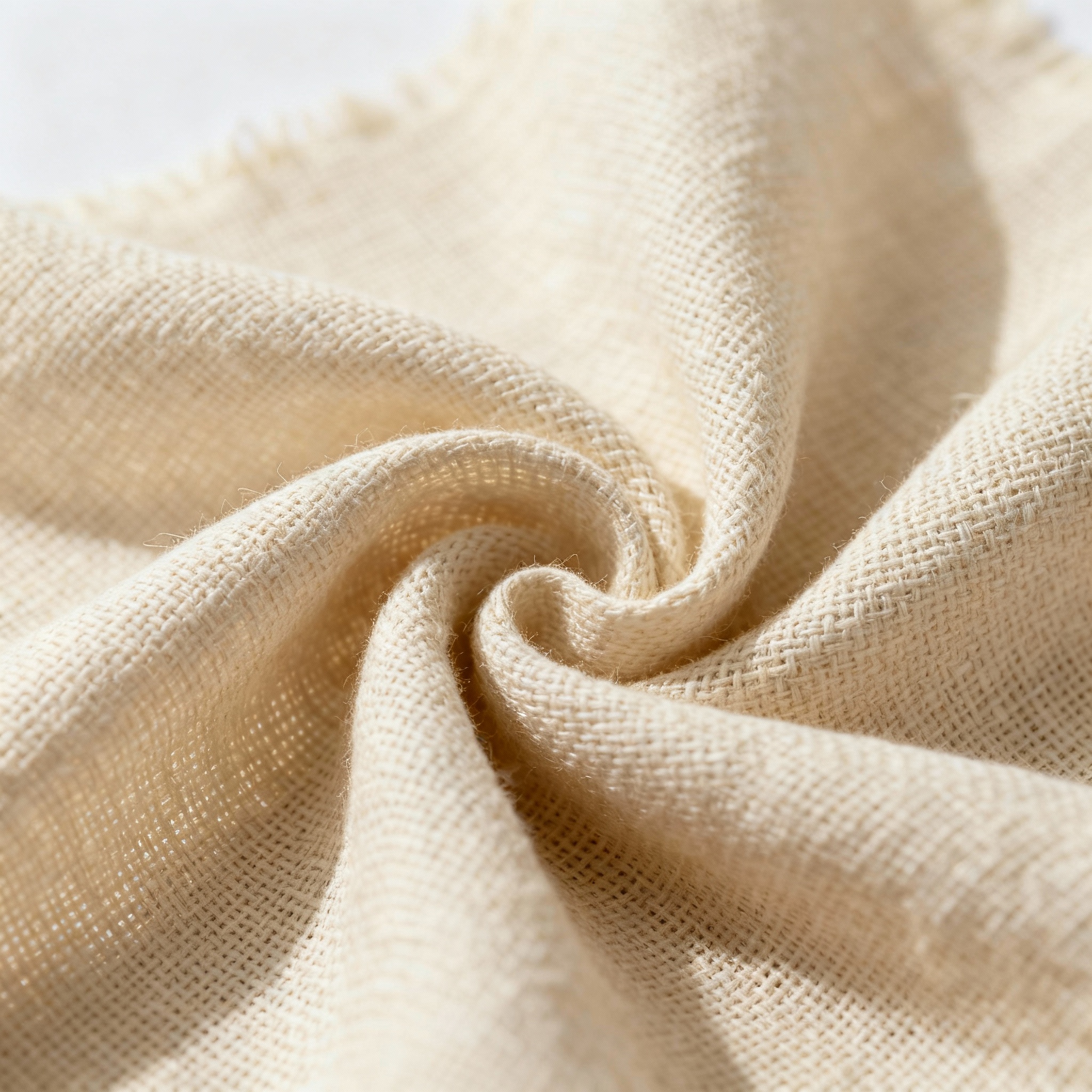
Linen Fabric Swatch
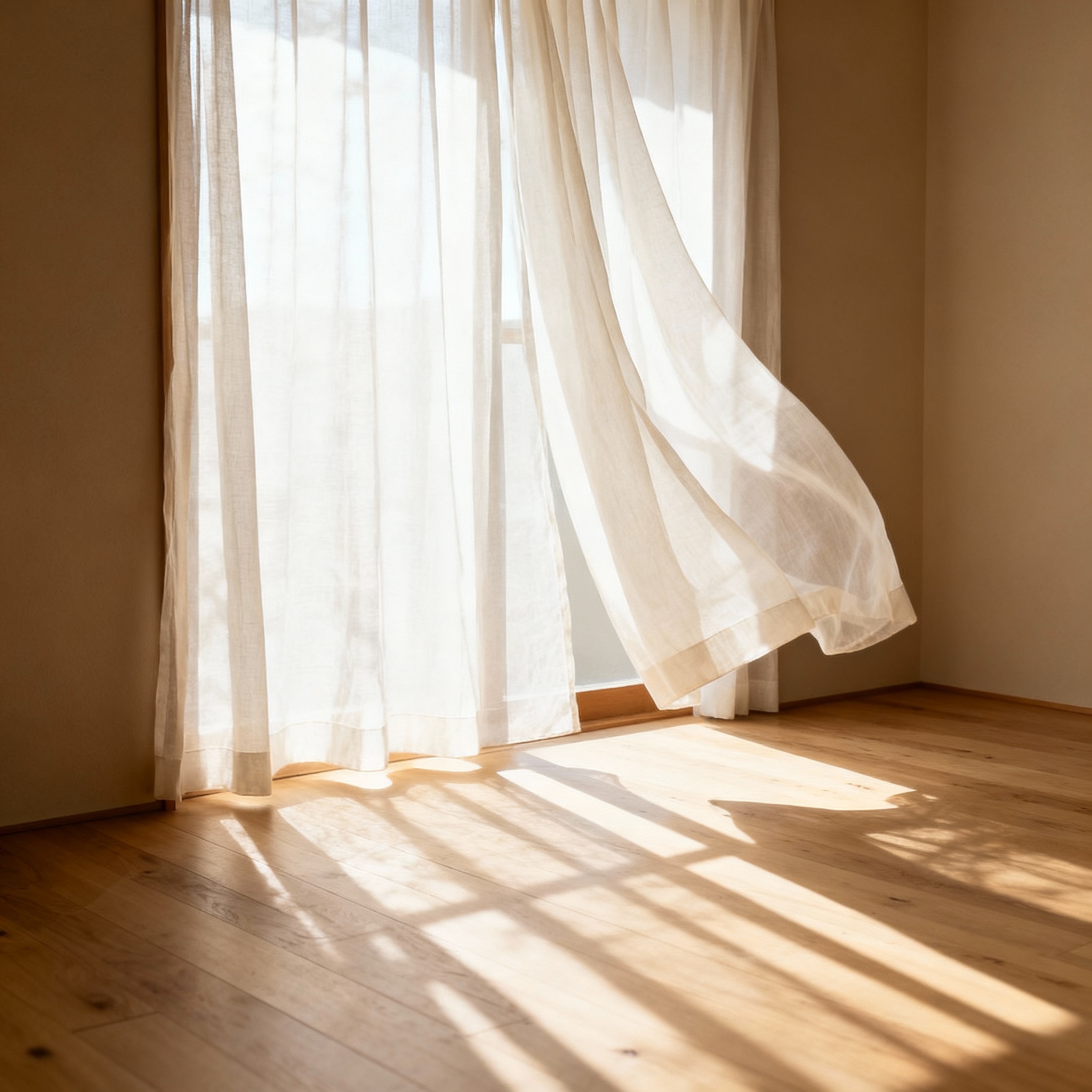
Natural Light Study
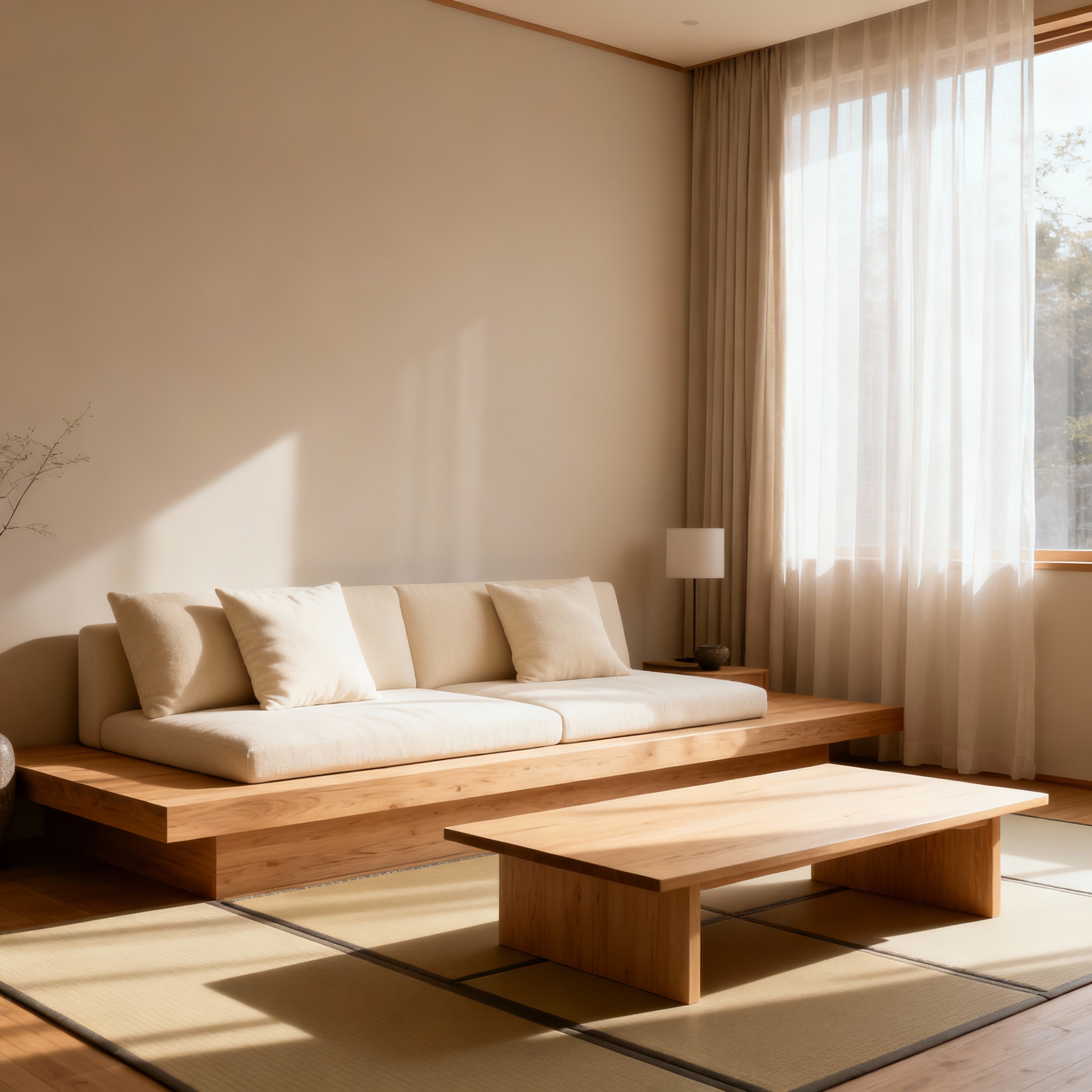
Furniture Silhouette
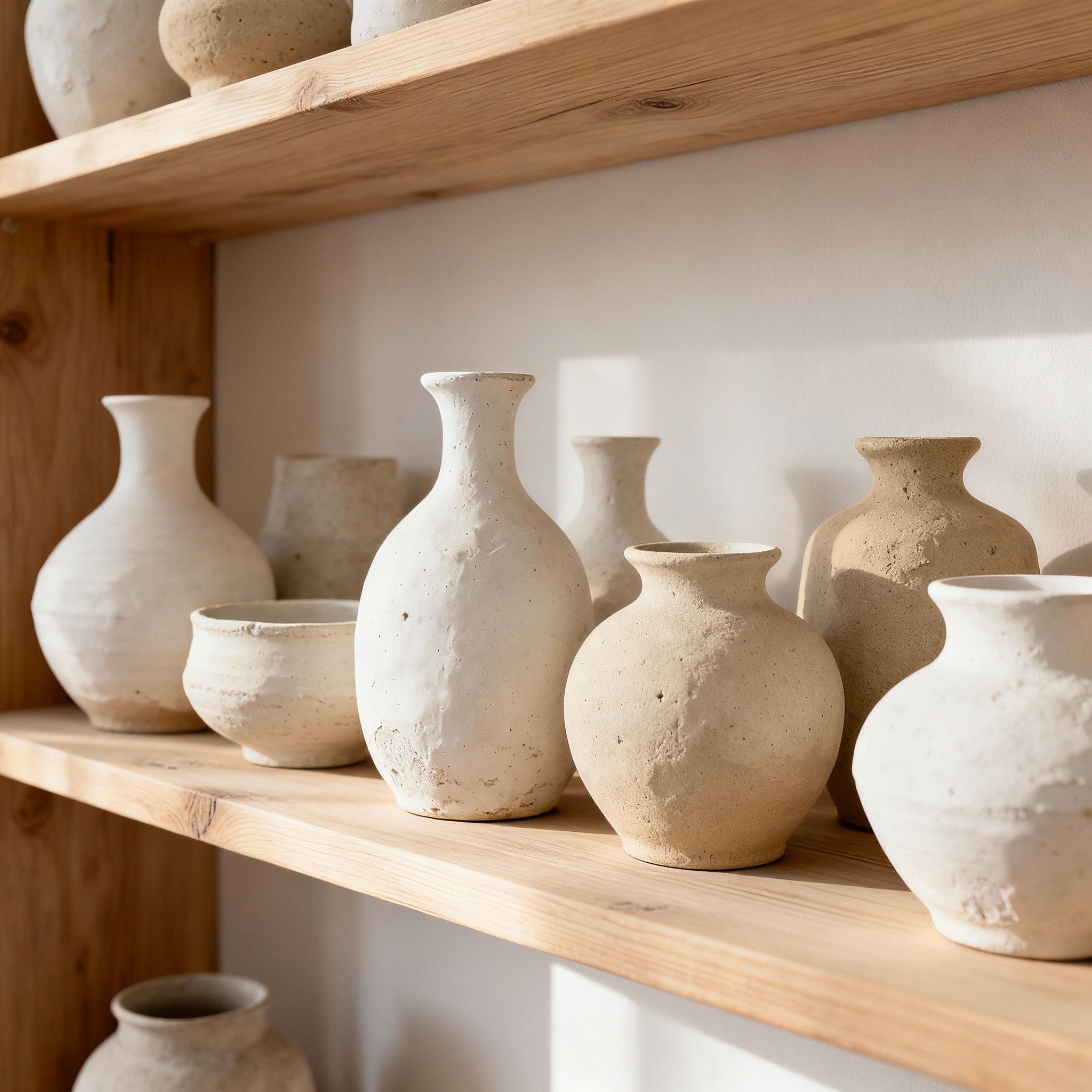
Ceramic Pottery
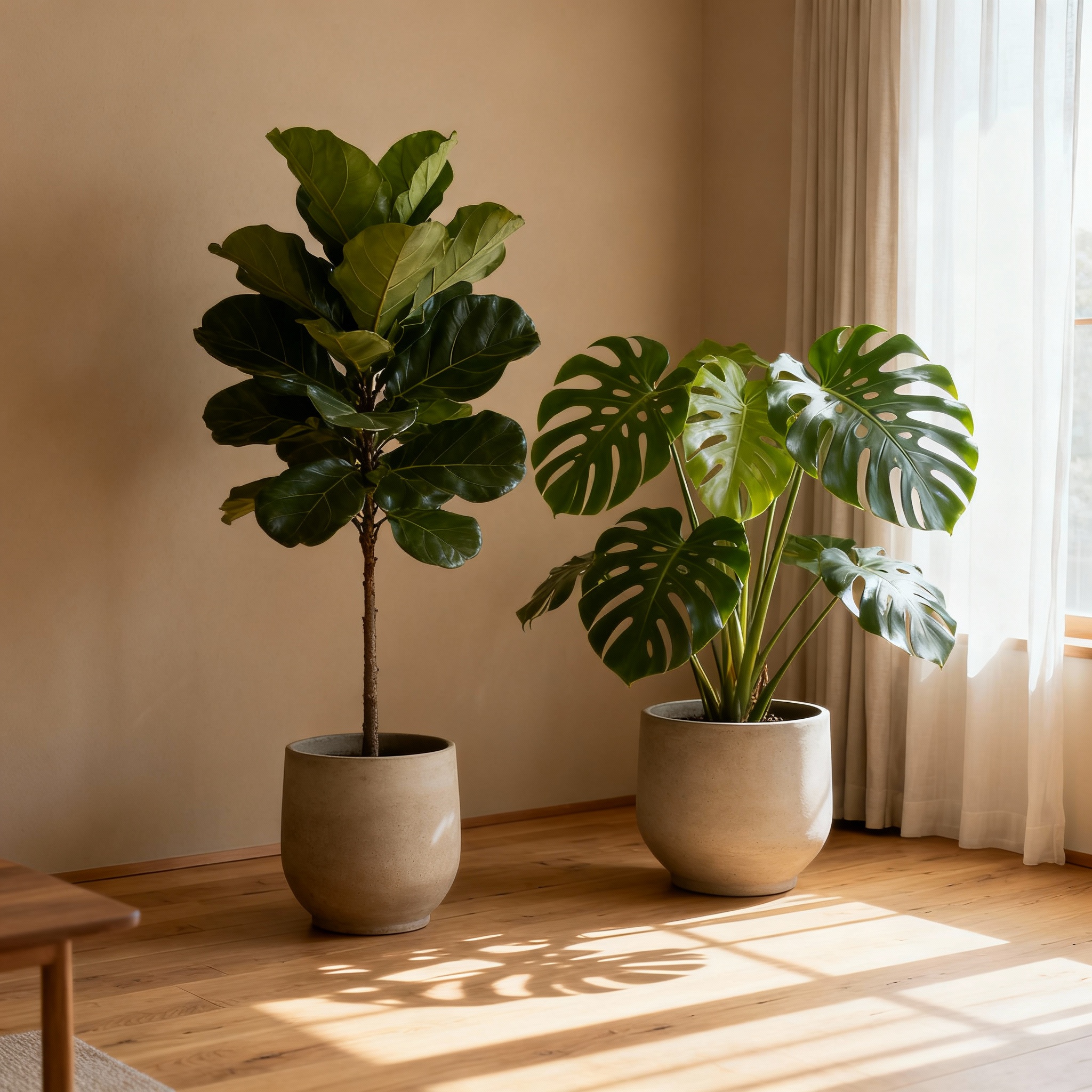
Indoor Plants
Photoreal [material/texture] swatch: [specific description], [finish type], [color tones], shot like a design material sample, diffused daylight, minimal styling, high detailTypes of Visual Elements to Include
- • Material swatches: Wood grain, fabric textures, stone surfaces
- • Color palette: Paint color chips, color schemes, gradient samples
- • Lighting studies: Natural light, ambient mood, time of day
- • Furniture silhouettes: Key pieces that define the style
- • Decorative objects: Ceramics, art, plants, accessories
- • Typography samples: Fonts and lettering if relevant
Step 2: Generate Mood Board Layouts
With your visual elements ready, the next step is composing them into a beautiful mood board. Instead of manually arranging images with drag and drop tools, AI can generate complete moodboard compositions with professional layouts, pinned photos, material samples, and realistic shadows.
[Style] moodboard collage (no text): [layout type] with [number] pinned photos and material samples; [materials list]; [furniture/objects]; [color palette]; [background texture], [overall mood], photoreal, high-end [industry] presentationWe generated three different layout concepts for the same Japandi aesthetic:
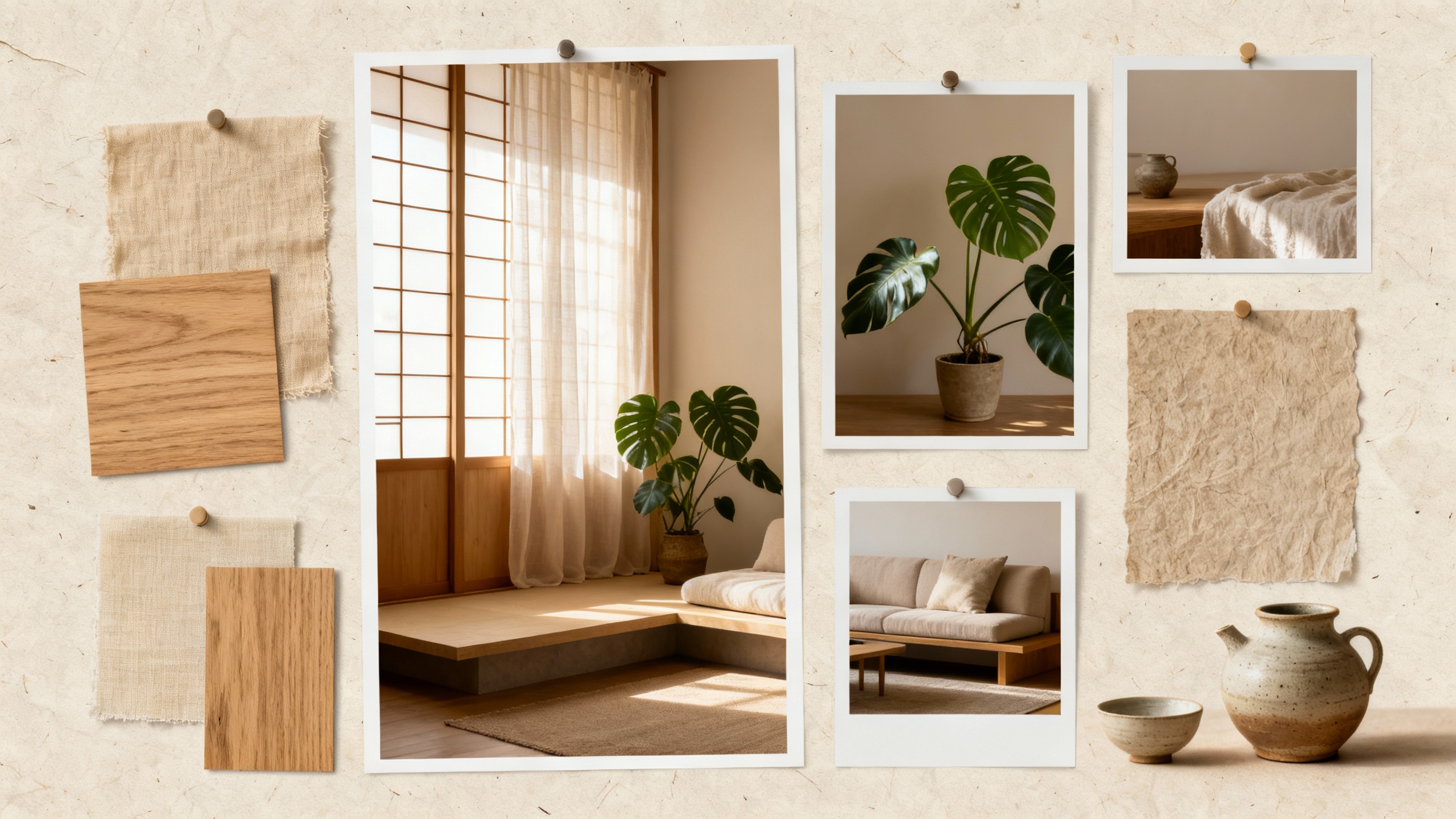
Asymmetrical Pinned
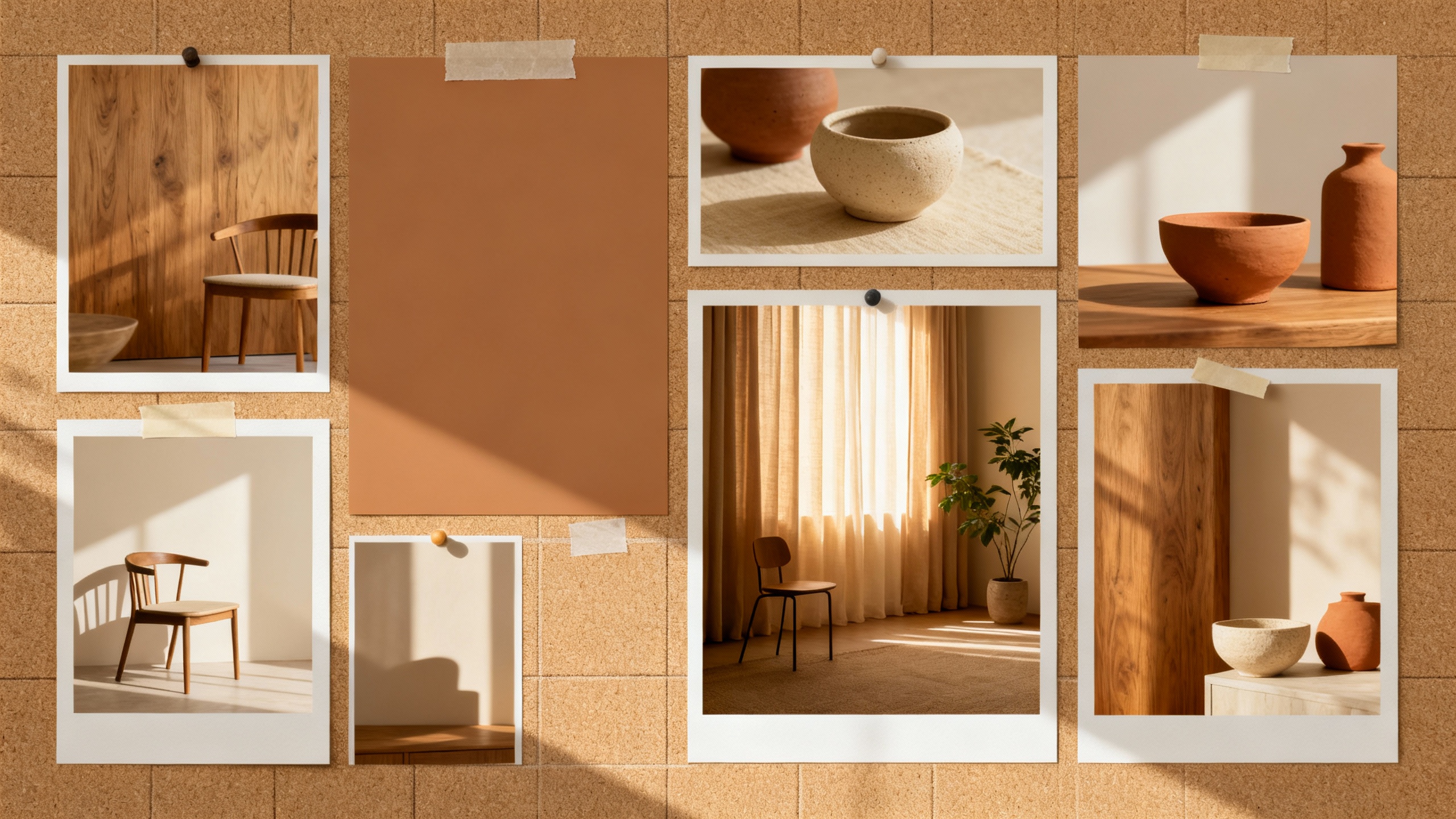
Swiss Grid Layout
3x3 Editorial Grid
We selected the Asymmetrical Pinned layout for its organic, editorial feel. The pinned photos with slight overlaps and varied sizes create visual interest while maintaining a cohesive aesthetic. This style works well for interior design presentations where you want to convey warmth and approachability.
Layout Options for Mood Boards
- • Grid layout: Clean, organized, professional (great for corporate clients)
- • Asymmetrical pinned: Organic, creative, artisanal feel
- • Overlapping collage: Dynamic, layered, editorial style
- • Scattered/loose: Casual, brainstorming-session vibe
Step 3: Create Style Variations
With a layout selected, explore different presentation styles. This is where AI for graphic design shines. You can transform the same mood board into completely different visual presentations without changing the core content.
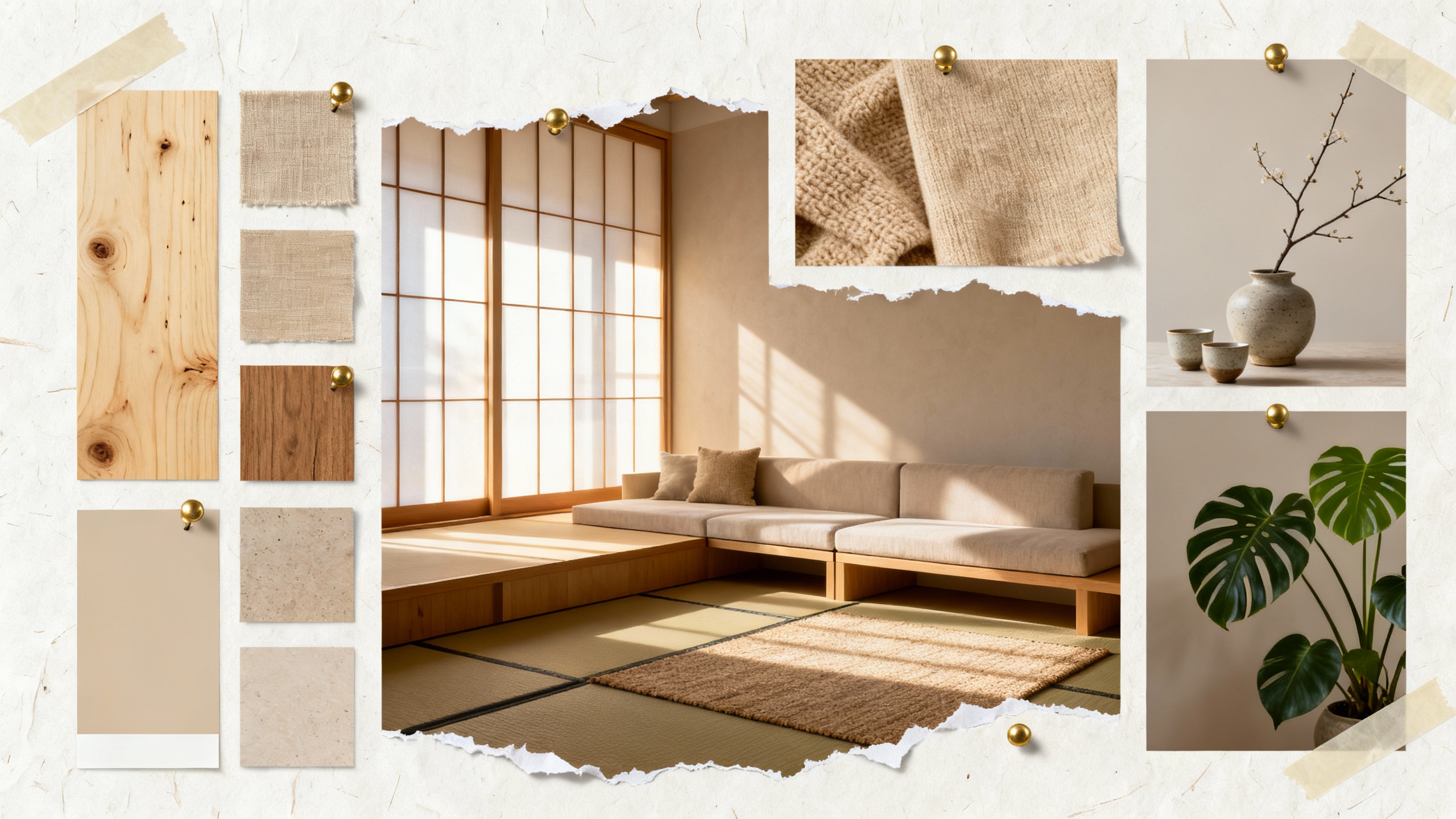
Brass Pushpins
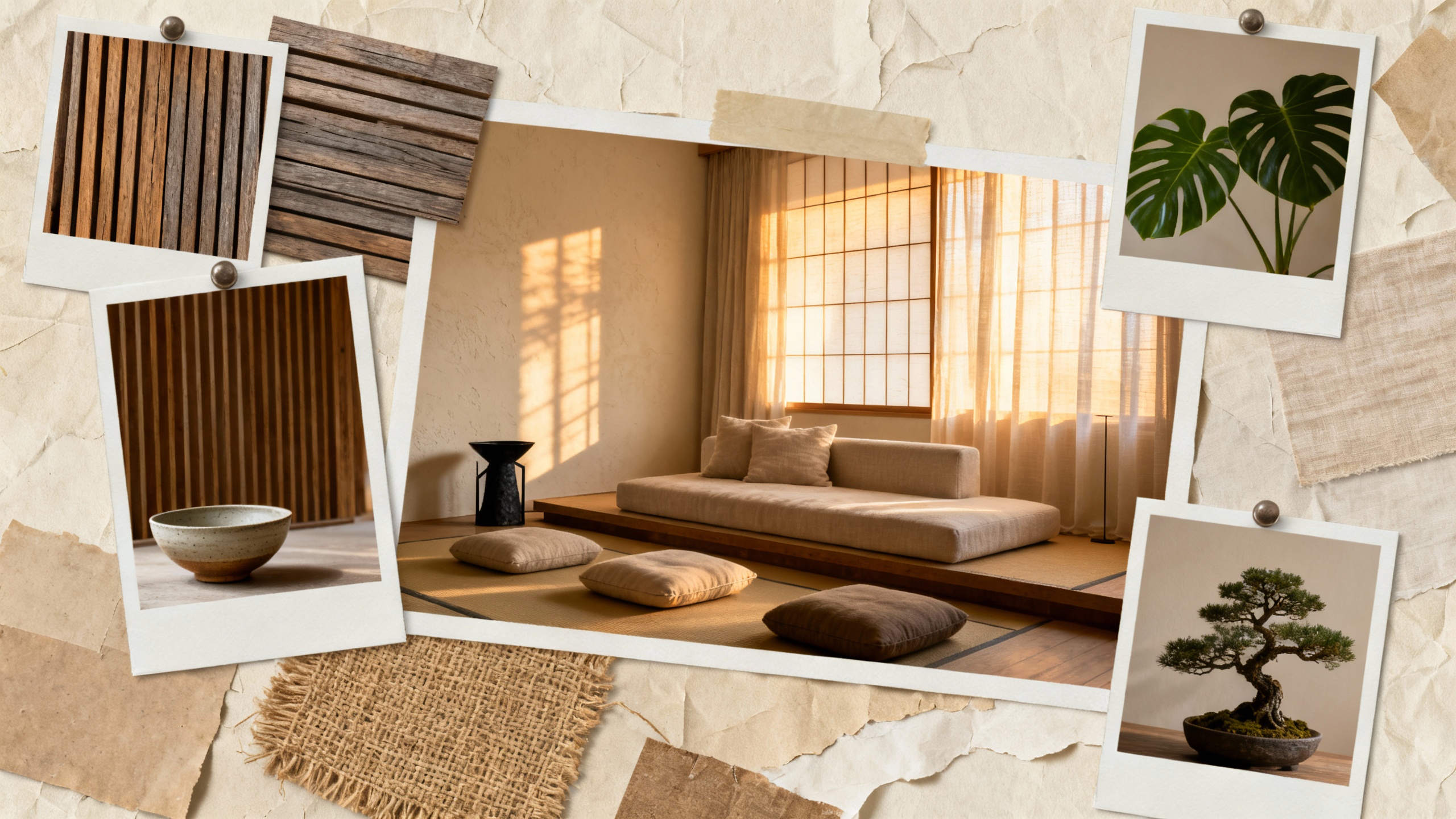
Polaroid Frames
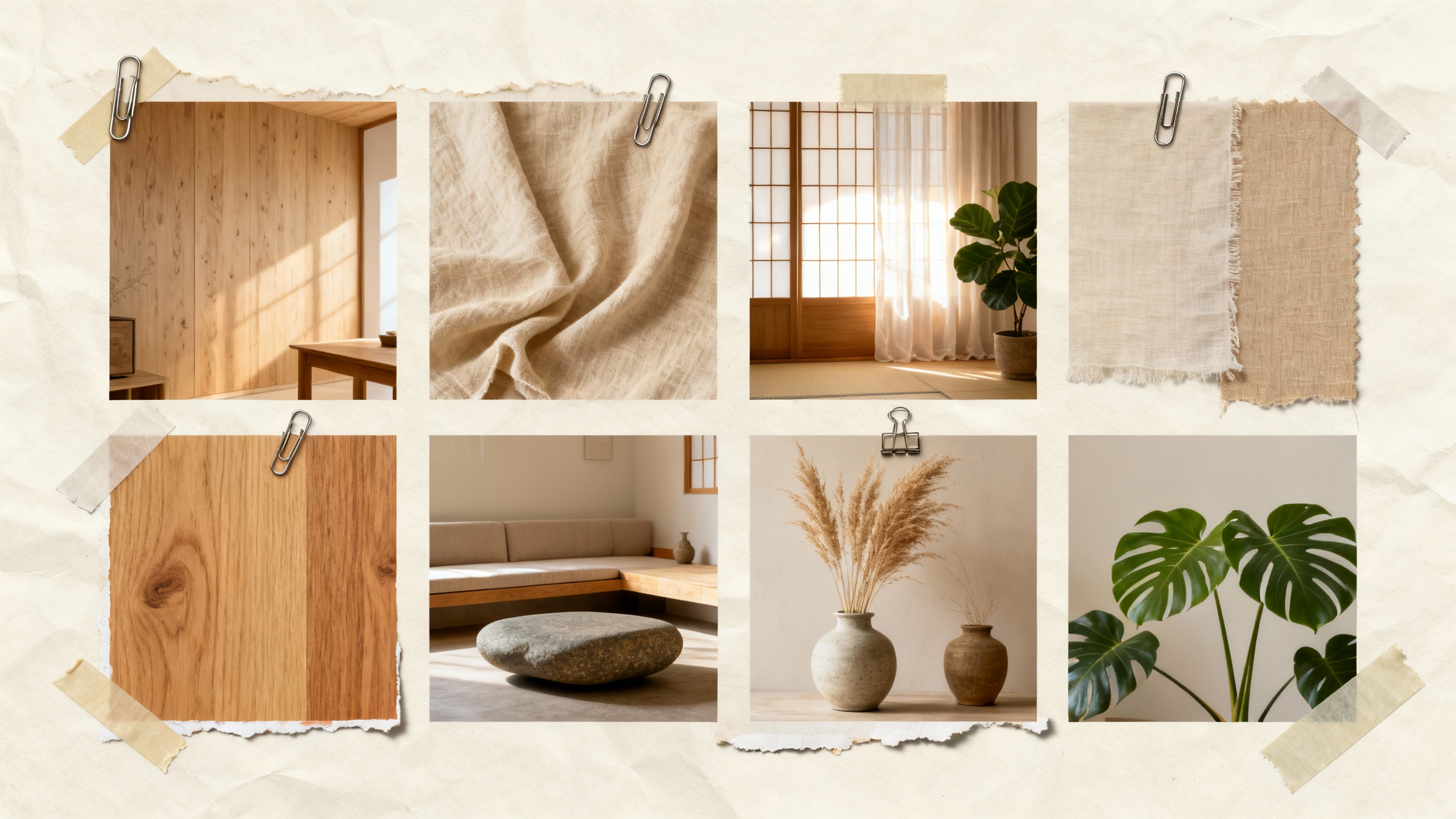
Gallery Clips
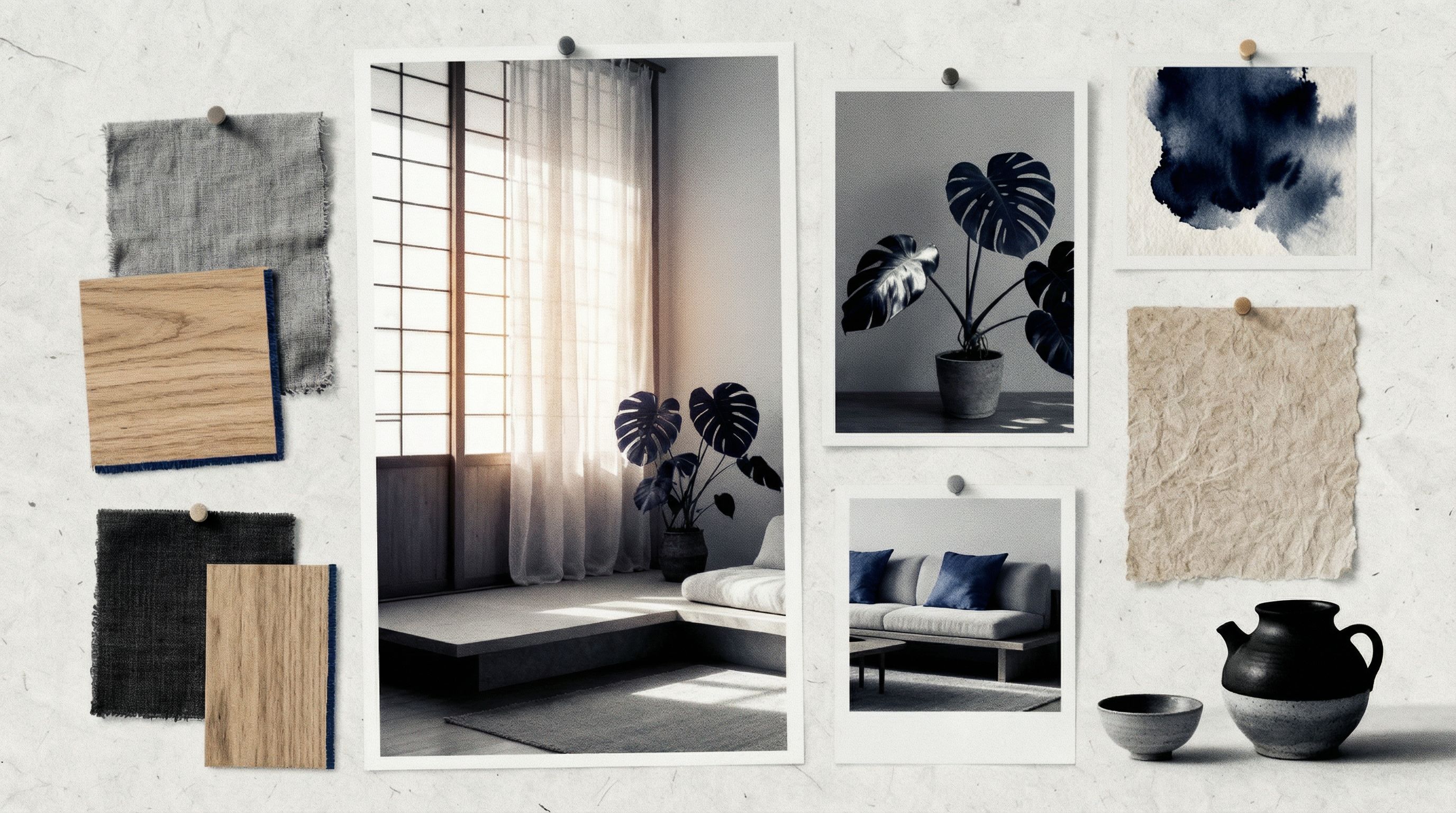
Editorial Indigo
Each variation maintains the same Japandi aesthetic but presents it differently. Brass Pushpins feels premium and tactile. Polaroid Frames adds a nostalgic, personal touch. Gallery Clips suggests a more curated, artistic approach. Editorial Indigo introduces bold contrast for a modern magazine feel.
Step 4: Explore Different Aesthetics
One of the most powerful applications of AI mood board makers is rapid aesthetic exploration. Using the same composition, you can transform a Japandi mood board into completely different design directions. This is invaluable during the design process when clients want to see alternatives.
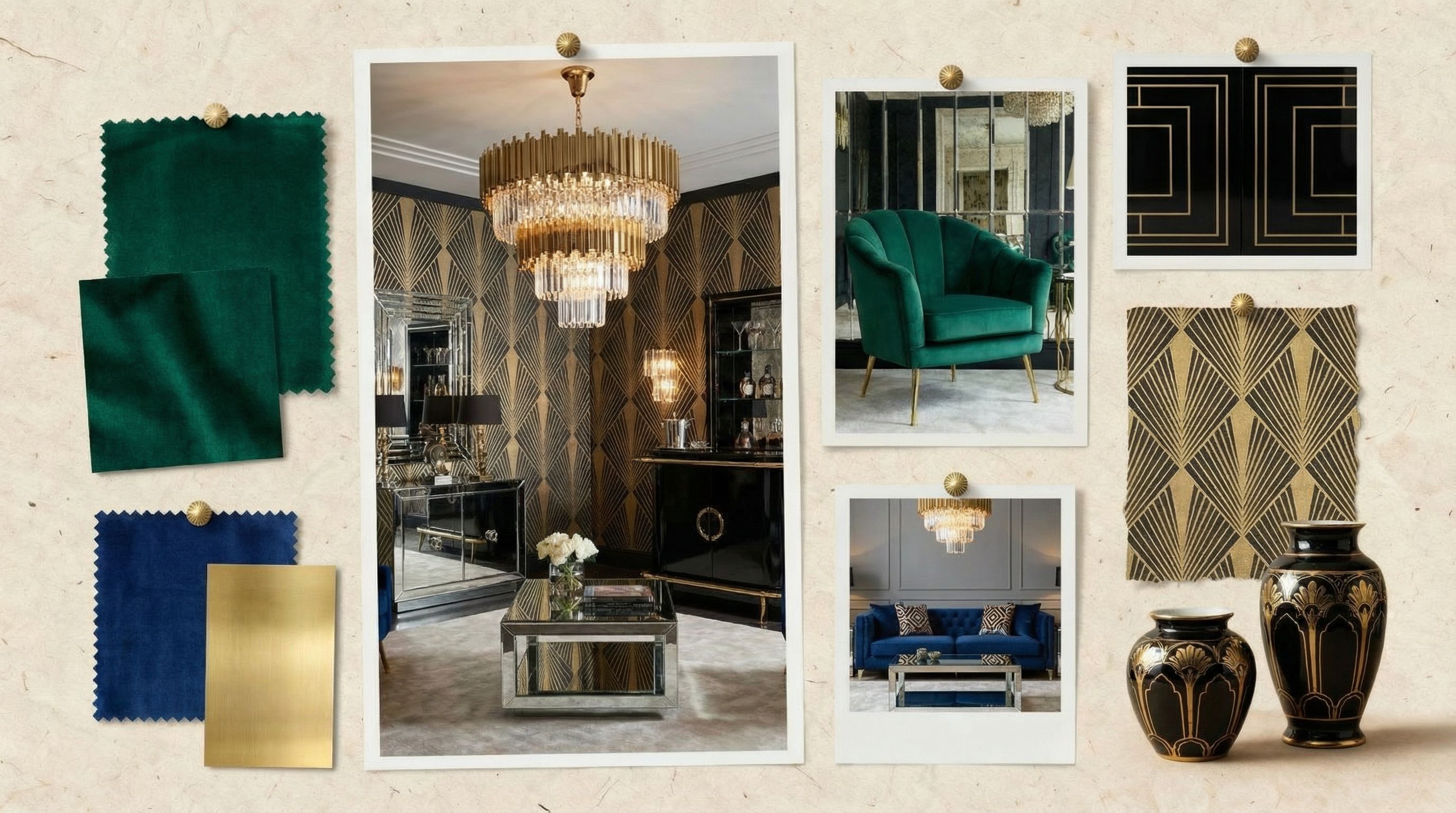
Art Deco
Bold geometric, emerald & sapphire velvet, brass
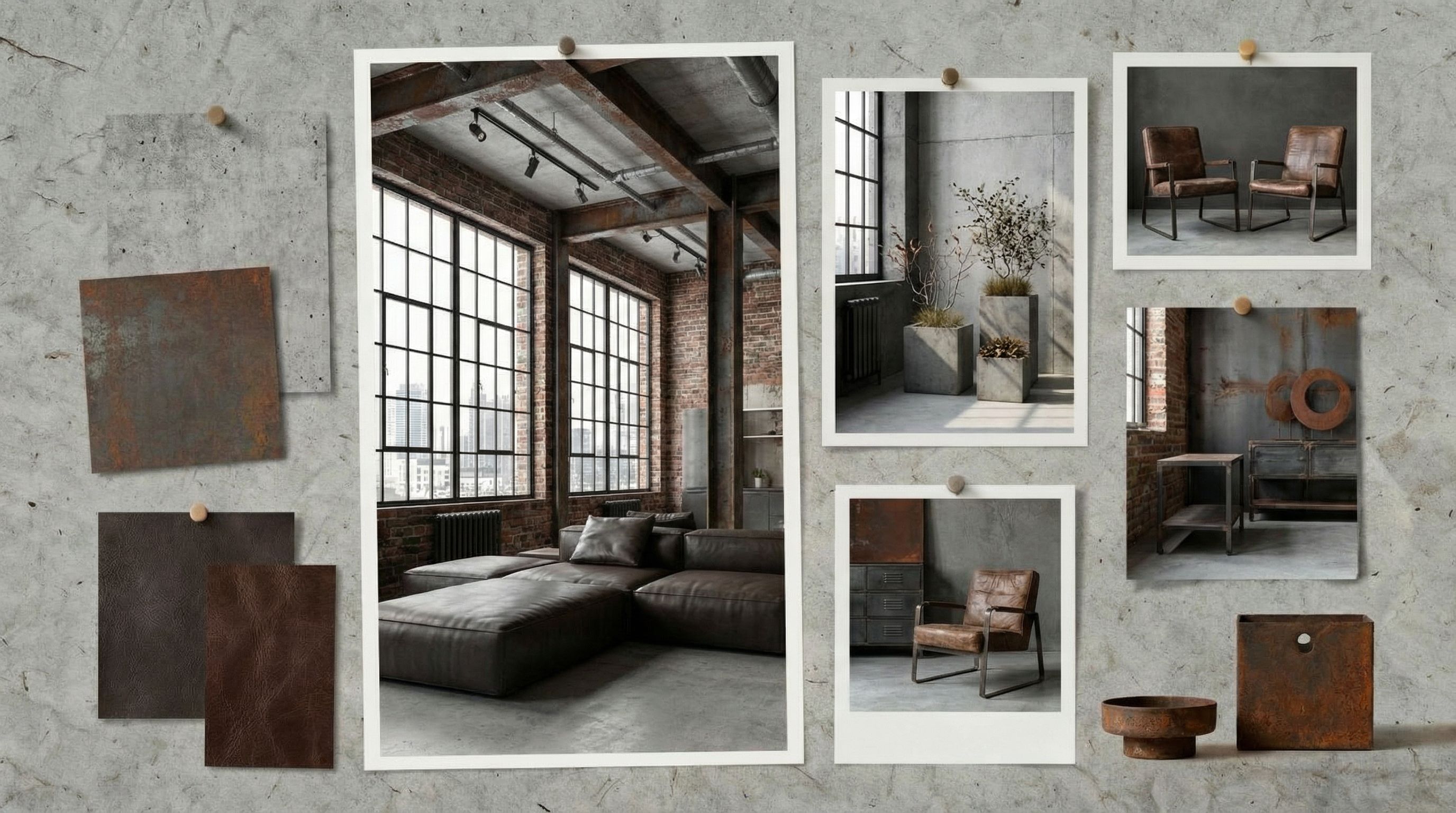
Industrial Loft
Raw concrete, exposed brick, weathered steel
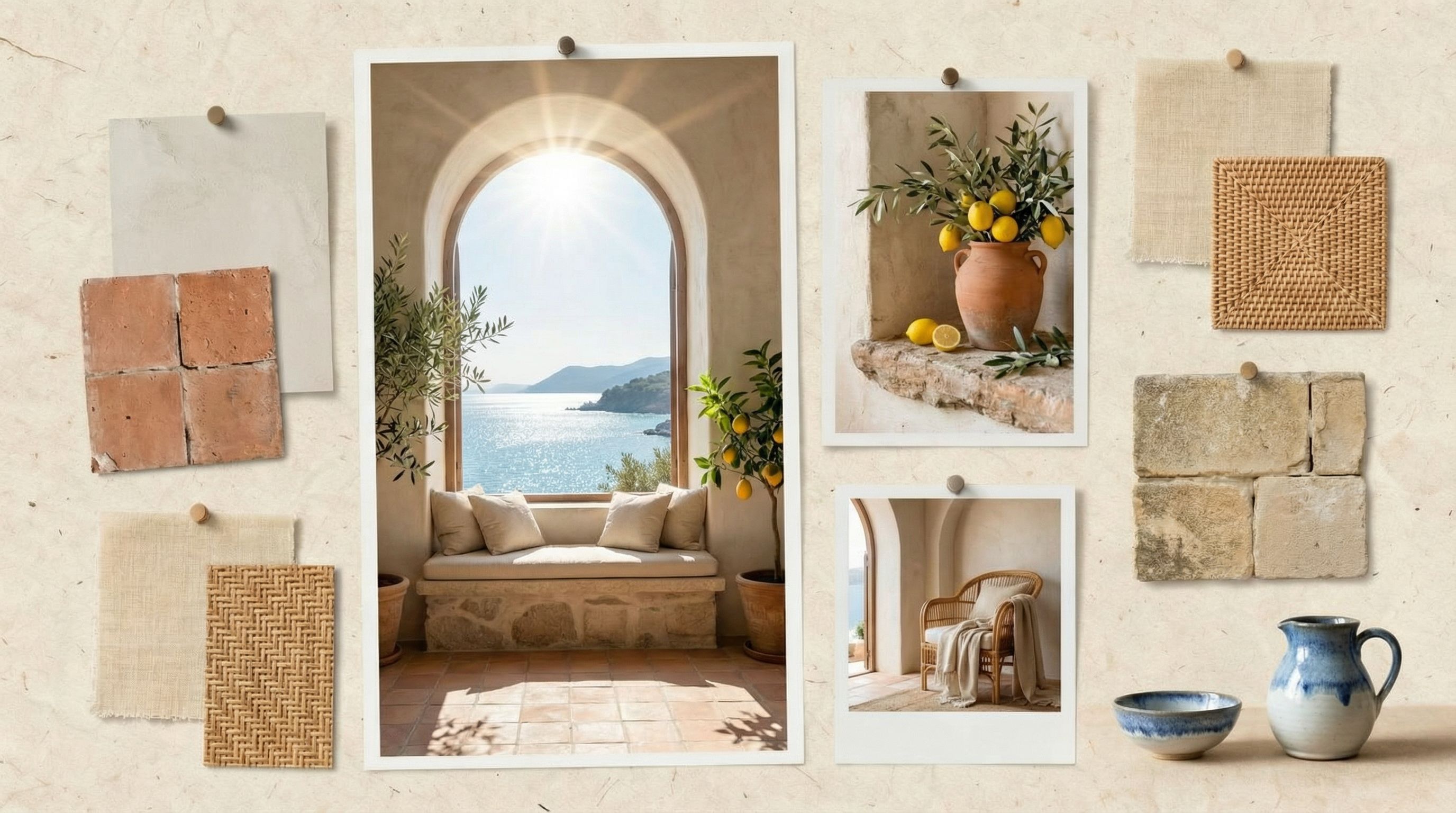
Mediterranean Villa
Terracotta, rattan, sun-bleached linen, olive branches
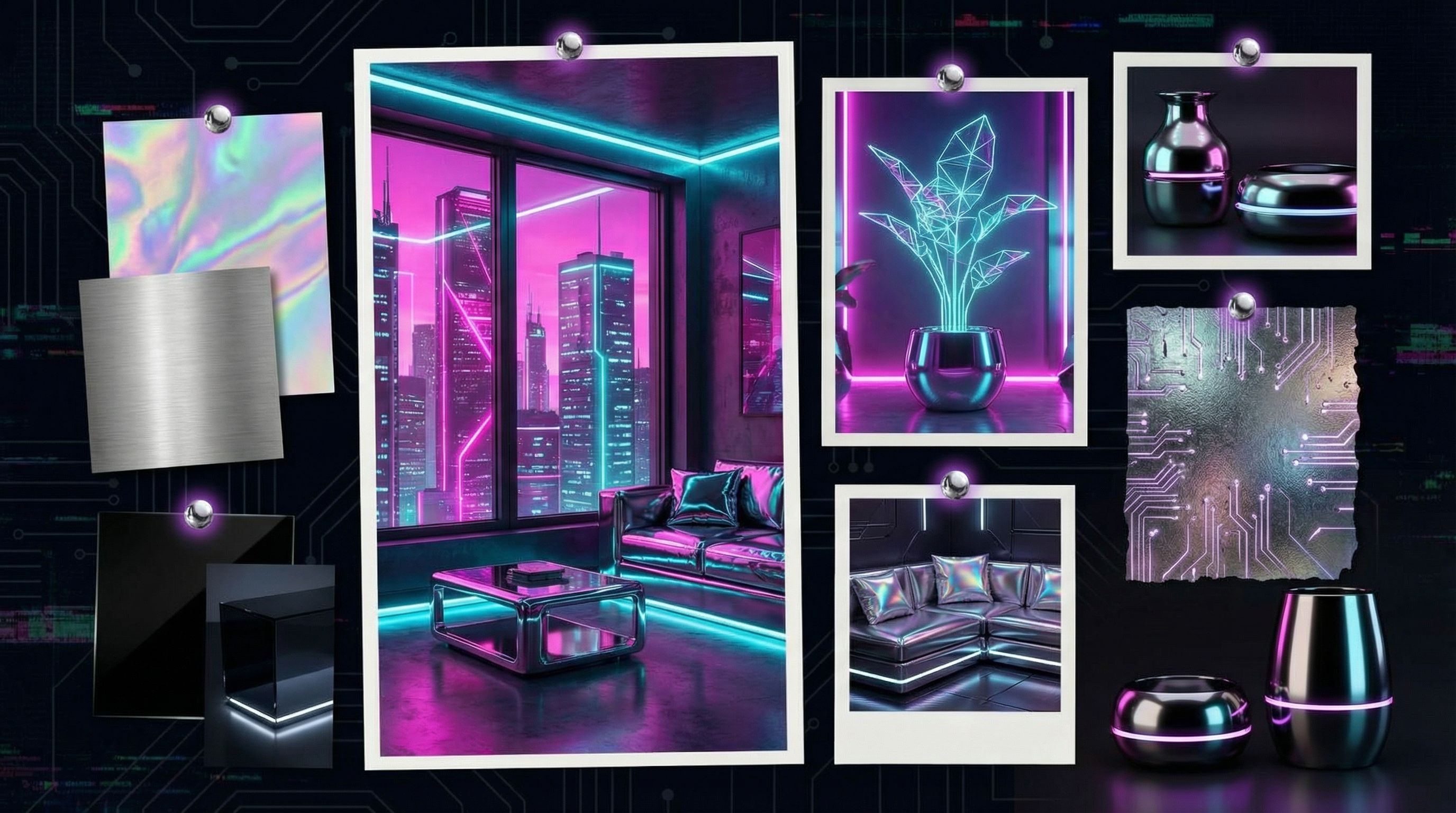
Cyberpunk
Holographic foil, neon accents, chrome details
In seconds, we transformed a calm Japandi mood board into Art Deco glamour, Industrial Loft edge, Mediterranean Villa warmth, and futuristic Cyberpunk. Each maintains the same pinned-collage layout but with entirely different material palettes, color schemes, and atmospheric lighting. This kind of rapid exploration would take hours with traditional mood board templates.
When to Use Aesthetic Transforms
- • Client wants to see multiple design directions
- • Exploring options during brainstorming sessions
- • Pitching to stakeholders with different preferences
- • Testing how a space might feel with different aesthetics
Step 5: Format Adaptations
Your mood board needs to work across different platforms. Client presentations require landscape slides. Pinterest and social media favor vertical formats. Print portfolios need high resolution. AI can resize and adapt your mood board for each use case without losing composition quality.
We adapted our Japandi mood board into a Pinterest-optimized vertical format. The AI reorganized the pinned images to fit the taller aspect ratio while maintaining the editorial collage feel. This kind of intelligent resizing would require significant manual work with traditional tools.
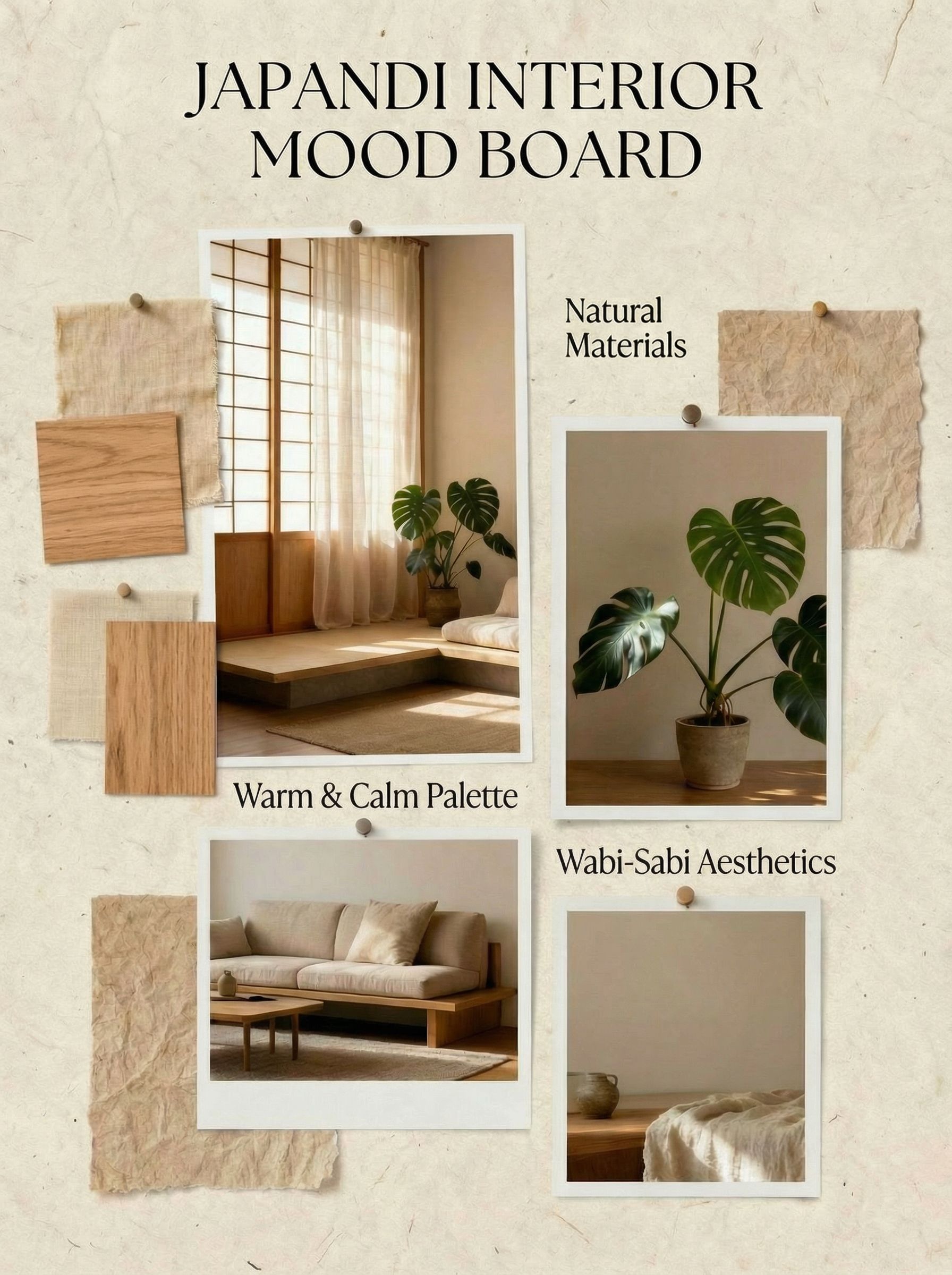
Pinterest / Instagram Stories
2:3 vertical format
Common Mood Board Formats
- Pinterest Pin2:3 or 1000×1500 pixels
- Instagram Post1:1 or 4:5
- Presentation Slide16:9 landscape
- Print / PDF8.5×11 or A4
Export Tips
- • Use PNG for high quality with transparency
- • Use JPG for smaller file sizes
- • Export at 2x resolution for crisp display
Mood Board Use Cases
Creating mood boards isn't just for interior designers. The visual communication benefits apply across industries wherever teams need to align on aesthetic direction before investing in detailed work. Here are some of the most common applications:
Interior Design Mood Board
Communicate room aesthetics to clients before purchasing furniture or paint color. Include material swatches, furniture references, lighting studies, and decorative objects. See our full guide on AI room design.
Brand Identity
Establish visual direction for logos, websites, and marketing materials. Include color palette, typography, imagery style, and tone references. Perfect for marketing teams.
Fashion Collections
Align design teams on seasonal collections before production. Include fabric swatches, color schemes, silhouettes, and lifestyle imagery. Explore more in our AI fashion design guide.
Film & Video Production
Set visual tone for cinematography, set design, and color grading. Include reference frames, color palettes, lighting examples, and costume direction. Similar to storyboard work.
Website & App Design
Define UI aesthetic before wireframing. Include color schemes, typography examples, button styles, and interface patterns. Helps developers and designers stay aligned. Great for content creation teams.
Event Planning
Communicate wedding, party, or corporate event aesthetics to vendors. Include table settings, floral arrangements, lighting, decor, and venue atmosphere references. Essential for coordinating multiple suppliers.
Product Design
Establish material finishes, color options, and design language for physical products. Include material swatches, competitor references, and lifestyle context. See our guide on AI product design.
FAQ
How does AI compare to Canva for creating mood boards?
Canva offers excellent mood board templates with drag and drop functionality. It works well for beginners who want to quickly arrange existing images. But Canva requires you to find and upload all your own images, and the templates can feel generic since millions of people use them. AI generates completely original mood boards based on your specific vision, including photoreal material swatches you can't find in stock images.
Can I use AI mood boards for professional client work?
Yes. AI-generated mood boards are high quality visual tools for client presentations. They communicate design direction effectively during the design process. Many interior designers and small business owners use AI mood boards to align with clients before committing to expensive purchases or build-outs.
What makes a good mood board?
A good mood board tells a visual story. It should have a clear design direction with cohesive colors, materials, and atmosphere. Include variety (close-ups, wide shots, textures, objects) while maintaining unity. Leave some negative space so it doesn't feel cluttered. Most importantly, it should immediately communicate the intended feeling to anyone who sees it.
What's the difference between a mood board and an inspiration board?
An inspiration board is a broader collection of images that inspire you without a specific project in mind. A mood board is more focused and professional, created for a specific interior design project or brand identity. Mood boards typically include actual material swatches and color swatches, while inspiration boards are more about collecting design ideas.
Can AI generate mood boards for specific room types?
Absolutely. You can create mood boards for any room type: living rooms, bedrooms, kitchens, bathrooms, offices, and more. Just specify the room type and aesthetic in your prompt, and AI will generate appropriate material samples, furniture references, and lighting studies for that specific space.
How many images should a mood board include?
Most professional mood boards include 6 to 12 images. Fewer than 6 may not communicate enough about the design direction. More than 12 can feel cluttered and unfocused. The sweet spot depends on your industry: interior design mood boards often include 8 to 10 images with material swatches, while brand mood boards might include 5 to 7 larger images. Quality and cohesion matter more than quantity.
What tools do professional designers use for mood boards?
Traditional options include Canva (beginner-friendly with mood board templates), Adobe Photoshop and Illustrator (professional control), Figma (collaborative design), and Pinterest (for collecting inspiration). Physical mood boards use foam core, pushpins, and actual material samples. AI mood board makers like Vondy offer a new approach where you generate complete boards from text descriptions rather than assembling existing images.
Can I add text boxes and labels to AI mood boards?
Yes, but we recommend generating the visual composition first without text, then adding labels in a separate editing step. AI-generated text in images can sometimes be inconsistent. For professional client presentations, export your AI mood board and add text boxes with typography in Canva, Figma, or another design tool where you have precise control over fonts and placement.
What's the best way to present a mood board to clients?
Walk clients through the mood board systematically rather than just showing it. Explain why you chose specific colors, materials, and imagery. Point out how different elements work together. If presenting multiple options, clearly label each direction (e.g., "Option A: Warm Minimalist" vs "Option B: Bold Contemporary"). Leave time for questions and be prepared to iterate based on feedback. For remote presentations, share your screen rather than sending files in advance to control the narrative.

Create Beautiful Mood Boards
All the AI design tools used in this tutorial are available on Vondy. Generate visual elements, compose layouts, and explore aesthetics.
Start creating
Continue Learning